
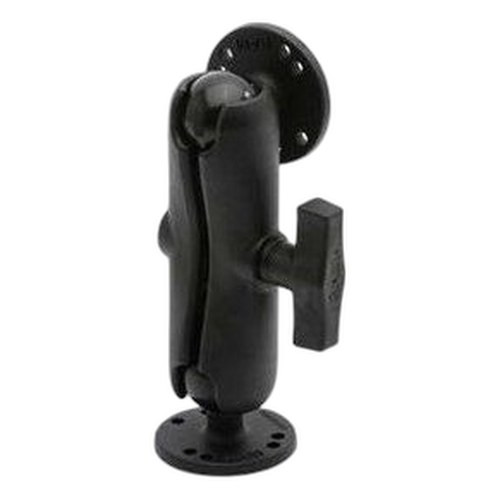


Product images are provided for reference and may not represent the exact model, configuration, or included
components.
Overview
SKU:
P1014144
Condition:
New
Availability:
Usually ships in 24 hours
Warranty
1-Year Limited Warranty

Zebra P1014144 Control Panel Assembly Kit
Zebra P1014144 Control Panel Assembly KitThe Zebra P1014144 is a replacement control panel assembly set designed for Zebra KR403 and TTP2000 thermal p…

Zebra P1014144 Control Panel Assembly Kit
$24.99
$23.99
Your recommended setup
Review items below — quantities update pricing automatically.
Item
Qty
Status
Price
Optional Add-Ons recommended
Services optional
Bundle Summary
Bundle Subtotal:
$0.00
Optional Add-Ons:
$0.00
Services:
$0.00
Total:
$0.00
Overview
SKU:
P1014144
Condition:
New
Availability:
Usually ships in 24 hours
Warranty
1-Year Limited Warranty
Description

Zebra P1014144 Control Panel Assembly Kit
The Zebra P1014144 is a replacement control panel assembly set designed for Zebra KR403 and TTP2000 thermal printer systems. This package includes three (3) control panel units—left and right configurations—providing complete redundancy and replacement coverage for mission-critical printing operations in warehouse, logistics, and retail environments.
Overview
Control panel assemblies are critical components that manage printer operation, status display, and user input on Zebra's professional thermal printing platforms. The P1014144 assembly kit ensures uninterrupted printing capability by providing ready-to-install replacement panels that maintain full compatibility with existing KR403 and TTP2000 infrastructure. Organizations relying on high-volume label, receipt, or shipping label production benefit from having spare control panel units on hand to minimize downtime during maintenance or component failure.
Key Features
- OEM Zebra Component: Genuine Zebra part number P1014144 ensures perfect fit and full operational compatibility
- Dual Configuration: Includes both left and right panel assemblies for flexible deployment
- Quantity 3 Bundle: Three complete units per package for redundancy and replacement stock
- KR403 Compatibility: Direct replacement for Zebra KR403 thermal printer control panels
- TTP2000 Compatibility: Full compatibility with Zebra TTP2000 series printer control systems
- Drop-In Installation: No reconfiguration required; panels install directly into existing printer housings
- Status Indicators: Integrated LED and display functionality for real-time printer status monitoring
- User Interface: Maintains standard button and control layout for operator familiarity across fleet deployments
Integration & Compatibility
The P1014144 control panels integrate seamlessly with existing Zebra thermal printing ecosystems. Organizations operating multiple KR403 or TTP2000 units can standardize spare parts inventory using this multi-pack configuration. The control panels support all native printer functions including media detection, temperature monitoring, network status indication, and error alerting. No firmware updates or software reconfiguration is required upon installation.
Typical Applications
Control panel replacement is essential for high-availability printing environments such as distribution centers, manufacturing floors, point-of-sale networks, and shipping hubs where printer downtime directly impacts operational throughput. The three-unit bundle structure supports both immediate replacement and strategic spare inventory planning for organizations operating 3+ thermal printer units.
James Everett
I've evaluated the Zebra P1014144 control panel kit during multiple thermal printer fleet deployments, particularly in high-volume logistics environments where KR403 and TTP2000 systems drive mission-critical label and shipping document production. This component is a straightforward but essential spare part that directly addresses one of the most common point-of-failure issues in thermal printer operations.
Technical Highlights:
- Redundancy Planning: The three-unit bundle structure aligns with practical deployment models where organizations operating multiple printers benefit from maintaining 1:3 spare ratios for high-utilization units
- Direct Compatibility: P1014144 panels are drop-in replacements with no firmware version dependencies, making inventory management straightforward across mixed-generation Zebra printer fleets
Deployment Considerations:
- Control panel failure typically manifests as unresponsive buttons, missing LED indicators, or display malfunction—conditions that prevent normal printer operation even when the print engine remains functional. Having the P1014144 kit staged reduces MTTR significantly
- Verify your printer model number on the device label before ordering; compatibility is limited to KR403 and TTP2000 series. Cross-reference with your Zebra documentation if operating mixed printer models
For operations running 3+ thermal printers or supporting print infrastructure across multiple facilities, maintaining one P1014144 kit per site is a cost-effective insurance policy against control panel failure. The replacement process typically requires 15–20 minutes per panel and requires no specialized tools beyond basic hardware familiarity.
Specifications
Product Type:
Mobile Computer
Connectivity:
USB; Bluetooth; WiFi
Scan Engine:
2D
Battery Capacity:
5200mAh
Have Questions?
Ask an Expert.
Your recommended setup
Review items below — quantities update pricing automatically.
Item
Qty
Status
Price
Optional Add-Ons recommended
Services optional
Bundle Summary
Bundle Subtotal:
$0.00
Optional Add-Ons:
$0.00
Services:
$0.00
Total:
$0.00
RELATED PRODUCTS

System Design, Deployment & Technical Support
Support services and planning resources for commercial surveillance, access control, and infrastructure deployments.
Fixed scope • Fixed price
System Design Assistance
- Get help validating product compatibility
- Coverage requirements
- Storage planning and deployment architecture before you buy.
Deployment & Configuration Support
- Access fixed-scope support for rollout planning
- User setup guidance
- Migration and system standardization across single-site or multi-site deployments
Guides, Tools & Calculators
- PoE requirements
- Storage retention
- Camera selection and deployment methodology