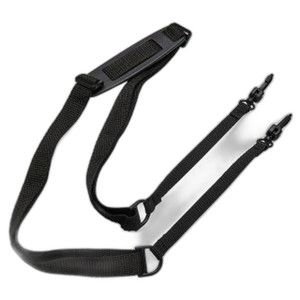
Zebra CBL-MPM-USB1-01 USB-C Cable for Mobile Thermal Printers
Overview
The Zebra CBL-MPM-USB1-01 is a purpose-built USB-C connectivity cable engineered for Zebra's ZQ310 and ZQ320 mobile thermal printer lines. This cable handles both power delivery and bidirectional data transfer — meaning you can charge the printer, upload firmware updates, and configure label templates over a single connection. In warehouse and field-service environments where printer downtime costs money, having the correct OEM cable eliminates compatibility guesswork.
Key Features
- USB-C connector: Reversible design eliminates the frustration of getting polarity wrong on the job site — particularly useful in fast-paced warehouse and logistics operations where technicians are swapping devices frequently.
- Dual-function (power + data): Supports simultaneous charging and data synchronization. This matters when you're updating firmware or batch-configuring label templates on multiple printers — you don't need separate power and sync cables.
- ZQ310 and ZQ320 compatibility: Engineered specifically for these two Zebra mobile printer models. Using the correct OEM cable avoids the risk of using an off-brand adapter that may not deliver proper power levels or maintain reliable data integrity during critical firmware operations.
- Warehouse and field-service environments: The cable is designed for rugged handling. Mobile printers in supply chain operations are moved between vehicles, warehouses, and dock areas constantly — the OEM cable is engineered for that duty cycle, not consumer-grade usage.
- Firmware update and label configuration support: Whether you're pushing updated print drivers across a fleet of printers or configuring custom label templates, the CBL-MPM-USB1-01 provides the stable, manufacturer-approved connection path.
- Integration with Zebra printer management workflows: Works with Zebra's standard provisioning and configuration tools, ensuring your printer setup, maintenance, and troubleshooting processes remain consistent across your organization.
Integration & Compatibility
The CBL-MPM-USB1-01 (often searched as CBL MPM USB1 01) integrates directly into the ZQ310 and ZQ320 USB-C ports. No adapter rings, no splitters, no guessing — it's a direct OEM connection. If you're managing a fleet of Zebra mobile printers, keeping at least one spare OEM cable per printer eliminates the risk of using incorrect third-party alternatives that may not support the full power and data bandwidth these printers require. For broader context on mobile printing infrastructure in warehouse automation, see our warehouse automation mobile printer guide.
What's in the Box
Based on the available evidence, the package contents are not explicitly detailed in the manufacturer specifications. Contact your distributor or Zebra directly to confirm exact contents.
Frequently Asked Questions
Q: Will the CBL-MPM-USB1-01 work with other Zebra printer models?
A: No. This cable is specifically engineered for the ZQ310 and ZQ320 mobile printer lines. Using it with other models may result in poor power delivery or data transfer failures. Always verify your printer model before ordering.
Q: Can I use a standard USB-C cable instead?
A: Not recommended. While some USB-C cables may physically fit, they may not meet the power delivery or data-transfer specifications required by Zebra's firmware update and configuration processes. Using the OEM CBL-MPM-USB1-01 ensures compatibility with Zebra's provisioning tools and avoids the risk of incomplete or corrupted firmware updates.
Q: What is the cable length?
A: The exact length is not specified in the available manufacturer documentation. Check the datasheet or contact your supplier for this detail.
Q: Can I use the CBL-MPM-USB1-01 for simultaneous charging and data transfer?
A: Yes. The cable supports dual-function operation — you can update firmware or configure labels while the printer is charging over the same connection.
Q: Is this cable ruggedized for field use?
A: The CBL-MPM-USB1-01 is engineered for warehouse and field-service environments where mobile printers are deployed. It is designed to handle the duty cycle of mobile printing operations, but specific environmental ratings (such as impact resistance or temperature range) are not detailed in the available specifications.
Q: What warranty does the CBL-MPM-USB1-01 carry?
A: Warranty details are not specified in the available product documentation. Verify with the manufacturer or your specialty distributor regarding warranty coverage for this OEM cable.
Ted PerryPerspective based on aggregated IP Security Depot and affiliated engineering team experience.
The CBL-MPM-USB1-01 is a small but critical component in any ZQ310 or ZQ320 deployment. It's not glamorous, but a failed cable in the field — or worse, using a non-OEM alternative that corrupts a firmware update — will cost you far more than the price of keeping spares on hand. I've seen technicians waste hours troubleshooting print failures that traced back to a questionable third-party USB-C cable. Don't be that site.
Technical Highlights:
- Dual power + data function: Eliminates the need for separate charging and sync cables. Matters when you're provisioning a fleet of printers or pushing firmware updates across multiple units in quick succession.
- USB-C reversible connector: Sounds minor, but in the field it cuts fumbling time. Technicians swapping cables between devices appreciate not having to guess polarity.
- ZQ310/ZQ320 native engineering: Purpose-built means it meets the exact power delivery and data-bandwidth specs these printers expect. Generic USB-C cables may fit, but they won't guarantee reliable firmware operations or label configuration workflows.
Deployment Considerations:
- Stock spares per printer: Mobile printers are frequently moved, cables get damaged or misplaced, and downtime in warehouse operations is expensive. Budget for at least one spare CBL-MPM-USB1-01 per printer unit to minimize service delays.
- No firmware shortcuts: Never attempt a firmware update with a non-OEM cable. A partial or failed update can leave your printer inoperable. Always use the CBL-MPM-USB1-01 for any provisioning or firmware task.
Best deployment scenario: centralized printer management in a warehouse or logistics hub where you maintain a small spares cache of CBL-MPM-USB1-01 cables. One spare per 3–5 printers minimizes the risk of having to pull a working cable from production just to perform maintenance on another unit.