Image coming soon
Product images are provided for reference and may not represent the exact model, configuration, or included components.

Overview

SKU: US421A
UPC: 672792001888
Condition: New
Write a Review 0% OFF

ATEN US421A Allows 4 Computers TO Share THE Same USB Peripherals Under THE Foundation

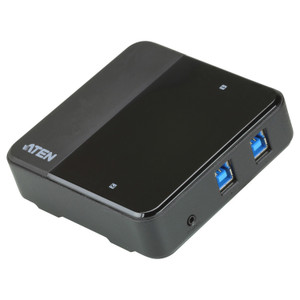
ATEN US421A 4-Port USB Peripheral Sharing SwitchOverviewThe ATEN US421A is a 4-port USB peripheral sharing switch that lets four computers take turns …

$47.00 $46.99 SAVE $0
Ships same business day
In stock

Quantity:

Adding to cart… The item has been added
Compatibility guidance available for your deployment
Senior specialists for pre and post-sales support
Authorized sourcing and documentation support
Shipping and lead-time confirmation before install

Laura Bennett, IPSD Senior Specialist

Talk to Laura

200+ hrs training • U.S - based

Senior Specialist • 877-277-7147

ATEN US421A Allows 4 Computers TO Share THE Same USB Peripherals Under THE Foundation

$47.00
$46.99

Overview

SKU: US421A
UPC: 672792001888
Condition: New

No Bots, Just Experts

Questions about this product? Free pre-sales support from a senior specialist — product questions, compatibility checks, BOM quotes, price confirmation — typically answered within one business day. Need camera placement or system design work? Engineering time is $175 per hour (qty 1 = 1 hour). Hardware buyers get up to one hour ($175) credited back on their order.

Description

ATEN US421A 4-Port USB Peripheral Sharing Switch

Overview

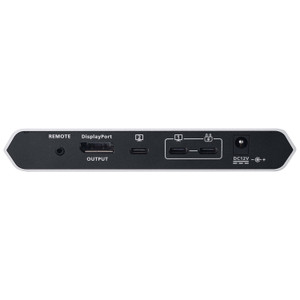
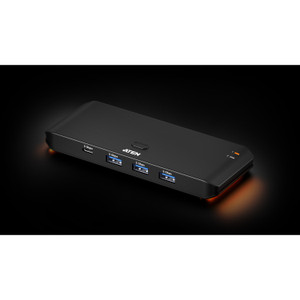
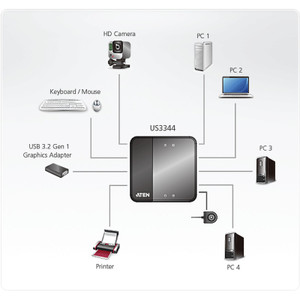
The ATEN US421A is a 4-port USB peripheral sharing switch that lets four computers take turns accessing a single USB device — a scanner, printer, hard drive, or other USB Type-A peripheral — without physically swapping cables. In workstation clusters, shared-peripheral lab benches, or multi-PC security workstations where a single enrollment reader or USB storage device needs to be accessible from several seats, the US421A eliminates the cable-swap workflow entirely. Port selection is handled three ways: front-panel pushbuttons for manual switching, ATEN's AP software for software-driven switching from the desktop, or Auto Switch mode that hands control to whichever computer is actively sending a signal. The unit is USB bus-powered — no wall adapter, no separate power run required.

Compatibility

The US421A connects up to four host computers via standard USB Type-A ports. AP software support is confirmed for macOS 10.10 and higher (v1.2.111, released 2023-12-07); legacy AP software builds extend compatibility back to macOS 10.6. Windows compatibility is standard for USB HID-class devices through the OS's native USB stack — no proprietary driver installation required for basic switching. The single shared device port accepts any USB Type-A peripheral. It is not a KVM switch and does not carry video, audio, or keyboard/mouse signals — it shares one USB device only.

Installation Notes

The US421A is USB bus-powered, drawing current from the connected host — ensure the host port can supply sufficient bus power before deploying with power-hungry peripherals such as external drives. Operating humidity is rated at 0–80% RH non-condensing; avoid environments with condensation risk. The unit supports rack mounting; per ATEN's published note, rack-mount product physical dimensions follow an LxWxH convention rather than the more common WxDxH format — confirm orientation against your rack plan before ordering a tray.

Specifications
Mount Type: Rack
Console Connections: 4
Port Selection: Pushbuttons, Software, Auto Switch
Device: 1 x USB Type A
Selected: 4 (Green)
Switches: 4 x Pushbutton
Humidity: 0–80% RH, Non-condensing
s: Description
Macos 10.10 Or Higher: AP Software for Mac
Macos 10.6 Or Higher: AP Software for Mac
Macos 10.45 Or Higher: AP Software for Mac
Q&A
Reviews
Have Questions?

RELATED PRODUCTS

System Design, Deployment & Technical Support

Support services and planning resources for commercial surveillance, access control, and infrastructure deployments.

Fixed scope • Fixed price

System Design Assistance

  • Get help validating product compatibility
  • Coverage requirements
  • Storage planning and deployment architecture before you buy.
Request Design Help

Deployment & Configuration Support

  • Access fixed-scope support for rollout planning
  • User setup guidance
  • Migration and system standardization across single-site or multi-site deployments
View Support Services

Guides, Tools & Calculators

  • PoE requirements
  • Storage retention
  • Camera selection and deployment methodology
Open Technical Resources