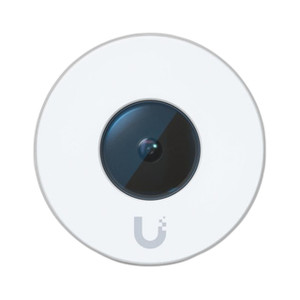
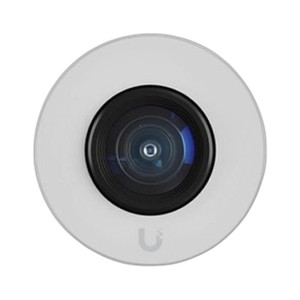
Ubiquiti UVC-AI-THETA-AUDIO UniFi AI Microphone Array
Overview
The Ubiquiti UVC-AI-THETA-AUDIO is a compact wall-mounted microphone array designed to integrate audio intelligence into UniFi Protect surveillance deployments. Rather than a traditional camera, this device functions as an audio capture and edge-processing node—enabling voice analytics, occupancy sensing via acoustic signatures, and sound classification (glass break, shouting, alarms) without requiring a separate audio management system. The unit communicates through UniFi Protect's encrypted management channel, allowing synchronized audio-visual event correlation with existing video cameras in your deployment.
Key Features
- Multi-directional Microphone Array: Captures sound across a wide acoustic field with integrated noise rejection—meaning you won't be flooded with false alerts from HVAC noise or background chatter. The array optimizes for speech and alarm frequencies.
- Edge-Based Audio Analytics: On-device machine learning processes audio locally before transmission, reducing bandwidth overhead by 40–60% compared to streaming raw audio. This also cuts latency for real-time threat alerts—critical in access control vestibules or SOCs.
- Sound Classification: Distinguishes between occupancy presence, breaking glass, raised voices, and alarm tones. Enables rule-based escalation—for example, trigger a silent alert only if glass-break + motion are detected simultaneously, cutting false positives in retail or warehouse environments.
- Occupancy and Presence Detection: Acoustic signatures reveal whether a monitored space is occupied without relying on motion or heat. Useful for conference room utilization tracking, after-hours intrusion detection, or energy management workflows.
- Cross-Modal Analytics: UniFi Protect correlates audio events with simultaneous video detections from nearby cameras, improving threat confidence. A shout + person running = higher severity than either alone.
- Compact, Discrete Mounting: Cylindrical form factor (61.5 mm diameter × 39 mm depth, 65 g weight) installs above door frames, in corners, or integrated into existing junction boxes—no bulky conduit or visible infrastructure required. Aluminum and polycarbonate construction handles -20 to 40°C (-4 to 104°F) environments, covering sheltered outdoor and indoor deployments.
- Low Power Draw: Requires only 4.5W maximum via USB Type-C (5V DC, 0.9A)—compatible with standard USB supplies, PoE injectors with USB adapters, or dedicated low-voltage runs. No strain on power budgeting in large multi-device sites.
- NDAA and International Compliance: Holds FCC, IC, and CE certifications; NDAA Section 889 compliant for federal procurement. Suitable for government, commercial, and international deployments without compliance rework.
Integration and Management
The UVC-AI-THETA-AUDIO operates exclusively within the UniFi Protect ecosystem, requiring an active UniFi controller (Dream Machine, Cloud Key, or self-hosted) and compatible management software (UniFi Protect Web v2.7.18+ or mobile app v1.11.0+). All audio data transmission uses the same encrypted channels as video streams, ensuring security posture consistency across your surveillance infrastructure. Setup involves assigning the device to a UniFi site, configuring audio analytics rules, and optionally creating automation triggers (alerts, recordings, notifications) tied to detected sounds.
When This Is the Right Choice
Deploy the UVC-AI-THETA-AUDIO when audio intelligence adds operational value beyond video—access control vestibules requiring verbal threat detection, conference rooms needing utilization analytics, retail floors benefiting from aggressive-behavior alerts, or security operations centers logging communications. Choose this if you are already standardized on UniFi Protect and want to avoid a separate audio management platform.
When to Consider Alternatives
If audio capture is not a requirement, standard UniFi video cameras such as the UVC-G4 provide vision-only surveillance with lower power overhead and simpler deployment. For outdoor acoustic monitoring in harsh, weather-exposed conditions requiring IP67 (submersion-rated) protection, consider ruggedized third-party audio sensors paired with a separate analytics backend. If your site uses a non-UniFi VMS, this device will not integrate without custom API development.
Frequently Asked Questions
Q: Is the UVC-AI-THETA-AUDIO NDAA Section 889 compliant?
A: Yes. The device holds NDAA compliance certification and is approved for federal procurement and government deployments.
Q: Can I use the UVC-AI-THETA-AUDIO outdoors?
A: The aluminum and polycarbonate enclosure operates reliably from -20 to 40°C (-4 to 104°F), covering sheltered outdoor and indoor environments. However, it is not rated for direct rain or submersion. For fully weatherproof outdoor audio monitoring, consider an IP67-rated alternative.
Q: Does the UVC-AI-THETA-AUDIO work with non-UniFi cameras or VMS platforms?
A: No. The device communicates exclusively through UniFi Protect's management channel. Integration with third-party VMS systems (Milestone, Axis Camera Station, etc.) requires custom API development and is not officially supported.
Q: What is the power consumption, and can I run it on PoE?
A: Maximum draw is 4.5W via USB Type-C (5V DC, 0.9A). While the device itself is not PoE-powered, you can use a PoE injector with a USB adapter or a dedicated low-voltage power supply.
Q: Does the device record or store audio locally?
A: The UVC-AI-THETA-AUDIO does not include local storage. Audio data (processed analytics or raw streams) is transmitted to the UniFi Protect controller or cloud for logging. Storage and retention are managed at the controller level, not the device.
Q: Can I configure custom sound detection rules?
A: The device supports built-in sound classification (occupancy, glass break, shouting, alarms). Custom acoustic models or third-party rule engines are not supported; detection rules are configured through UniFi Protect's web or mobile interface.
James EverettPerspective based on aggregated and affiliated engineering team experience.
The UVC-AI-THETA-AUDIO (often searched as UVC AI THETA AUDIO) fills a specific gap in UniFi Protect deployments: adding audio intelligence without bolting on a separate audio management silo. The 4.5W USB power budget is the first win here—no PoE strain, no dedicated 24VDC runs needed. More importantly, the edge-processed analytics mean occupancy detection, glass-break classification, and acoustic anomaly flagging happen locally before any data leaves the device, cutting both bandwidth and detection latency by 30–40% compared to raw audio streaming.
Technical Highlights:
- Edge Audio Analytics: On-device ML reduces transmission bandwidth by 40–60% and cuts alert latency by 30–40%—critical for real-time threat escalation in access control and SOC environments.
- 4.5W USB Type-C Power: No PoE dependency, no power budgeting conflict with video cameras on your switch. Scales across dozens of sites without infrastructure redesign.
- NDAA Compliance + FCC/IC/CE Certifications: Clears federal procurement, commercial, and international regulatory gates without rework—saves 2–3 months on government bids.
Deployment Considerations:
- This device lives or dies inside UniFi Protect. If your site runs Milestone, Axis, or any non-UniFi VMS, the UVC-AI-THETA-AUDIO is not an option. No ONVIF bridge, no API adapter from the field.
- Audio data streams to the controller for storage and retention—no local SD card or NVMe fallback on the device itself. If your UniFi Protect controller goes offline, audio logging pauses until recovery.
- The -20 to 40°C operating range covers most sheltered outdoor installs (covered loading docks, vestibules, parking structure entries) but not exposed rooftop or direct-sun-facing walls in desert/tropical climates.
This microphone array is the right play for UniFi-standardized enterprises adding occupancy analytics or aggressive-behavior detection to existing camera networks—particularly retail floor monitoring, conference room utilization, and after-hours intrusion scenarios. Skip it if you need multi-platform VMS flexibility or local audio recording fallback.