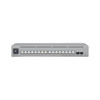
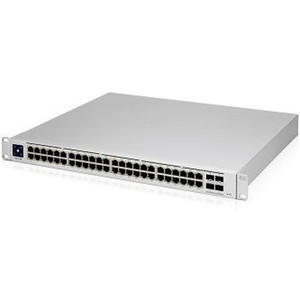
Ubiquiti USW-PRO-MAX-16 16-Port Managed Network Switch
Overview
The Ubiquiti USW-PRO-MAX-16 is a compact, managed Layer 2 switch designed for small-to-medium enterprise branch offices and distributed access-layer deployments. With 16 ports and 84 Gbps aggregate switching capacity, it delivers the throughput necessary for converged voice, video, and data traffic without overprovisioning at the access layer. The switch integrates directly with UniFi Dream Machine and UniFi Cloud Console controllers, enabling centralized policy enforcement, VLAN configuration, and remote provisioning across multi-site networks. This is a purpose-built access switch—not a data center core device—and sizing your expectations accordingly matters for deployment success.
Key Features
- 16 Ethernet ports with 84 Gbps switching capacity: Adequate for typical branch office traffic patterns (voice, video surveillance, general data). At full line rate, you're looking at roughly 5.25 Gbps per port on average—sufficient for most access-layer scenarios, but recognize this is not a non-blocking fabric. If all 16 ports are saturated simultaneously with high-bandwidth traffic, congestion will occur.
- Forwarding rate of 62 Mpps: Handles standard packet-per-second loads in enterprise networks without dropping frames during traffic bursts. Real-world impact: smooth handling of PoE+ access points, IP cameras, and endpoint devices without noticeable packet loss.
- 25W power consumption via DC adapter (4.8–5.2V input): Extremely efficient. Your power budget stays minimal—an advantage in branch offices with limited electrical infrastructure. The included AC/DC adapter eliminates the need for external power supply procurement.
- Compact form factor: 325.1 × 160 × 43.7 mm, 1.95 kg: Fits wall-mounted or shallow 1U-equivalent rack positions. Real benefit: no data closet expansion required. Passive cooling via SGCC steel enclosure means no active fans—silent operation.
- Operating temperature range: −5 to 40°C (23 to 104°F): Supports both indoor and climate-controlled outdoor deployments (telecom huts, rooftop equipment enclosures). Keep it above −5°C and below 40°C; this is not a wide-range outdoor switch without thermal management.
- NDAA compliance (Section 889 ban on Huawei/ZTE components): Opens doors with federal contractors, defense integrators, and government agencies. This certification requirement cascades through many enterprise deals. The USW-PRO-MAX-16 clears this hurdle.
- CE, FCC, IC, and Anatel regulatory approvals: Deploy globally across North America, Europe, and Latin America without re-certification. Simplifies multi-region rollouts.
- Standard Ethernet management and UniFi controller integration: Configure VLANs, port mirroring, and traffic shaping from a centralized console. Reduces per-site configuration overhead and enables policy consistency across branches.
Deployment Context
The USW-PRO-MAX-16 works well in access-layer scenarios: branch office LAN aggregation, multi-tenant office buildings, hospitality venues requiring guest/staff network segmentation, and small campus secondary distribution. It also functions as a PoE+ powered-device aggregator—connect your IP cameras, wireless access points, and PoE+ endpoints directly to this switch and uplink to a core switch or router with sufficient backbone capacity. Do not use this as a core aggregation switch for multiple branches; that's beyond its design envelope. If you need to backhaul 500+ Mbps of sustained video or data from one branch to another through this switch, plan for congestion.
Integration & Compatibility
The switch supports standard network infrastructure components and plays well with UniFi-managed environments. It pairs with UniFi PoE+ injectors and power supplies, and its Layer 2 switching is compatible with any standards-compliant IP camera, access point, or VoIP phone. For IP cameras and wireless devices requiring consistent power and network segmentation, this switch handles the distribution role reliably. If you're deploying a mixed-vendor environment (Ubiquiti APs alongside Cisco or Ruckus cameras), the USW-PRO-MAX-16 operates as a neutral Layer 2 switch—vendor independence at the switching layer is guaranteed.
When to Choose a Different Model
If you need more than 16 ports, consider the higher-port-count models in the UniFi Pro line. If your site requires industrial temperature range (well below −5°C or above 40°C), look for outdoor-hardened alternatives. If you anticipate sustained traffic patterns exceeding 84 Gbps aggregate, you're looking at a larger core switch architecture, not an access switch.
Frequently Asked Questions
Q: Is the USW-PRO-MAX-16 PoE+ capable?
A: The switch itself does not provide PoE+ power from its ports. You supply power to the switch via the included DC adapter (25W total). If you need PoE+ delivery to endpoints, pair this switch with a separate PoE+ injector or power supply for the devices connected to it.
Q: Can I deploy the USW-PRO-MAX-16 outdoors?
A: Yes, in climate-controlled outdoor enclosures (telecom shelters, equipment huts) within the operating range of −5 to 40°C. Direct exposure to temperature swings, rain, or extreme cold requires additional thermal management or a purpose-built outdoor switch.
Q: Does the USW-PRO-MAX-16 support VLAN trunking?
A: Yes. Configure VLANs, port mirroring, and trunk ports through the UniFi controller. This enables guest network segmentation and traffic isolation typical in multi-tenant or hospitality deployments.
Q: What's the warranty on the USW-PRO-MAX-16?
A: Refer to the Ubiquiti limited hardware warranty documentation included with your purchase. NDAA-compliant devices often carry longer support terms with authorized integrators.
Q: Is the USW-PRO-MAX-16 (often searched as USW PRO MAX 16) ONVIF compliant?
A: The switch itself is not an ONVIF device; it is a Layer 2 Ethernet switch. Cameras and access points connected to it operate independently. The switch provides transparent connectivity for ONVIF-compliant devices.
Q: What uplink capacity do I need from the USW-PRO-MAX-16 to my core switch?
A: Size your uplink based on expected aggregate traffic. A single 1 Gbps uplink can sustain roughly 120–150 Mbps sustained throughput before congestion; a 10 Gbps uplink eliminates uplink bottlenecks. Oversubscription (16 × 1 Gbps ports feeding a single 10 Gbps uplink) is acceptable for bursty office and camera traffic but will limit sustained backhaul.
Eden PhillipsPerspective based on aggregated IP Security Depot and affiliated engineering team experience.
The USW-PRO-MAX-16 is a pragmatic fit for branch-office and distributed-access deployments where UniFi controller integration and NDAA compliance matter. It's not a performance monster, but that's intentional—access-layer switches prioritize reliability and power efficiency over raw throughput, and the USW-PRO-MAX-16 delivers both. The 84 Gbps switching capacity and 62 Mpps forwarding rate handle typical converged traffic (office data, PoE+ cameras, VoIP) without strain. What makes this unit work is the 25W power draw and compact footprint—you can deploy this in a branch office closet with zero thermal footprint and no dedicated electrical circuit.
Technical Highlights:
- 16 × 1 Gbps Ethernet ports with 84 Gbps aggregate capacity: Roughly 5.25 Gbps per-port average at full saturation. Real-world branch traffic (bursts of video, voice, and data) will not stress this design. Sustained backhaul above 500 Mbps will require careful uplink provisioning.
- 25W DC power consumption: Minimal electrical footprint means no generator upsizing, no additional circuit breakers, and no thermal management headaches. Compare this to core switches drawing 200–400W and the value is immediate.
- NDAA Section 889 compliance with CE/FCC/IC/Anatel certifications: Opens doors to federal contractors and multi-region deployments without re-certification delays. This is table-stakes for government and defense integrators.
- Operating temperature: −5 to +40°C: Suitable for climate-controlled outdoor enclosures but not unheated telecom cabinets or full-sun outdoor mounting. Know your site conditions before placing the order.
Deployment Considerations:
- Size your core/uplink infrastructure carefully. A 1 Gbps uplink from this switch to your core can handle bursty office and camera traffic, but sustained backhaul above 150 Mbps will create bottlenecks. Plan for 10 Gbps uplinks if you're running multiple cameras or data replication through this switch.
- VLAN configuration is controller-dependent—you cannot configure VLANs directly on the switch without UniFi controller connectivity. If your UniFi controller goes down, the switch remains operational at Layer 2 but loses policy enforcement. Plan failover accordingly.
- This switch provides no built-in PoE power. If your branch site needs to power wireless access points or IP cameras directly from the switch, you'll need a separate PoE+ injector or external power supply. Budget for that in your bill of materials.
The USW-PRO-MAX-16 is your go-to choice for federal/NDAA-compliant branch deployments, small multi-tenant office LAN aggregation, and hospitality network segmentation. It's not overkill, and it won't leave you capacity-starved—it's right-sized for the job. Pair it with a robust uplink and a reliable UniFi controller, and you have a solid access switch foundation.