Ubiquiti UACC-DISPLAY-SM Surface Mount Bracket
Overview
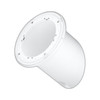
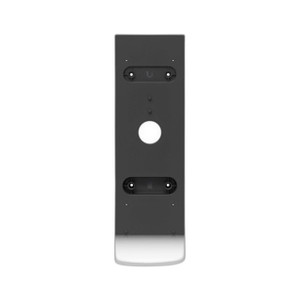
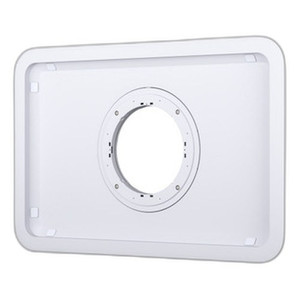
The UACC-DISPLAY-SM is a dedicated surface-mount bracket for Ubiquiti's UniFi Connect Display. Unlike flush or recessed installations, a surface mount allows faster deployment and easier future removal — useful when displays need to be relocated or when wall conditions don't permit inset mounting. The bracket is engineered with a fixed 60° presentation angle, which positions the display at a comfortable viewing height for typical office, lobby, and conference room distances without requiring manual angle adjustment on-site.
Key Features
- Magnetic Snap Connectors: The display attaches via magnetic connectors, eliminating the need for tools during installation or maintenance. This speeds commissioning and makes it trivial to remove the display for cleaning, troubleshooting, or relocation without disturbing the wall-mounted bracket.
- Fixed 60° Presentation Angle: The bracket holds the display at a 60° angle from horizontal, ergonomically optimized for typical viewing distances in meeting rooms and public areas. This reduces neck strain for seated or standing viewers and is a fixed design — not adjustable on-site — so you install it once and leave it.
- Landscape and Portrait Orientation: The UACC-DISPLAY-SM supports both landscape and portrait mounting orientations, giving you flexibility to match the content layout and available wall space. Portrait orientation is particularly useful in narrow hallways or elevator lobbies where width is constrained.
- Security Screw Kit Included: The mounting kit includes tamper-resistant security fasteners, securing the bracket permanently to the wall. This prevents unauthorized removal in public or high-traffic areas and is standard in enterprise office deployments.
- Designed for UniFi Connect Display: This bracket is engineered specifically for the UniFi Connect Display — it is not a universal display mount. The magnetic connector pattern and weight rating are tuned to this model, ensuring reliable attachment and eliminating guesswork about compatibility.
Integration & Compatibility
The UACC-DISPLAY-SM is compatible with wall-mounting applications where a surface-mounted bracket is preferred over recessed or flush installations. It pairs directly with the UniFi Connect Display and integrates into any Ubiquiti UniFi infrastructure environment. No additional hardware or adapters are required beyond what's included in the box.
What's in the Box
- Surface mount bracket
- Security screw kit
Frequently Asked Questions
Q: Is the UACC-DISPLAY-SM adjustable after installation?
A: No. The bracket is fixed at a 60° angle. The angle is set during installation and cannot be adjusted afterward without removing and remounting the bracket.
Q: Can I use the UACC-DISPLAY-SM with other display models?
A: No. The UACC-DISPLAY-SM is designed specifically for the UniFi Connect Display. The magnetic connector pattern and mounting interface are unique to that model.
Q: Does the bracket require professional installation?
A: No specialized skills are required, but you will need basic tools (drill, level, fasteners) to secure the bracket to the wall. The magnetic snap connection itself requires no tools.
Q: What wall types can the bracket mount to?
A: The bracket is a standard wall-mount system and can attach to drywall, plaster, or concrete using appropriate anchors and fasteners. Ensure the wall surface can safely support the combined weight of the bracket and display.
Q: Is the security screw kit tamper-proof?
A: Yes. The included security fasteners are designed to prevent casual removal and are commonly used in office and public environments where unauthorized access is a concern.
Ted PerryPerspective based on aggregated IP Security Depot and affiliated engineering team experience.
The UACC-DISPLAY-SM is a purpose-built mounting solution for UniFi Connect Display deployments. If you're evaluating display placement in corporate or lobby environments, the fixed 60° angle on this bracket is worth understanding — it's not a bug, it's an intentional design choice that solves a real problem: eliminating the need for angle adjustment and reducing post-installation support calls.
Deployment Strengths:
- Magnetic Attachment: The snap-on magnetic connectors mean you can remove and remount the display without tools or wall damage. In shared spaces where displays rotate or need cleaning, this is a genuine time-saver.
- Orientation Flexibility: Support for both landscape and portrait orientations is critical if you're deploying multiple displays in constrained spaces — corridors, small lobbies, and meeting rooms often benefit from portrait mode.
- Security Fasteners Included: The tamper-resistant screws are purpose-designed for public and semi-public installations. If you're mounting in an area where displays might be targeted for theft or unauthorized removal, this is a material advantage over generic brackets.
Critical Considerations:
- Fixed Angle Is Not Negotiable: The 60° angle cannot be changed post-installation. If your deployment requires a different viewing angle — say, for a higher or lower mounting position — you'll need to choose a different bracket or custom solution. Measure twice, mount once.
- UniFi Connect Display Only: Do not assume this bracket works with other displays. The magnetic connectors are proprietary to the UniFi Connect Display. Cross-compatibility with other Ubiquiti displays or third-party displays is not supported.
The UACC-DISPLAY-SM is the right choice for standard office and lobby installations where a fixed angle matches your layout and the magnetic attachment simplifies lifecycle management. It's not a universal mount — it's a specialized accessory that assumes you've already committed to the UniFi Connect Display ecosystem.