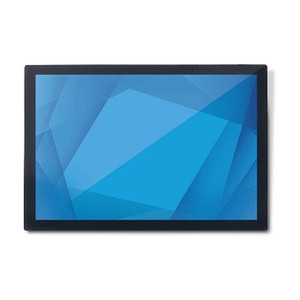
Product images are provided for reference and may not represent the exact model, configuration, or included components.

Overview

SKU: E216215
UPC: 843173102542
Condition: New
Availability: Usually Ships in 2-3 Weeks
Write a Review 8% OFF

ELO Touch Stylus-touchpen-active-pcap - E216215

ELO Touch E216215 Active Stylus Pen for IDS SeriesOverviewThe ELO Touch E216215 is an active stylus pen designed specifically for ELO's IDS 03/04 seri…

$315.00 $289.99 SAVE $25

Quantity:

Adding to cart… The item has been added
Compatibility guidance available for your deployment
Senior specialists for pre and post-sales support
Authorized sourcing and documentation support
Shipping and lead-time confirmation before install

Laura Bennett, IPSD Senior Specialist

Talk to Laura

200+ hrs training • U.S - based

Senior Specialist • 877-277-7147

ELO Touch Stylus-touchpen-active-pcap - E216215

$315.00
$289.99

Overview

SKU: E216215
UPC: 843173102542
Condition: New
Availability: Usually Ships in 2-3 Weeks

No Bots, Just Experts

Questions about this product? Free pre-sales support from a senior specialist — product questions, compatibility checks, BOM quotes, price confirmation — typically answered within one business day. Need camera placement or system design work? Engineering time is $175 per hour (qty 1 = 1 hour). Hardware buyers get up to one hour ($175) credited back on their order.

Description

ELO Touch E216215 Active Stylus Pen for IDS Series

Overview

The ELO Touch E216215 is an active stylus pen designed specifically for ELO's IDS 03/04 series capacitive touchscreen displays. This replacement or spare stylus delivers precision input for interactive applications where finger touch alone is insufficient — retail point-of-sale terminals, medical device interfaces, and kiosk environments where stylus input improves data entry accuracy and reduces accidental activation. The E216215 pairs with PCAP (Projected Capacitive) touch technology, meaning it requires no pairing or batteries and works through moderate glove materials.

Compatibility

The E216215 is engineered exclusively for ELO IDS 03 and IDS 04 series displays equipped with PCAP touch panels. It will not function with resistive, SAW, or infrared touch technologies. Verify your display's touch type before purchase — PCAP models are typically marked as such on the product label or manual.

Installation Notes

No installation required. Simply store the stylus within arm's reach of the display or mount it via the integrated clip. Keep the stylus tip clean and dry; contamination can degrade capacitive sensing. Replace the stylus if the tip becomes visibly worn or if touch responsiveness degrades at the display edges — worn tips increase required pressure and reduce precision.

Specifications
Brand: ELO Touch
MPN: E216215
Type: Stylus
Q&A
Reviews
Have Questions?

RELATED PRODUCTS

Image coming soon
Add to Cart The item has been added

ELO Touch

SKU: E598366

ELO Touch ELO 2799L Pcap Flush-mount KIT - E598366

  • Engineered exclusively for the ELO 2799L Pcap 27" display — no cross-model fitment risk.
  • Flush-mount design minimizes exposed footprint for vandal-resistant, high-traffic deployments.
  • Supports recessed panel or enclosure installs at kiosks, ticketing booths, and dispatch stations.
$265.00 $243.99 Save $21.01
The item has been added
Free shipping over $499
$265.00 $243.99 Save $21.01
Add to cart Add to quote

System Design, Deployment & Technical Support

Support services and planning resources for commercial surveillance, access control, and infrastructure deployments.

Fixed scope • Fixed price

System Design Assistance

  • Get help validating product compatibility
  • Coverage requirements
  • Storage planning and deployment architecture before you buy.
Request Design Help

Deployment & Configuration Support

  • Access fixed-scope support for rollout planning
  • User setup guidance
  • Migration and system standardization across single-site or multi-site deployments
View Support Services

Guides, Tools & Calculators

  • PoE requirements
  • Storage retention
  • Camera selection and deployment methodology
Open Technical Resources