StarTech ST7320USBC 7-Port USB 3.0/2.0 Combo Hub with 2A Charging Port
Overview
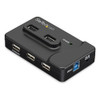
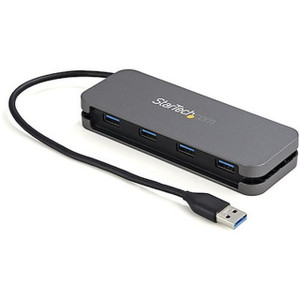
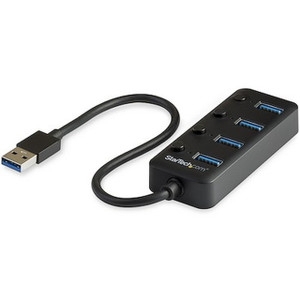
The StarTech ST7320USBC is a compact, externally powered 7-port USB hub that consolidates USB 3.0 and USB 2.0 device connections at a single host interface running at USB 3.2 Gen 1 speeds (5 Gbps). It ships with a dedicated 2A charging port — giving you a total of seven connection points without sacrificing charge current for accessories like tablets, barcode scanners, or mobile devices. At 3.9 × 2.4 × 0.8 inches and 2.6 oz, it fits on a crowded desk, mounts cleanly behind a monitor, or tucks into a rack-adjacent equipment shelf without occupying meaningful real estate. If you are provisioning workstations that mix USB 3.0 peripherals (storage drives, capture cards, high-bandwidth dongles) with legacy USB 2.0 devices (keyboards, proximity readers, signature pads), this hub handles that mix without requiring separate hubs or powered splitters. For a broader look at StarTech connectivity products, the full catalog covers switches, cables, and server-room accessories across enterprise environments.
Key Features
- USB 3.2 Gen 1 Host Interface (5 Gbps): The upstream connection to your host system operates at 5 Gbps, so a USB 3.0 external SSD or video capture device is not bottlenecked by the hub itself. You get the full theoretical bandwidth the device can produce — critical when running a security workstation that pulls footage from external storage in parallel with live monitoring.
- Two USB 3.0 Downstream Ports: The two SuperSpeed ports are reserved for your highest-bandwidth devices. Assign them to an external drive, a USB 3.0 IP camera capture bridge, or a high-resolution webcam and keep slower devices off those lanes entirely. Mixed-protocol hubs that don't separate 3.0 and 2.0 ports force you to guess which port gives you full speed — here you know exactly which two ports run at 5 Gbps.
- Four USB 2.0 Downstream Ports: Legacy USB 2.0 devices — keyboards, mice, card readers, access control enrollment readers, and most USB audio adapters — draw minimal bandwidth. Placing them on the 2.0 ports keeps the 3.0 lanes clean and avoids unnecessary protocol negotiation overhead on your host controller.
- Dedicated 2A Charging Port: The seventh port delivers up to 2A of charge current, enough to charge a tablet at roughly full speed or fast-charge most smartphones. In a warehouse scanning station or enrollment kiosk, this eliminates a separate wall charger and keeps the footprint tight.
- External Power Supply — 20W, 100–240V AC Input: The included AC adapter draws up to 1.5A from a standard outlet at any global voltage (100–240V AC), delivers 5V DC at up to 4A total output, and budgets 20W to the hub. Bus-powered hubs ration USB power from your host system, which is a real problem when you have multiple high-draw devices. The ST7320USBC pulls power from the wall, so your host's USB controller is not stressed, and devices receive their full rated current allocation.
- Wide Operating Temperature — 0°C to 85°C: Most desktop hubs are rated to 40–50°C. An 85°C ceiling means the ST7320USBC survives in poorly ventilated enclosures, equipment racks with marginal airflow, or outdoor kiosks running in summer heat. Storage is rated down to -10°C, so shipping and storage in cold-chain facilities will not damage the unit before deployment.
- Compact Form Factor — 3.9 × 2.4 × 0.8 in: At under 4 inches long and under an inch tall, this hub fits behind most monitors, mounts under a desk with adhesive or a bracket, or sits flat in a shelf tray. Weight is 2.6 oz — light enough that it won't pull a cable bundle loose from a cable management tray.
- 2-Year Manufacturer Warranty: A 2-year warranty on a connectivity component matters in commercial deployments where a hub failure means a station goes down. Budget replacements at a longer interval than a typical 1-year consumer accessory.
Integration and Compatibility
The ST7320USBC connects to any host system with a USB Type-A or USB Type-B upstream port — confirm your host cable type before ordering, as the hub uses a standard USB upstream connection. USB 3.0 devices plugged into the 3.0 ports will negotiate SuperSpeed automatically; USB 2.0 and USB 1.1 devices are backward compatible on all ports. The 5V/4A power supply is included and pre-matched to the hub — no separate power brick sourcing needed. The hub operates at 5–90% relative humidity (non-condensing), making it suitable for most indoor commercial and light-industrial environments. For deployments that require USB hubs and docking stations with higher port counts or Ethernet integration, review the extended StarTech lineup for models with Gigabit LAN passthrough or additional port configurations. If your workstation provisioning also involves network switches for the same deployment, network switches and structured cabling should be planned concurrently to avoid cable congestion at the endpoint. When building out a security operations workstation, pairing this hub with a well-specced desktop workstation ensures the USB controller has enough lanes to drive both the hub and any direct-connect devices without sharing bandwidth conflicts. For organizations evaluating USB connectivity within a USB hub selection guide, the externally powered design of this unit is the first filter to apply when devices exceed 500mA draw per port.
Frequently Asked Questions
Q: How many total ports does the ST7320USBC provide and what are the speeds?
A: The ST7320USBC provides 7 ports total: 2 USB 3.0 ports running at up to 5 Gbps, 4 USB 2.0 ports, and 1 dedicated 2A charging port. The host interface also runs at USB 3.2 Gen 1 (5 Gbps).
Q: Does the ST7320USBC require an external power supply or is it bus-powered?
A: It requires an external power supply. An AC adapter is included that accepts 100–240V AC input and delivers 5V DC at up to 4A, providing up to 20W total to the hub. This means devices receive their full current allocation without drawing from the host system's USB controller.
Q: What is the maximum current the charging port delivers?
A: The dedicated charging port delivers up to 2A at 5V, which is sufficient for full-speed charging of most tablets and smartphones.
Q: What is the operating temperature range of the ST7320USBC?
A: The hub operates from 0°C to 85°C and stores from -10°C to 95°C. This makes it suitable for equipment racks, kiosks, and lightly industrial environments with limited climate control.
Q: What warranty does the ST7320USBC carry?
A: The ST7320USBC carries a 2-year manufacturer warranty.
Q: Is the ST7320USBC compatible with USB 2.0 and USB 1.1 devices?
A: Yes. All ports are backward compatible with USB 2.0 and USB 1.1 devices. USB 3.0 devices connected to the two SuperSpeed ports will automatically negotiate the 5 Gbps rate; slower devices on any port will negotiate to their native speed.
The spec I focus on first with any powered hub is the total output current budget, and the ST7320USBC's 4A at 5V DC — 20W from the wall adapter — is what separates it from bus-powered alternatives that silently starve high-draw devices. In a security workstation running a USB 3.0 capture device, an enrollment reader, a signature pad, and a tablet on the charging port simultaneously, that current budget is what keeps every device reliable rather than intermittently disconnected.
Technical Highlights:
- 5 Gbps Host Interface: USB 3.2 Gen 1 upstream connection means the hub does not throttle high-bandwidth devices — a USB 3.0 external SSD or video bridge gets the full SuperSpeed lane, not a shared 480 Mbps bottleneck.
- 85°C Operating Ceiling: Most consumer hubs are tested to 40–50°C. The 0°C to 85°C operating range means this unit survives in a poorly ventilated rack shelf or a kiosk cabinet in a sun-exposed lobby without thermal shutdown.
- Dedicated 2A Charging Port: Isolating the charge current to a dedicated port means your data ports are not competing with a device drawing maximum charge current — a common failure mode on hubs that share power rails across all ports.
Deployment Considerations:
- Confirm the upstream cable type your host system requires before deploying — the hub's upstream port type determines what cable you need, and swapping it post-install in a tight cable tray is time-consuming.
- Total output is 4A at 5V DC across all seven ports including the charging port. If every connected device pulls maximum rated current simultaneously, you may approach that ceiling — plan device mix accordingly and prioritize the 2A charging port for the highest-draw device.
The ST7320USBC is a practical fit for a security enrollment kiosk or access control provisioning station where you're running a card reader, a biometric capture device, a USB 3.0 local storage drive for audit exports, and need a charging port for a supervisor tablet — all from a single compact footprint without running a second power strip.