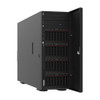
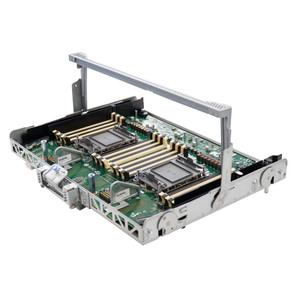
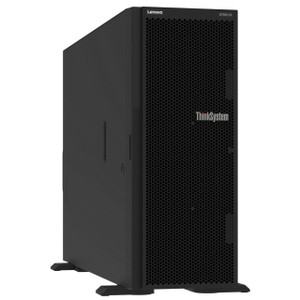
Product images are provided for reference and may not represent the exact model, configuration, or included components.

Overview

SKU: 4Z57A16104
Condition: New
Write a Review

Lenovo ST650 V2 Retimer Cable KIT for 2.5 HDD - 4Z57A16104

Lenovo 4Z57A16104 Retimer Cable KIT Overview The Lenovo 4Z57A16104 is a specialized retimer cable kit designed to ensure signal integrity for 2.5-inch…

$424.99
Ships same business day
In stock

Quantity:

Adding to cart… The item has been added
Compatibility guidance available for your deployment
Senior specialists for pre and post-sales support
Authorized sourcing and documentation support
Shipping and lead-time confirmation before install

Laura Bennett, IPSD Senior Specialist

Talk to Laura

200+ hrs training • U.S - based

Senior Specialist • 877-277-7147

Lenovo ST650 V2 Retimer Cable KIT for 2.5 HDD - 4Z57A16104

$424.99

Overview

SKU: 4Z57A16104
Condition: New

No Bots, Just Experts

Questions about this product? Free pre-sales support from a senior specialist — product questions, compatibility checks, BOM quotes, price confirmation — typically answered within one business day. Need camera placement or system design work? Engineering time is $175 per hour (qty 1 = 1 hour). Hardware buyers get up to one hour ($175) credited back on their order.

Description

Lenovo 4Z57A16104 Retimer Cable KIT

Overview

The Lenovo 4Z57A16104 is a specialized retimer cable kit designed to ensure signal integrity for 2.5-inch hard drive installations within compatible Lenovo server systems. This component addresses potential data corruption or transmission errors by actively regenerating and conditioning the data signal, critical for maintaining stable operation in environments requiring reliable storage performance.

Compatibility

This retimer cable kit is engineered for specific Lenovo server platforms. It is confirmed for use with the Lenovo ST650 V2 server. The 'Supported Cables' section on Lenovo's official documentation provides the definitive list of all compatible parts and server models. Buyers should verify their specific server model against this list before purchase to ensure proper fit and function.

Installation Notes

Installation of the 4Z57A16104 kit requires careful attention to cable routing and connection points within the server chassis. The retimer module must be correctly seated, and the associated cabling must be connected to the appropriate motherboard headers and drive bays. Consult the server's hardware maintenance manual for precise installation steps and torque specifications for any securing hardware, if applicable. Proper installation is key to leveraging the signal regeneration benefits effectively.

Specifications
Supported Cables: See all compatible parts
Lenovo Press: Link
Ideapad 1 15Amn7 (New Model Added: IdeaPad Slim 3 14AHP10 (new model added)
Legion 5 15Agp11 (New Model Added: Legion 5 15AHP10 (new model added)
Legion 5 15Ahp11 (Spec Update: Legion 5 15IAX10 (new model added)
Legion 5 15Iax11 (New Model Added: Legion 5 15IPH11 (new model added)
Legion 5 15Irx10 (New Model Added: Legion Pro 5 16ADR10 (new model added)
Legion 7 16Agp11 (New Model Added: Legion 7 16IAX10 (new model added)
Legion 9 18Iax10 (New Model Added: Yoga 7 2-in-1 14AGP11 (new model added)
Loq 15Ahp10 (New Model Added: LOQ 15AHP11 (Spec update)
Loq 15Ahp9 (New Model Added: LOQ 15IRX10 (new model added)
Loq 15Irx9 (New Model Added: LOQ 17IRX10 (new model added)
Loq 15Arp10E (New Model Added: LOQ Essential 15ARP11 (new model added)
Idea Tab (New Model Added: Idea Tab Plus (new model added)
Tab One (New Model Added: Tab K10 Gen 2 (new model added)
Legion T5 30Ias10 (New Model Added: Legion T5 30IAX10 (new model added)
Legion T7 34Ias10 (New Model Added: Yoga AIO 27IPH11 (new model added)
Yoga Aio 32Iph11 (New Model Added: Yoga Mini 01IPH11 (new model added)
Lenovo A105 24 (New Model Added: LOQ Tower 17IAX10 (new model added)
Thinkpad P14S Gen 4 (Amd: ThinkPad P14s Gen 4 (Intel)
Thinkpad P16S Gen 2 (Amd: ThinkPad P16s Gen 2 (Intel)
Thinkpad P16V Gen 1 (Amd: ThinkPad P16v Gen 1 (Intel)
Lenovo 13W Yoga Gen 2: Lenovo 100w Gen 4
Lenovo 300W Yoga Gen 4: Lenovo 500w Yoga Gen 4
Thinkcentre M60Q Chromebox: ThinkCentre M60q Chromebox Enterprise
Thinkcentre Neo Ultra: ThinkCentre neo 50s Gen 4
Lenovo L22-28 Monitor: Lenovo L24-28 Monitor
Lenovo C27Q-35 Monitor: Lenovo L28u-35 Monitor
Ideapad Slim 3 14Iah8: IdeaPad Slim 3 15IAH8
Ideapad Slim 3 15Irh8: IdeaPad Slim 3 16ABR8
Ideapad Slim 3 16Iah8: IdeaPad Slim 5 14Q8X9
Ideapad Flex 5 16Iru8: IP Flex 3 Chrome 12IAN8
Ip Flex 5 Chrome 14Iau7 (Plus: Legion Pro 5 16ARX8
Yoga 7 16Irl8: Yoga Pro 7 14IRH8
Lenovo Flex5 Chrome 14Iau: IdeaCentre 3 07ACH7
Ideacentre 3 07Iab7: IdeaCentre 3 07IRB8
Ideacentre 5 14Iab7: IdeaCentre 5 14IRB8
Ideacentre Aio 3 24Iap7: IdeaCentre AIO 3 27IAP7
Ideacentre Aio 5 24Iah7: IdeaCentre AIO 5 27IAH7
Ideacentre Mini 01Irh8: IdeaCentre Mini 5 01IAQ7
Legion T5 26Irb8: Legion T7 34IRZ8
Yoga Aio 7 27Aph8: Yoga AIO 9 32IRH8
Loq 17Irb8: Legion Y25-30 Monitor
Legion Y25G-30 Monitor: Lenovo D24-40 Monitor
Lenovo D24-45 Monitor: Lenovo G24-20 Monitor
Lenovo G24Qe-20 Monitor: Lenovo L24m-40 Monitor
Lenovo L25E-40 Monitor: Legion Y27-30 Monitor
Lenovo D27-45 Monitor: Lenovo D27q-30 Monitor
Lenovo G27C-30 Monitor: Lenovo L27i-40 Monitor
Lenovo L27M-30 Monitor: Lenovo L27q-35 Monitor
Lenovo L27Q-38 Monitor: Lenovo D32u-40 Monitor
Lenovo D32U-45 Monitor: Lenovo G34w-30 Monitor
Machine Type: 21QG
Product Name: T14 Gen 6 (Intel)
13.3" Wuxga 16: 10 display, 400 nits, 100% sRGB, optional touch
16-Inch Wuxga Ips Display With 16: 10 aspect ratio
300 Nits Brightness, 45% Ntsc, 1500: 1 contrast ratio
Q&A
Reviews
Have Questions?

RELATED PRODUCTS

System Design, Deployment & Technical Support

Support services and planning resources for commercial surveillance, access control, and infrastructure deployments.

Fixed scope • Fixed price

System Design Assistance

  • Get help validating product compatibility
  • Coverage requirements
  • Storage planning and deployment architecture before you buy.
Request Design Help

Deployment & Configuration Support

  • Access fixed-scope support for rollout planning
  • User setup guidance
  • Migration and system standardization across single-site or multi-site deployments
View Support Services

Guides, Tools & Calculators

  • PoE requirements
  • Storage retention
  • Camera selection and deployment methodology
Open Technical Resources