Image coming soon
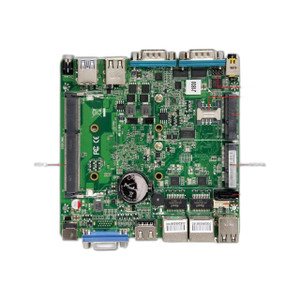
Product images are provided for reference and may not represent the exact model, configuration, or included components.

Overview

SKU: DM4FKQ005030
Condition: New
Availability: Special Order · Usually Ships in 2-3 Weeks
Write a Review

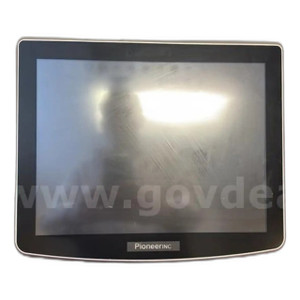
PioneerPOS ST2 i5 4GB 120SSD W10 LTSC No mounting - DM4FKQ005030

PioneerPOS DM4FKQ005030 ST2 i5 Compact Terminal Overview The PioneerPOS DM4FKQ005030 is a compact point-of-sale terminal built on an Intel Core i5 pro…

$2,940.99
Special Order
Usually Ships in 2-3 Weeks

Quantity:

Adding to cart… The item has been added
Compatibility guidance available for your deployment
Experts for pre and post-sales support
Technical and documentation support
Shipping and lead-time confirmation before install

Laura Bennett, IPSD Senior Specialist

Talk to Laura

Specialized training • U.S - based

Senior Specialist • 877-277-7147

PioneerPOS ST2 i5 4GB 120SSD W10 LTSC No mounting - DM4FKQ005030

$2,940.99

Overview

SKU: DM4FKQ005030
Condition: New
Availability: Special Order · Usually Ships in 2-3 Weeks

No Bots, Just Experts

Questions about this product? Free pre-sales support from a senior specialist — product questions, compatibility checks, BOM quotes, price confirmation — typically answered within one business day. Need camera placement or system design work? Engineering time is $175 per hour (qty 1 = 1 hour). Hardware buyers get up to one hour ($175) credited back on their order.

Description

PioneerPOS DM4FKQ005030 ST2 i5 Compact Terminal

Overview

The PioneerPOS DM4FKQ005030 is a compact point-of-sale terminal built on an Intel Core i5 processor with 4GB RAM and 120GB solid-state drive running Windows 10 LTSC. This configuration is suited for environments where a dedicated, fanless or low-noise compute platform is needed for retail, hospitality, or surveillance system auxiliary roles — such as VMS gateway functions, IP camera management, or local video playback stations. The LTSC (Long-Term Servicing Channel) Windows variant ensures stability and predictable patching schedules, critical for systems that cannot tolerate frequent OS updates. The unit ships without mounting hardware, allowing you to integrate it into existing bracket systems or install it freestanding on a counter or desk.

Compatibility

The DM4FKQ005030 runs standard Windows 10 LTSC, making it compatible with any software that targets that OS — including ONVIF clients, VMS management tools, and IP camera provisioning utilities. The i5 processor and 4GB RAM support simultaneous operation of multiple IP camera streams (typically 4–8 simultaneous 1080p streams depending on codec and network load) and lightweight video management applications. If you require ExtBAT01 battery backup support, verify your specific integration plan with the integrator, as battery modules are sold separately.

Installation Notes

The unit arrives without mounting brackets or enclosure hardware. Plan mounting to a wall bracket, shelf, or rack before installation. Ensure a dedicated power outlet with surge protection is available — typical consumption is under 65W at idle. Connect via Ethernet to your facility network to enable camera streaming and VMS software communication. Windows 10 LTSC requires manual driver installation for any specialized hardware peripherals (barcode scanners, card readers, thermal printers); standard USB and network adapters are supported out of the box.

What's in the Box

  • 1x PioneerPOS ST2 i5 terminal unit (no mounting hardware)
  • Power adapter and cable
  • Quick-start guide
Specifications
Brand: PioneerPOS
MPN: DM4FKQ005030
Type: Mounting Hardware
Q&A
Reviews
Have Questions? Ask an Expert.

RELATED PRODUCTS

System Design, Deployment & Technical Support

Support services and planning resources for commercial surveillance, access control, and infrastructure deployments.

Fixed scope • Fixed price

System Design Assistance

  • Get help validating product compatibility
  • Coverage requirements
  • Storage planning and deployment architecture before you buy.
Request Design Help

Deployment & Configuration Support

  • Access fixed-scope support for rollout planning
  • User setup guidance
  • Migration and system standardization across single-site or multi-site deployments
View Support Services

Guides, Tools & Calculators

  • PoE requirements
  • Storage retention
  • Camera selection and deployment methodology
Open Technical Resources