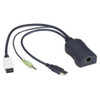
Black Box KV1408A DisplayPort Server Access Module
Overview
The Black Box KV1408A is a DisplayPort server access module designed to extend KVM switching capability to servers and workstations equipped with DisplayPort video output. As an expansion module within the Black Box KVM line, the KV1408A slots into compatible KVM switch systems to add DisplayPort connectivity where legacy analog or DVI ports won't reach modern server hardware. If your data center or server room has shifted to DisplayPort-equipped machines, this module bridges the gap without replacing your entire switching infrastructure.
The KV1408A ships in black and connects via DisplayPort, making it a natural fit for environments running DisplayPort-native servers, rendering workstations, or any machine where DisplayPort is the primary video interface. Integrators managing mixed-display environments will find this module keeps the switching layer consistent rather than forcing adapter chains that introduce latency or compatibility risk.
Key Features
- DisplayPort Connectivity: Native DisplayPort support means no active adapter dongles between the server and the switch — fewer failure points and cleaner signal integrity across the switching fabric.
- Modular Expansion Design: Designed as an add-in module for compatible Black Box KVM platforms, the KV1408A lets you add DisplayPort ports incrementally rather than deploying an entirely new switch chassis — relevant when budgeting phased server room upgrades.
- Commercial-Grade Build: Finished in black to match standard rack and server room aesthetics; built to Black Box's commercial-grade specifications for continuous-duty data center environments.
Integration & Compatibility
The KV1408A is part of the Black Box server access switching family. Verify chassis compatibility before ordering — this module is designed for specific Black Box KVM switch platforms, and pairing it with an unsupported chassis will result in a non-functional install. Consult the KVM accessories category for compatible cables and connectors, and cross-reference your existing switch model number against Black Box's compatibility matrix prior to procurement. If you are planning a new KVM deployment, review our KVM switch selection guide to confirm the parent platform supports this module.
Frequently Asked Questions
Q: What KVM switch chassis is the KV1408A compatible with?
A: The KV1408A is designed for specific Black Box KVM switch platforms. Verify your existing chassis model number against Black Box's compatibility documentation before ordering.
Q: Does the KV1408A support audio pass-through?
A: Audio pass-through capability is not confirmed in available evidence for the KV1408A. Contact Black Box directly or consult the product datasheet for confirmation.
Q: What video resolutions does the KV1408A support over DisplayPort?
A: Specific resolution support is not listed in the available evidence. DisplayPort natively supports high-resolution output, but verify against the Black Box datasheet for the KV1408A to confirm maximum supported resolution for your use case.
Q: Is the KV1408A hot-swappable?
A: Hot-swap capability is not confirmed in the available evidence. Check the Black Box KV1408A installation guide for module swap procedures.
The KV1408A is a targeted fix for a specific problem: you have a Black Box KVM infrastructure and you are adding or replacing servers that output DisplayPort rather than the older analog or DVI standards. Rather than ripping out a functioning switch chassis, this module slots in to extend native DisplayPort support to those machines.
Technical Highlights:
- Native DisplayPort Interface: Eliminates active adapter chains between server and switch — each adapter in that chain is a potential failure point and a latency source, so native connectivity matters in production environments.
- Modular Architecture: Adding DisplayPort capacity per module rather than per chassis means you scale access ports to match actual server count, not a fixed port block on a new switch.
- Commercial-Grade Form Factor: Built to continuous-duty data center standards in a standard black finish — designed to run in rack environments 24/7 without thermal or mechanical surprises.
Deployment Considerations:
- Chassis compatibility is the critical pre-order check — the KV1408A is not a universal module. Confirm your Black Box KVM switch model explicitly supports this expansion card before procurement.
- Evidence on hand does not confirm resolution ceiling, audio pass-through, or hot-swap behavior — pull the Black Box datasheet for the KV1408A before writing it into a design spec.
The KV1408A is the right call for data centers running Black Box KVM switching that are onboarding DisplayPort-native servers and need to extend access without a chassis replacement — a clean, incremental upgrade path for an established switching environment.