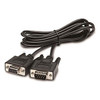
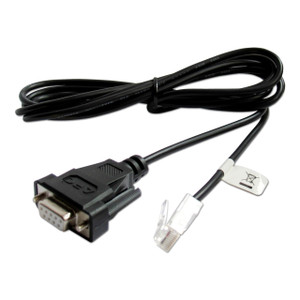
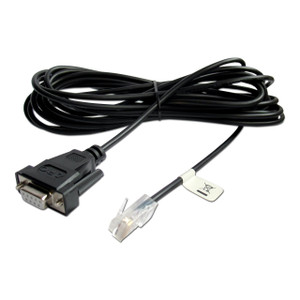
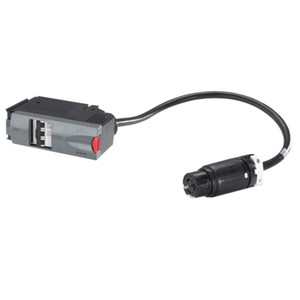
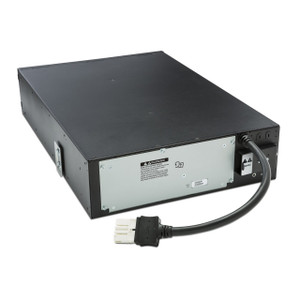
Product images are provided for reference and may not represent the exact model, configuration, or included components.

No Bots, Just Experts

Questions about this product? Free pre-sales support from a senior specialist — product questions, compatibility checks, BOM quotes, price confirmation — typically answered within one business day. Need camera placement or system design work? Engineering time is $175 per hour (qty 1 = 1 hour). Hardware buyers get up to one hour ($175) credited back on their order.

Description

APC by Schneider Electric AP9804 Serial Cable

Overview

The APC AP9804 is a serial cable designed to provide console access for APC Smart-UPS and other compatible devices to network management cards. This cable is essential for initial configuration, troubleshooting, and direct management of UPS units when network access is unavailable or requires a direct connection. It terminates in standard 9-pin D-sub (DB-9) connectors on both ends, facilitating a straightforward connection between a UPS's serial port and a network management card's serial interface.

Compatibility

This cable is specifically designed for use with APC Smart-UPS models that feature a serial console port. It is compatible with APC Network Management Cards (NMCs) such as the AP9630, AP9631, AP9635, and subsequent generations that utilize a DB-9 serial port for console communication. Always verify your specific UPS model and Network Management Card documentation for precise compatibility requirements.

Installation Notes

The AP9804 cable requires a direct physical connection between the UPS serial port and the Network Management Card's serial port. Ensure both devices are powered off or in a safe state before connecting the cable to prevent potential electrical surges. The cable is passive and does not require any drivers or software installation on the connected devices; it functions as a direct serial data conduit.

What's in the Box

  • 1x APC AP9804 Serial Cable
Specifications
Cable Type: Serial Cable
Connector A: 9 PIN D-sub (DB-9) - Male
Connector B: 9 PIN D-sub (DB-9)
Q&A
Reviews
Have Questions?

APC by Schneider Electric Serial Cable - 9 PIN D-sub (DB-9) - Male - 9 PIN D-sub (DB-9) - AP9804

$71.00
$70.99

RELATED PRODUCTS

Save $0.39
Zebra CBA-R01-S07PBR Serial Cable DB-9
Add to Cart The item has been added

Zebra CBA-R01-S07PBR

Zebra CBA-R01-S07PBR Serial Cable DB-9

7-foot RS232 serial cable with DB-9 connector for legacy barcode scanners and POS terminals

  • DB-9 female connector with TTL current limiting for direct link to serial ports
  • 7-foot length reaches from counter-mounted scanner or printer to nearby host
  • Straight 1-to-1 pinout wired for barcode scanners, label printers, payment terminals
Free shipping over $499
$42.38 $41.99 Save $0.39
The item has been added Add to quote
$42.38 $41.99 Save $0.39
Save $0.39 Add to cart Add to quote
Save $0.28
Zebra CBA-RF1-C09PAR Serial Cable DB-9 to RJ-45
Add to Cart The item has been added

Zebra CBA-RF1-C09PAR

Zebra CBA-RF1-C09PAR Serial Cable DB-9 to RJ-45

RS-232 serial cable for Zebra scanners, 9 ft DB-9 to RJ-45

  • 9-foot length connects fixed-mount scanners to POS terminals without extension adapters
  • DB-9 female to 10-pin RJ-45 connectors for direct Zebra scanner integration
  • Industrial gray jacket rated for warehouse and retail deployment environments
Free shipping over $499
$104.27 $103.99 Save $0.28
The item has been added Add to quote
$104.27 $103.99 Save $0.28
Save $0.28 Add to cart Add to quote

System Design, Deployment & Technical Support

Support services and planning resources for commercial surveillance, access control, and infrastructure deployments.

Fixed scope • Fixed price

System Design Assistance

  • Get help validating product compatibility
  • Coverage requirements
  • Storage planning and deployment architecture before you buy.
Request Design Help

Deployment & Configuration Support

  • Access fixed-scope support for rollout planning
  • User setup guidance
  • Migration and system standardization across single-site or multi-site deployments
View Support Services

Guides, Tools & Calculators

  • PoE requirements
  • Storage retention
  • Camera selection and deployment methodology
Open Technical Resources