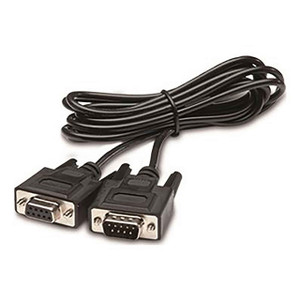
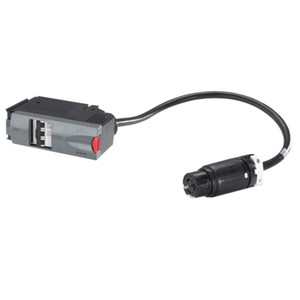
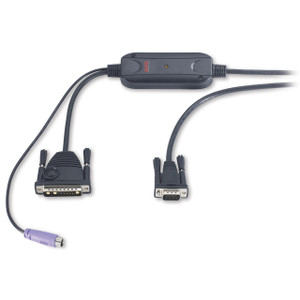
Product images are provided for reference and may not represent the exact model, configuration, or included components.

Overview

SKU: AP940-1525A
UPC: 731304310822
Condition: New
Write a Review 0% OFF

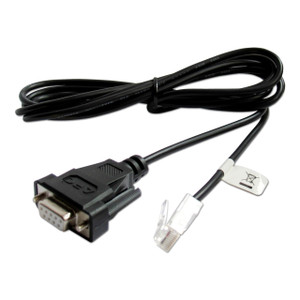
APC by Schneider Electric RJ45 Serial Cable for Smart-ups LCD Mode - AP940-1525A

APC by Schneider Electric AP940-1525A RJ45 Serial Management CableOverviewThe AP940-1525A is a 15-foot serial interface cable that bridges a DB9 COM p…

$60.00 $59.99 SAVE $0
Ships same business day
In stock

Quantity:

Adding to cart… The item has been added
Compatibility guidance available for your deployment
Senior specialists for pre and post-sales support
Authorized sourcing and documentation support
Shipping and lead-time confirmation before install

Laura Bennett, IPSD Senior Specialist

Talk to Laura

200+ hrs training • U.S - based

Senior Specialist • 877-277-7147

APC by Schneider Electric RJ45 Serial Cable for Smart-ups LCD Mode - AP940-1525A

$60.00
$59.99

Overview

SKU: AP940-1525A
UPC: 731304310822
Condition: New

No Bots, Just Experts

Questions about this product? Free pre-sales support from a senior specialist — product questions, compatibility checks, BOM quotes, price confirmation — typically answered within one business day. Need camera placement or system design work? Engineering time is $175 per hour (qty 1 = 1 hour). Hardware buyers get up to one hour ($175) credited back on their order.

Description

APC by Schneider Electric AP940-1525A RJ45 Serial Management Cable

Overview

The AP940-1525A is a 15-foot serial interface cable that bridges a DB9 COM port on a management workstation or terminal server to the RJ45 serial management port found on APC Smart-UPS LCD models. If you need direct console access to a Smart-UPS for local configuration, firmware updates, or out-of-band management without deploying a network management card, this cable is the direct-connect path. At 15 ft, it gives enough reach to connect a rack-mounted UPS to a nearby server or KVM console without cable strain — keep that in mind when planning your rack layout.

Compatibility

The AP940-1525A is designed for APC Smart-UPS LCD series units that expose an RJ45 serial management port. This includes the Smart-UPS SMT and SMX LCD families commonly deployed in rack and tower UPS installations. Verify your specific Smart-UPS model exposes an RJ45 serial port (not solely a USB port) before ordering — some SMT variants ship with USB-only local management interfaces. The DB9 end connects to a standard RS-232 serial port; if your management host uses only USB, you will need a separate USB-to-serial adapter. This cable does not replace or substitute for APC network management cards — it provides local serial access only, not network SNMP or remote monitoring.

Installation Notes

Plug the RJ45 connector into the UPS serial management port and the DB9 connector into the host COM port. Configure your terminal emulator (HyperTerminal, PuTTY, or equivalent) to match the Smart-UPS serial parameters — typically 2400 baud, 8 data bits, no parity, 1 stop bit, no flow control, though confirm against your specific UPS model's documentation. No drivers or software install required for the cable itself. Route away from high-voltage power cabling in the rack to avoid signal interference on the serial line.

Specifications
Model: AP940-1525A
Type: Others
Color: Black
Dimensions: 15 ft.
Connector Number: 2
Connector Detail: DB9 to RJ45
Support Phone: 1-800-555-2725
Q&A
Reviews
Have Questions?

RELATED PRODUCTS

System Design, Deployment & Technical Support

Support services and planning resources for commercial surveillance, access control, and infrastructure deployments.

Fixed scope • Fixed price

System Design Assistance

  • Get help validating product compatibility
  • Coverage requirements
  • Storage planning and deployment architecture before you buy.
Request Design Help

Deployment & Configuration Support

  • Access fixed-scope support for rollout planning
  • User setup guidance
  • Migration and system standardization across single-site or multi-site deployments
View Support Services

Guides, Tools & Calculators

  • PoE requirements
  • Storage retention
  • Camera selection and deployment methodology
Open Technical Resources