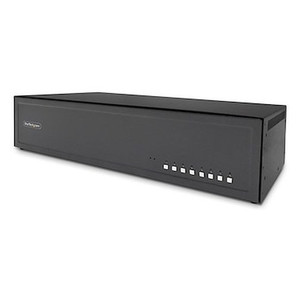
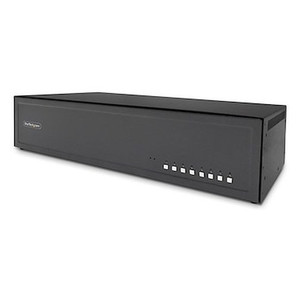
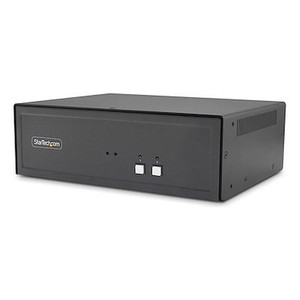
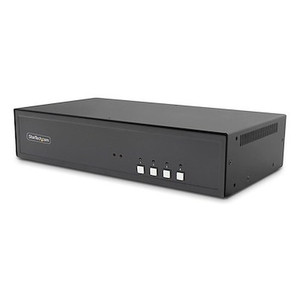
StarTech CK4-P208 8-Port Dual-Monitor Secure KVM Switch
Overview
The StarTech CK4-P208 is an 8-port dual-monitor KVM switch built for control rooms and secure facilities where operators need to jump between multiple isolated PCs without physically re-cabling anything. Each of the 8 connected computers gets its own port pair for dual DisplayPort output, and switching is handled at the hardware level rather than through network-based KVM-over-IP — a meaningful distinction for environments where air-gapped or classified systems can't tolerate a network-attached switching path. With NIAP PSD 4.0 approval on the CK4-P208, this unit targets government, defense, and other high-security desks specifically, not general-purpose office KVM duty.
Key Features
- 8 KVM ports, dual-monitor per port: Every connected PC gets 2 DisplayPort outputs, so an operator managing 8 separate systems keeps a full dual-screen desktop on each one instead of losing a monitor when switching sources.
- NIAP PSD 4.0 certified switching: This is a Peripheral Sharing Device certification specific to secure environments — it means the switch enforces data path isolation between connected computers, which matters when some of those PCs sit on different security domains.
- USB console interface (3x USB 2.0 Type-A): A single shared keyboard and mouse control all 8 hosts, so the operator console doesn't need its own peripheral set duplicated per PC.
- DisplayPort video path end to end: Both host connectors (16x 20-pin DisplayPort female) and console outputs (2x DisplayPort) stay in the DisplayPort format, avoiding the signal conversion and adapter chains that introduce compatibility issues in dual-monitor setups.
- 3.5mm stereo audio switching: 8 host audio connectors plus a console-side 3.5mm output mean audio follows the active KVM channel, useful when operators need alerts or comms tied to whichever system is currently selected.
- Cable runs up to 19.7 ft (6m): Console-to-switch cabling can stretch nearly 20 feet, giving installers room to separate the console position from equipment racks in a control room layout.
- Metal chassis construction: A metal enclosure holds up better than plastic under 24/7 desk duty and dense cabling stress at the rear panel.
- Operating range 0C to 40C (32F to 104F): Rated for standard equipment room and office environments; this is not a hardened-enclosure unit for extreme ambient heat.
- Storage range -20C to 60C (-4F to 140F): Wide enough to tolerate uninstalled transit and warehouse storage without a dedicated climate-controlled staging step.
- Humidity tolerance 0-80% RH: Covers typical indoor office and data-center humidity swings without added dehumidification.
Integration & Compatibility
The CK4-P208 connects to host PCs via USB 2.0 Type-B (8 ports) for keyboard/mouse control and DisplayPort for video, so source systems need a native DisplayPort output — plan for adapters separately if any hosts run HDMI or VGA only. At the console side, the 3x USB 2.0 Type-A ports accept a standard keyboard, mouse, and typically a third USB peripheral, while the 2x DisplayPort console outputs drive the operator's dual-monitor setup. Because switching happens in hardware rather than over the network, the CK4-P208 fits alongside network video recorders and other network video recorders in a secure operations center without adding another IP-addressable device to the security perimeter — worth weighing against a KVM-over-IP approach if your architecture review calls for minimal network footprint. For broader planning on wiring an operations desk, a PoE and cabling planning guide covers rack-to-console layout considerations that apply here too. The CK4-P208 sits within the broader StarTech catalog of KVM and connectivity gear, and pairs naturally with rack-mount network switches already serving the same equipment room. If the deployment also involves camera feeds on the same console, review IP cameras options feeding into the same monitoring wall.
What's in the Box
Package contents were not fully itemized in available manufacturer data for this listing.
Frequently Asked Questions
Q: Is the CK4-P208 NDAA compliant?
A: The CK4-P208 carries NIAP PSD 4.0 approval, a certification specific to secure peripheral-sharing devices; confirm NDAA Section 889 status directly against your procurement requirements before specifying it for a covered contract.
Q: How many monitors can I run per connected PC?
A: Each of the 8 KVM ports supports dual-monitor DisplayPort output, so every connected computer can drive 2 monitors through the switch.
Q: What video connection type does the CK4-P208 use?
A: DisplayPort throughout — both the 16 host-side DisplayPort connectors and the 2 console-side DisplayPort outputs. Non-DisplayPort sources need a separate adapter.
Q: How far can the console be from the switch?
A: Maximum supported cable length is 19.7 ft (6m).
Q: Does the CK4-P208 switch audio along with video?
A: Yes — it includes 8 host 3.5mm stereo audio connectors and a 3.5mm stereo console output, so audio follows the selected KVM channel.
Q: What's the operating temperature range for the CK4-P208?
A: 0C to 40C (32F to 104F), with a wider -20C to 60C (-4F to 140F) storage range.
I get asked about secure KVM switching for ops centers more than people expect, and the CK4-P208 covers a specific gap: 8 hosts, dual DisplayPort monitors on each, and NIAP PSD 4.0 approval so it's actually spec'd for isolating traffic between systems that shouldn't talk to each other.
Technical Highlights:
- NIAP PSD 4.0 approval: This isn't a generic security label — PSD certification specifically evaluates data path isolation between connected computers, which is what a review board is going to ask about if this sits on a mixed-classification desk.
- 8 ports x dual DisplayPort: 16 total host-side DisplayPort connectors mean no operator loses a screen when they switch — full 2-monitor continuity across all 8 sources.
- 6m (19.7 ft) max cable run: Enough slack to put the console at the operator desk and the switch itself back in a rack, which keeps the front-of-house area clean.
Deployment Considerations:
- Every host connection is native DisplayPort — if any of the 8 source PCs only output HDMI or VGA, budget for adapters before install day, since the switch itself doesn't convert formats.
- Operating range tops out at 40C (104F); this is built for a standard equipment room or control room, not an un-air-conditioned enclosure or outdoor cabinet.
For a security operations center running 8 segregated workstations off one console — think a SOC monitoring both classified and unclassified network segments — the CK4-P208 is the right category of device specifically because switching stays hardware-based and PSD-certified instead of routed through IP.