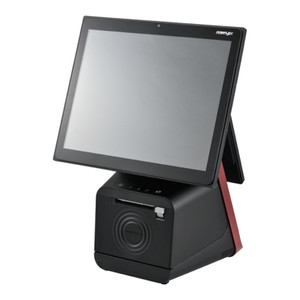
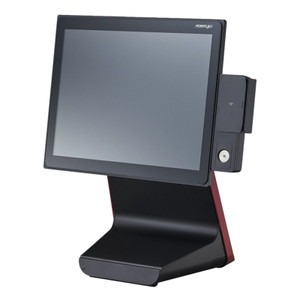
Posiflex WF770JK Wi-Fi PCIe Expansion Module
Overview
The Posiflex WF770JK is a Wi-Fi PCIe expansion module designed to add wireless networking capability to Posiflex JK series kiosks. This card-based module integrates directly into the kiosk's PCIe slot, eliminating the need for external adapters or USB dongle solutions that can clutter the device or create cable management headaches in tight retail or warehouse environments.
Key Features
- PCIe Form Factor: Installs directly into a standard PCIe slot on JK series motherboards—no external USB adapters needed, reducing physical footprint and keeping the kiosk's exterior clean and professional.
- Wi-Fi Connectivity: Adds wireless network access to kiosks that may not be positioned near Ethernet infrastructure, shortening deployment time on retail floors, warehouse receiving stations, or check-in areas where cable runs are impractical.
- JK Series Compatibility: Purpose-built for the Posiflex JK kiosk line, ensuring proper driver support and mechanical fit without requiring third-party adapters or compatibility verification.
Integration & Compatibility
The WF770JK integrates into Posiflex JK series kiosks only. Installation requires internal access to the system's PCIe slot—a one-time procedure during initial setup or system refresh. Once installed, the module requires standard Wi-Fi network configuration (SSID, security credentials) through the kiosk's operating system, typically completed during deployment imaging or via the system BIOS/UEFI interface.
Confirm your kiosk model is part of the JK series before ordering; other Posiflex kiosk lines may use different expansion architectures. If you're uncertain whether your existing kiosk supports this module, verify the exact model number and check the system documentation or contact your integrator.
Deployment Considerations
The WF770JK is most applicable when hardwired Ethernet is unavailable or impractical—for example, in temporary retail installations, mobile warehouse workstations, or high-traffic areas where cable runs would pose a tripping hazard or require extensive conduit work. If your venue already has Ethernet drops to the kiosk location, a wired connection is preferable for lower latency and higher bandwidth stability.
Installation requires opening the kiosk chassis and inserting the module into an available PCIe slot. This is not a field-swap component for inexperienced users; plan for a qualified technician to handle the installation during the initial deployment window.
Frequently Asked Questions
Q: Can the WF770JK be installed in non-JK Posiflex kiosks?
A: No. The WF770JK is designed specifically for the JK series. Other Posiflex kiosk families may use different PCIe architectures or no PCIe slot at all. Verify your kiosk model before purchasing.
Q: Do I need to install drivers for the WF770JK?
A: Driver support depends on your JK kiosk's operating system (Windows, Linux, etc.). Consult the Posiflex documentation or your systems integrator to confirm driver availability for your specific OS version.
Q: Is the WF770JK hot-swappable?
A: No. PCIe modules require a full system power-down before installation or removal. Plan installation during initial setup or scheduled maintenance windows.
Q: Will Wi-Fi performance be sufficient for transaction processing?
A: Wi-Fi performance depends on your venue's signal strength, interference, and network load. In congested retail or warehouse environments with many wireless devices, signal degradation or latency spikes are possible. If transaction reliability is critical, validate wireless coverage and throughput at your deployment site before full rollout.
The Posiflex WF770JK is a straightforward, no-nonsense addition for JK series kiosks that land in locations where running Ethernet isn't feasible. I've seen this card work well in high-volume retail environments where kiosk placement takes priority over cable infrastructure—you snap it into the PCIe slot during initial build and move on. The key insight: this is an install-once module, not a field-replaceable part. Plan your integration timeline accordingly.
Technical Highlights:
- PCIe Form Factor: Direct motherboard integration eliminates external USB adapters and keeps the kiosk's footprint minimal—a real advantage in cramped retail counter spaces or warehouse check-in booths where every millimeter of desk real estate matters.
- JK Series Specificity: This module is built for the JK line only. Compatibility is tight, which means driver support and mechanical fit are verified from the factory—no trial-and-error compatibility hunting.
- Wi-Fi as Fallback: Deploy this when hardwired Ethernet isn't available, but recognize that Wi-Fi is not a long-term equivalent for transaction-critical systems in high-interference environments like warehouses with forklift communication systems or retail floors with dense device density.
Deployment Considerations:
- Installation Timing: This is a power-down-to-install component. Schedule it during initial system build or scheduled maintenance, not as an after-the-fact field swap.
- Signal Validation: If you're deploying the WF770JK in a warehouse or congested retail environment, walk the actual site with a wireless signal meter before committing to full rollout. Wi-Fi latency or dropout in a transaction-critical kiosk is a problem you'll own.
- Driver Verification: Confirm with Posiflex or your systems integrator that drivers are available for your operating system version (Windows, Linux, etc.) before ordering multiple units.
The WF770JK makes sense for temporary installations, mobile warehouse workstations, or fixed retail locations where Ethernet runs would be cost-prohibitive or create safety hazards. If you have hardwired network access within reach of the kiosk location, use it—wired is always more stable for payment or authentication transactions. If wireless is your only option, test signal strength and throughput at your venue before deploying production units.