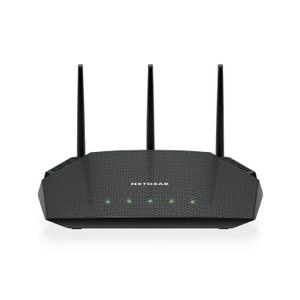
Product images are provided for reference and may not represent the exact model, configuration, or included components.

Overview

SKU: A6150-100PAS
UPC: 606449140361
Condition: New
Write a Review 1% OFF

Netgear AC1200 WIFI USB Adapter USB 2.0 Dual Band - A6150-100PAS

NETGEAR A6150-100PAS AC1200 USB WiFi Adapter Overview The NETGEAR A6150-100PAS is a compact USB 2.0 AC1200 dual-band WiFi adapter designed to add wire…

$46.53 $45.99 SAVE $1
Ships same business day
In stock

Quantity:

Adding to cart… The item has been added
Compatibility guidance available for your deployment
Senior specialists for pre and post-sales support
Authorized sourcing and documentation support
Shipping and lead-time confirmation before install

Laura Bennett, IPSD Senior Specialist

Talk to Laura

200+ hrs training • U.S - based

Senior Specialist • 877-277-7147

Netgear AC1200 WIFI USB Adapter USB 2.0 Dual Band - A6150-100PAS

$46.53
$45.99

Overview

SKU: A6150-100PAS
UPC: 606449140361
Condition: New

No Bots, Just Experts

Questions about this product? Free pre-sales support from a senior specialist — product questions, compatibility checks, BOM quotes, price confirmation — typically answered within one business day. Need camera placement or system design work? Engineering time is $175 per hour (qty 1 = 1 hour). Hardware buyers get up to one hour ($175) credited back on their order.

Description

NETGEAR A6150-100PAS AC1200 USB WiFi Adapter

Overview

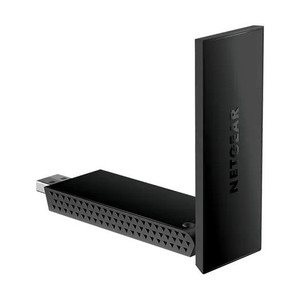
The NETGEAR A6150-100PAS is a compact USB 2.0 AC1200 dual-band WiFi adapter designed to add wireless connectivity to stationary surveillance systems, edge recording devices, and enterprise cameras that lack built-in WiFi. This adapter is built for installations where running Ethernet is impractical but reliable 5GHz and 2.4GHz band support is required — common in retrofit surveillance deployments, mobile monitoring stations, and secondary recording nodes that need flexible placement without dedicated network runs.

Compatibility

The A6150-100PAS connects via standard USB 2.0 port to any Windows, Linux, or macOS system running current drivers. It is compatible with industrial PCs, embedded Linux surveillance appliances, and surveillance workstations that support USB-attached network adapters. Verify your target system's USB driver support for NETGEAR adapters before deployment — some hardened Linux distributions or legacy Windows embedded systems may require manual driver installation or may not support this chipset.

Installation Notes

Mount the adapter in a location with clear line-of-sight to your WiFi access point. The compact form factor allows placement on or near monitoring equipment without bulk. USB cable strain relief is important in vehicle or field deployments — use a right-angle USB adapter if needed to prevent cable fatigue at the port. Keep the antenna perpendicular to walls or metal enclosures to maintain signal strength. For outdoor surveillance stations, house the adapter inside the equipment enclosure and route the antenna through a weatherproof grommet if exposure is a concern.

What's in the Box

  • 1x NETGEAR A6150-100PAS USB WiFi Adapter
  • 1x external antenna
  • 1x quick-start guide
  • Driver CD (Windows/Mac/Linux)
Specifications
Brand: NETGEAR
MPN: A6150-100PAS
Type: Power Supply
Connectivity: USB
Q&A
Reviews
Have Questions? Ask an Expert.

RELATED PRODUCTS

System Design, Deployment & Technical Support

Support services and planning resources for commercial surveillance, access control, and infrastructure deployments.

Fixed scope • Fixed price

System Design Assistance

  • Get help validating product compatibility
  • Coverage requirements
  • Storage planning and deployment architecture before you buy.
Request Design Help

Deployment & Configuration Support

  • Access fixed-scope support for rollout planning
  • User setup guidance
  • Migration and system standardization across single-site or multi-site deployments
View Support Services

Guides, Tools & Calculators

  • PoE requirements
  • Storage retention
  • Camera selection and deployment methodology
Open Technical Resources