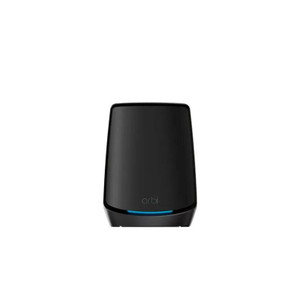
NETGEAR MC315GDW-100NAS Meural WiFi Photo Frame
Overview
The MC315GDW-100NAS is a WiFi-connected digital photo frame designed for wall-mounted deployment in corporate lobbies, retail spaces, break rooms, and facility information displays. Unlike traditional frames tethered to local storage or Ethernet, this unit connects via 802.11 WiFi, allowing you to manage and rotate content remotely without running network cables or managing storage on-device. The frame supports portrait or landscape orientation via a fold-out stand and wall-mount anchors, making it flexible for different space constraints. Setup is handled through the Meural mobile app (iOS/Android) — download, connect to your WiFi network, and begin pushing images or artwork from a library of 30,000+ pieces without touching the frame hardware again.
Connectivity
WiFi connectivity (802.11 standard) eliminates the need for dedicated display cables or Ethernet runs. Content provisioning is centralized — add your own photos, invite team members to contribute, or curate from the built-in digital library. The frame supports WPA2/WPA3 security protocols typical of enterprise networks. For multi-unit installations, confirm your wireless infrastructure has sufficient bandwidth and DHCP capacity to support concurrent frame connections; a single office deployment of 2–4 frames typically poses no load issue on standard corporate WiFi.
Installation Notes
The MC315GDW-100NAS requires AC power (power adapter supplied, region-dependent) and WiFi signal within range of your access point. Placement should ensure adequate signal strength and line-of-sight to your wireless network. Wall mounting uses included anchors and screws; no special tools required. Verify your WiFi network supports the frame's connection bandwidth — most modern enterprise or residential routers handle this without issue. Reset procedure: locate the recessed reset button near the power connector, press and hold while plugging power back in, then release after 20 seconds if factory configuration is needed.
What's in the Box
- 1x Meural WiFi Photo Frame (MC315GDW-100NAS)
- 1x Power Adapter (region-specific)
- 1x Fold-out Stand
- Wall-mount Anchors and Screws