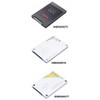
Lenovo 4XB0G69276 240GB 2.5-Inch SATA 6Gbps FDE Solid State Drive
Overview
The Lenovo 4XB0G69276 is a 240GB 2.5-inch SATA 6Gbps solid state drive with full-drive encryption (FDE), sourced direct from Lenovo's commercial workstation accessory line. This is a factory-qualified internal storage option for the Lenovo ThinkStation workstation family — not a generic off-the-shelf consumer drive, but a platform-matched component validated against the ThinkStation P300, P500, P700, and P900. If you're adding or replacing storage in one of those systems and need hardware-enforced encryption without relying on software-layer solutions, this is the drive Lenovo specifies for the job.
The 2.5-inch form factor fits standard workstation drive bays directly, and the SATA interface means no adapter hardware, no firmware gymnastics — it installs into any of the compatible ThinkStation bays and presents immediately to the system BIOS and operating system. At 240GB it's best positioned as a dedicated OS and application drive, keeping your active workload fast while separate higher-capacity spinning or solid state drives handle bulk data.
Key Features
- Full-Drive Encryption (FDE): Hardware-level encryption is enforced at the drive controller — not in software, not dependent on the OS being loaded. If the drive is removed from the host system, data is inaccessible without the authentication credentials. For workstations handling regulated data (HIPAA environments, legal, financial, defense contractors), this is the architecture that passes audit; software-only BitLocker encryption does not offer the same tamper resistance if the drive is physically extracted.
- SATA 6Gbps Interface: The SATA III (6 Gbps) interface is the standard for drive bays in the ThinkStation P-series systems this drive targets. No compatibility bridging required — install, configure BIOS security settings, and provision. The 6Gbps ceiling is well within what a 240GB SATA SSD can saturate, so the interface is not the bottleneck in normal workstation read/write patterns.
- 240GB Capacity: 240GB is the right size for a clean OS + core applications install — Windows 10/11 Pro, a full Creative Suite or CAD package, and working project files all fit without storage pressure. Keep bulk archives, render outputs, and media libraries on a secondary drive. This keeps the system volume lean and avoids fragmentation penalties on a drive of this capacity class.
- 2.5-Inch Form Factor: The standard 2.5-inch footprint fits directly into the ThinkStation's internal bays without a tray adapter. Swap-in replacement or capacity expansion is a straightforward physical install — no special tooling beyond what ships with the workstation.
- Platform-Validated Compatibility: Lenovo qualifies and lists this drive specifically for the ThinkStation P300, P500, P700, and P900 — these are professional workstation platforms used in engineering, design, and data-intensive commercial workflows. Using a platform-matched part eliminates the driver and firmware ambiguity you'd encounter with a retail-channel drive in a workstation that has strict hardware compatibility lists.
- Internal Drive — No External Enclosure Required: The 4XB0G69276 is designed for internal installation only. It draws power from the system's internal SATA power connector, so no external power supply or docking station is needed. Installation is confined to the workstation chassis, which also means the encrypted volume stays physically secured within a locked workstation case.
Integration and Compatibility
This drive is validated for the following Lenovo ThinkStation platforms: P300, P500, P700, and P900. Integrators deploying fleet upgrades across any of these systems can standardize on the 4XB0G69276 as the platform-qualified FDE storage option. For environments using Lenovo's own ThinkStation storage expansion configurations or managed deployment imaging workflows, using the manufacturer-specified drive part number ensures compatibility with Lenovo's hardware diagnostics and support pathways.
The SATA 6Gbps interface is backward-compatible with SATA 3Gbps controllers — though the ThinkStation P-series systems all feature native SATA III, so full interface throughput is available. FDE configuration typically requires enabling the drive security feature in the system BIOS (TCG Opal or ATA security, depending on the specific drive controller implementation); confirm your IT security policy and provisioning workflow before mass deployment across a workstation fleet.
Frequently Asked Questions
Q: Which Lenovo ThinkStation models is the 4XB0G69276 compatible with?
A: The 4XB0G69276 is validated for the Lenovo ThinkStation P300, P500, P700, and P900 workstation platforms.
Q: Does the 4XB0G69276 use hardware encryption or software encryption?
A: Hardware encryption — the drive uses full-drive encryption (FDE) enforced at the drive controller level, independent of the host operating system. Data on the drive is inaccessible if the drive is removed from its authenticated host system.
Q: What interface does the 4XB0G69276 use?
A: SATA 6Gbps (SATA III). It installs into any standard SATA drive bay in the compatible ThinkStation models with no adapters required.
Q: Is the 4XB0G69276 an internal or external drive?
A: Internal only. It is designed to install inside the ThinkStation workstation chassis using the standard internal SATA data and power connectors.
Q: Can the 4XB0G69276 be used in non-Lenovo systems?
A: The drive uses a standard 2.5-inch SATA interface and will physically install in any system with a compatible bay. However, Lenovo validates and supports this part number specifically for the ThinkStation P300, P500, P700, and P900. Use in other platforms is outside the validated compatibility list.
The 4XB0G69276 is a platform-matched FDE drive, and the operative word there is 'platform-matched.' The hardware encryption at the drive controller level is the differentiator that matters in regulated workstation deployments — you get a 240GB SATA 6Gbps SSD that the ThinkStation BIOS and Lenovo's hardware diagnostics recognize as a validated component, not a generic retail unit you're hoping behaves correctly.
Technical Highlights:
- Full-Drive Encryption (FDE): Controller-enforced encryption operates independently of the OS — data is locked to the authenticated system, which is the architecture security auditors actually want to see on regulated workstations handling sensitive data.
- SATA 6Gbps Interface: Native SATA III throughput ceiling in the ThinkStation P-series bays means no interface bottleneck; the drive installs and presents without any configuration bridging or legacy mode fallback.
- 240GB Capacity: Correctly sized for a dedicated OS and application volume — keeps the system drive lean and avoids the capacity-pressure issues that slow down near-full SSDs over time.
Deployment Considerations:
- FDE activation requires correct BIOS configuration at provisioning time — confirm your imaging and deployment workflow handles drive security initialization before rolling out across a workstation fleet, or you'll be touching each machine individually post-deployment.
- The validated compatibility list is specifically P300, P500, P700, and P900; if your environment includes ThinkStation P410, P520, or later-generation models, verify against Lenovo's current parts compatibility matrix before ordering in volume.
This drive is the right call for regulated-industry ThinkStation fleets — legal, healthcare, financial services — where hardware-enforced encryption is a compliance requirement and platform-validated parts are non-negotiable for support purposes.