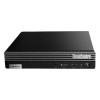
Lenovo 30JQ007AUS ThinkStation P2 Tower Gen 2 Workstation
Overview
The Lenovo 30JQ007AUS is a compact tower workstation built around Intel's Core Ultra 5 235 vPro platform — a practical fit for security operations centers, VMS administration desktops, and enterprise IT deployments where you need a manageable, maintainable machine with room to grow. At 9 lb in a standard tower form factor, it installs in a rack-side credenza, under a desk, or in a small server room without requiring dedicated rackmount infrastructure.
The 30JQ007AUS ships with a baseline 8GB DDR5-5600 and a 256GB PCIe 4.0 NVMe SSD — enough to commission and configure the machine out of the box, though most enterprise deployments will expand both before production use. What matters more at purchase time is the architecture underneath: four DIMM slots supporting up to 128GB of DDR5, and a processor platform with vPro manageability built in at the silicon level.
Key Features
- Intel Core Ultra 5 235 vPro (14 cores / 14 threads): The vPro designation means Intel Active Management Technology (AMT) is hardware-enabled out of the box — remote out-of-band management, KVM redirect, and BIOS-level recovery without relying on the OS being up. For enterprise IT teams managing distributed workstations, this eliminates most desk-side service calls for routine provisioning and recovery tasks.
- DDR5-5600 Memory at 8GB base, expandable to 128GB across 4 DIMM slots: DDR5-5600 delivers roughly 1.5× the bandwidth of DDR4-3200 at comparable capacity, which matters when running multi-stream VMS clients or data-heavy analytics dashboards. The four-slot layout gives you genuine headroom — you can run 2×32GB today and add 2×32GB later without pulling existing DIMMs.
- 256GB PCIe 4.0 NVMe SSD: PCIe Gen 4 sequential reads in the 5–7 GB/s range mean OS boot, application launch, and large-file transfers are not the bottleneck in daily workflows. The 256GB base is intentionally lean — plan on supplementing with additional storage if this machine will host local VMS recordings or large video libraries.
- Tower form factor, 9 lb: The tower chassis gives you accessible drive bays and PCIe expansion slots that a small-form-factor or mini-PC chassis would not. If the deployment needs a discrete GPU for video decoding acceleration or a capture card, this is the platform that accommodates it without an external enclosure.
- Intel Core Ultra 5 architecture (E-cores up to 4.40 GHz): The hybrid core design handles mixed workloads efficiently — background tasks (AV scanning, update agents, telemetry) route to efficiency cores while foreground workloads get the performance cores. In a VMS admin context, this keeps the UI responsive even when background recording verification or index jobs are running.
- Enterprise-class platform manageability: vPro extends beyond AMT to include Intel Endpoint Management Assistant compatibility and hardware-enforced security features (Boot Guard, Platform Trust Technology). For IT departments with centralized endpoint management, this means the 30JQ007AUS fits into existing enterprise management workflows rather than requiring a separate out-of-band solution.
Integration and Compatibility
The Core Ultra 5 235 vPro platform is broadly compatible with enterprise management stacks — Microsoft Endpoint Configuration Manager (MECM/SCCM), VMware Workspace ONE, and Intel vPro-aware RMM tools all support AMT-based out-of-band management on this processor family. DDR5 requires DDR5-compatible memory modules only; DDR4 DIMMs are not interchangeable. The PCIe 4.0 NVMe SSD slot uses M.2 form factor — check Lenovo's qualified vendor list for the 30JQ007AUS if adding a second NVMe drive to confirm slot availability and supported capacities. The Lenovo workstation and computing line provides compatible accessories, memory upgrade kits, and expansion options validated for this platform.
As a tower workstation, the 30JQ007AUS suits roles where a dedicated NVR appliance is overkill but a standard thin client lacks the compute headroom — VMS operator stations, video review workstations, or SOC analyst desktops are natural fits. Pair with a managed PoE switch if this machine will serve as the network anchor for a camera deployment requiring VLAN segmentation and camera-side power management from a central console. For storage planning guidance on workstation-based VMS deployments, a storage and retention planning guide can help size supplemental drives correctly before purchase.
Frequently Asked Questions
Q: What is the maximum RAM this workstation supports?
A: The 30JQ007AUS supports up to 128GB of DDR5-5600 memory across its four DIMM slots. It ships with 1×8GB installed, leaving three slots open for expansion.
Q: What type of storage does the 30JQ007AUS use?
A: It ships with a 256GB PCIe 4.0 NVMe SSD. PCIe Gen 4 delivers significantly higher sequential throughput than SATA SSDs — useful for fast application load times and large-file workflows.
Q: Does the Core Ultra 5 235 include Intel vPro for remote management?
A: Yes. The 235 vPro designation confirms Intel Active Management Technology (AMT) is hardware-enabled, supporting out-of-band remote management independent of operating system state.
Q: How many memory slots does the 30JQ007AUS have, and are they all accessible for expansion?
A: There are four DIMM slots total. One is occupied by the factory-installed 8GB module, leaving three slots available for memory expansion up to the 128GB platform maximum.
Q: Is the 30JQ007AUS a desktop or rack-mount unit?
A: It is a tower workstation — not a rack-mount unit. At 9 lb, it is designed for placement on or under a desk, or in a credenza beside a rack, rather than inside a standard 19-inch rack enclosure.
The 30JQ007AUS is a workstation I'd spec for an enterprise VMS operator station or a SOC analyst desktop where the vPro manageability layer matters as much as raw compute. The Core Ultra 5 235 vPro's hardware-level AMT support means your IT team can remote-KVM into this machine and recover a corrupted OS or push BIOS updates without anyone physically touching the box — that's a real operational advantage in multi-site deployments where desk-side visits are expensive.
Technical Highlights:
- DDR5-5600 with four DIMM slots to 128GB: Starting at 8GB is tight for production VMS use, but the four-slot DDR5 layout means you can go 4×32GB (128GB) in a single upgrade pass — no partial-fill compromises. DDR5-5600 bandwidth handles multi-stream decode and analytics workloads that would bottleneck on DDR4 platforms.
- PCIe 4.0 NVMe storage: Gen 4 throughput keeps video file reads and application loads off the critical path. The 256GB base is a staging capacity — add a secondary NVMe or a 2.5-inch SATA drive in the tower bays before deploying any local recording or clip-export workflows.
- Tower chassis at 9 lb: The form factor is the deployment enabler here. Unlike mini-PCs or SFF units, this chassis has expansion slots available for a discrete GPU (for accelerated video decode across 16+ camera streams) or a capture card if the workflow requires it.
Deployment Considerations:
- vPro AMT requires network-level configuration (dedicated management VLAN, provisioning server) to deliver full out-of-band capability — it does not work automatically out of the box. Plan this into your network architecture before deployment.
- The 256GB SSD base is genuinely insufficient for local VMS recording storage. Treat it as the OS and application drive only, and budget for supplemental storage (NVMe or HDD) before the machine goes into production.
The 30JQ007AUS is the right call for enterprise IT environments deploying managed workstations at scale — specifically where vPro-based remote management and a DDR5 platform with real upgrade headroom justify the workstation-class investment over a commodity desktop.