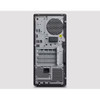
Lenovo 30JQ0076US ThinkStation P2 Tower Gen 2 Workstation
Overview
The Lenovo ThinkStation P2 Tower Gen 2 (30JQ0076US) is a commercial-grade tower workstation built around Intel's Core Ultra 9 285 vPro processor — a 24-core, 24-thread chip with efficiency cores reaching 4.60 GHz. Configured with 128 GB of DDR5-5600 RAM and a 2 TB PCIe 4.0 SSD, this machine is specced for workloads that exhaust standard business desktops: VMS server duties, multi-stream video analytics, CAD, simulation, and data-intensive security operations. The tower form factor makes it straightforward to rack on a shelf or deploy under a desk in a security operations center or control room without the density constraints of a rackmount chassis. Browse the Lenovo workstation catalog to compare configurations across the P-series line.
Key Features
- Intel Core Ultra 9 285 vPro, 24 Cores / 24 Threads: The vPro designation matters in enterprise environments — it enables hardware-level remote management (AMT) so IT can provision, diagnose, and recover the machine out-of-band without a functioning OS. The 24-core count handles parallel workloads that would saturate an 8- or 12-core desktop: running a VMS engine, live analytics inference, and database queries simultaneously without one starving the others.
- 128 GB DDR5-5600 ECC-class Memory across 4 x 32 GB DIMMs: 128 GB is the fully-populated configuration on a 4-slot board, which means there is no headroom left to add more RAM later — plan your memory ceiling here. DDR5-5600 delivers roughly double the bandwidth of DDR4-3200, which directly benefits workloads that move large video frame buffers or analytics model weights in and out of memory continuously. Verify ECC support against Lenovo's official configurator if your application requires error-correcting memory.
- 2 TB PCIe 4.0 NVMe SSD (Single Drive): PCIe Gen 4 NVMe storage delivers sequential read speeds in the 5,000–7,000 MB/s range — roughly 10× a SATA SSD. For a workstation running a local VMS that writes continuous HD streams to disk, this translates to far lower I/O latency and headroom to serve simultaneous playback requests. A single 2 TB drive is installed; check Lenovo's expansion specs for additional M.2 or 2.5-inch bay availability if you need more on-device storage.
- Tower Form Factor: The standard tower chassis gives technicians room to work — accessible PCIe expansion slots, drive bays, and tool-less panel access are typical of this class. It also means the machine can accept a discrete GPU or capture card after deployment without a chassis swap, which matters if analytics or display requirements evolve. See commercial workstations for alternative form factors including small-form-factor and rackmount options.
- Intel Core Ultra 9 285 vPro — Arrow Lake Architecture: Arrow Lake's hybrid core design separates performance and efficiency cores, letting the OS scheduler push background OS and telemetry tasks to the efficiency cores while keeping P-cores available for latency-sensitive application threads. For a security workstation running both a GUI and a background recording engine, this scheduling behavior reduces the chance of UI stutter during high-throughput recording events.
- No Optical Drive: The optical drive bay is absent in this configuration — a deliberate trade-off that frees internal space and eliminates a rarely-used component in enterprise deployments. Software provisioning is expected via network or USB. Factor this in if your installation workflow involves optical media for legacy software.
Integration and Compatibility
As a vPro-enabled platform, the 30JQ0076US supports Intel AMT for out-of-band management, which integrates with enterprise endpoint management stacks (Microsoft Endpoint Manager, Lansweeper, and similar tools that support AMT discovery). The DDR5 platform and PCIe 4.0 bus provide forward compatibility with current-generation discrete GPUs and AI inference accelerators — relevant if you plan to add an NVIDIA RTX or similar card post-deployment for on-device analytics. Pair this workstation with a network video recorder or deploy it directly as a VMS host for mid-to-large camera counts. For deployments requiring PoE infrastructure alongside the workstation, see PoE network switches to complete the stack. For guidance on sizing a VMS server for your camera count and retention requirements, consult a camera and VMS selection guide.
Frequently Asked Questions
Q: What processor is in the Lenovo 30JQ0076US, and does it support vPro remote management?
A: The 30JQ0076US ships with the Intel Core Ultra 9 285 vPro, a 24-core/24-thread processor with efficiency cores reaching 4.60 GHz. The vPro designation confirms Intel AMT hardware-level remote management support.
Q: Can the 128 GB RAM in the 30JQ0076US be expanded?
A: The system has 4 DIMM slots populated with 4 x 32 GB DDR5-5600 modules, totaling 128 GB — the maximum supported memory per the known configuration. There are no open slots for expansion in this configuration.
Q: What storage interface does the 2 TB SSD use?
A: The 2 TB SSD uses a PCIe 4.0 interface (NVMe M.2), delivering significantly higher throughput than SATA-based drives — well-suited for continuous video write workloads.
Q: Does the 30JQ0076US include an optical drive?
A: No. This configuration does not include an optical drive. Software deployment should be planned via USB or network imaging.
Q: Is the 30JQ0076US suitable as a VMS server for a multi-camera security system?
A: The 24-core Intel Core Ultra 9 285 vPro and 128 GB DDR5-5600 RAM make it well-specced for running a VMS engine alongside live analytics. The 2 TB PCIe 4.0 SSD provides fast local storage for active recording, though high camera counts with long retention will require additional network-attached or direct-attached storage.
When a customer asks me whether the 30JQ0076US has enough headroom to run a mid-size VMS deployment, the first number I point to is the 128 GB DDR5-5600 across four slots — that memory bandwidth at DDR5 speeds is genuinely meaningful when you have dozens of concurrent RTSP streams being decoded and written to disk simultaneously. The Intel Core Ultra 9 285 vPro's 24-core architecture gives the OS room to separate IO-heavy background tasks from the foreground application threads, which shows up as lower latency on live view even under recording load.
Technical Highlights:
- 24-Core / 24-Thread Intel Core Ultra 9 285 vPro: Efficiency cores top out at 4.60 GHz; vPro enables hardware AMT for out-of-band management — you can reimage or diagnose this machine remotely without a functioning OS, which is critical in remote or unstaffed installations.
- 128 GB DDR5-5600 (4 x 32 GB, fully populated): Maximum memory configuration in a 4-slot layout. DDR5 doubles the memory bandwidth over DDR4-3200 — relevant when analytics models and video frame buffers compete for the same memory bus.
- 2 TB PCIe 4.0 NVMe SSD: Gen 4 sequential throughput is roughly 10× SATA SSD — this matters for workloads that simultaneously write multiple HD streams while serving playback requests to connected clients.
Deployment Considerations:
- The 4 DIMM slots are fully occupied at 128 GB — if your application might need more RAM over the system lifecycle, this configuration offers no upgrade path short of replacing DIMMs with higher-capacity sticks (verify maximum per-slot capacity with Lenovo's configurator before purchase).
- No optical drive is present; factor that into your imaging and provisioning workflow. USB or PXE boot will be required for OS deployment or recovery.
This workstation is a strong fit for a dedicated VMS server or security operations workstation in a mid-to-large enterprise environment — specifically where vPro remote management reduces the need for on-site IT dispatch and where the DDR5 memory bandwidth supports live analytics alongside continuous recording without CPU or memory becoming the bottleneck.