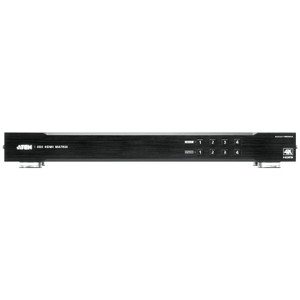
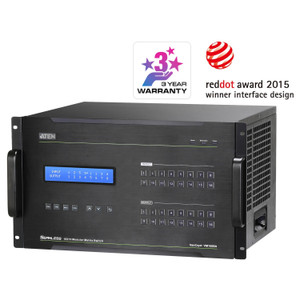
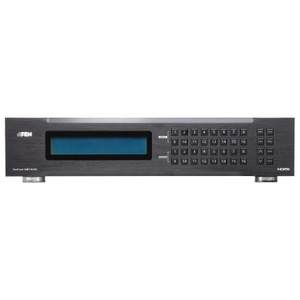
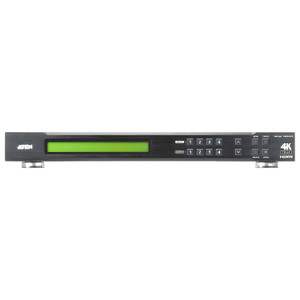
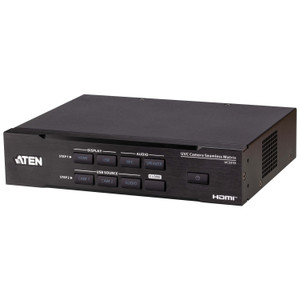
Product images are provided for reference and may not represent the exact model, configuration, or included components.

No Bots, Just Experts

Questions about this product? Free pre-sales support from a senior specialist — product questions, compatibility checks, BOM quotes, price confirmation — typically answered within one business day. Need camera placement or system design work? Engineering time is $175 per hour (qty 1 = 1 hour). Hardware buyers get up to one hour ($175) credited back on their order.

Description

ATEN CCKM KE Matrix Management Software License

Overview

The ATEN CCKM is a centralized management platform for ATEN KE-series KVM-over-IP extender deployments. If you are running more than a handful of TX/RX nodes across distributed workstations, control rooms, or broadcast suites, CCKM consolidates device discovery, connection routing, video wall configuration, and user account administration into a single browser-accessible interface. The free tier supports up to 8 nodes with no time limit — a practical starting point for smaller deployments that still need primary/secondary server redundancy. Paid USB license keys unlock higher node counts. This listing delivers the CCKM USB License Key (not the virtual license variant); deploy it on a dedicated Windows or Linux server meeting the minimum hardware requirements.

Compatibility

CCKM is designed for ATEN KE-series KVM-over-IP extenders — transmitters (TX) and receivers (RX) in the KE6900, KE8950, KE9950, and related KE matrix product families. It runs on any Windows or Linux host meeting the minimum spec: Intel Pentium 4 at 2.60 GHz or faster, 8 GB RAM, 500 MB free disk space, and a Gigabit Ethernet NIC. Browser access is supported via Chrome 70+, Firefox 62+, Safari, Opera, and Internet Explorer 10+. SNMP v1 and v3 integration allows CCKM to slot into existing network management frameworks, and Syslog output feeds standard log aggregators. SMTP notification keeps operations teams alerted to system events without requiring manual dashboard monitoring.

Installation Notes

Server redundancy requires deliberate planning: CCKM supports one primary server and up to five secondary servers — size your infrastructure accordingly before deployment rather than retrofitting later. The USB license key must be physically present on the server host; virtual license deployments use a different SKU and do not use this key. Storage temperature range is -20°C to 60°C; operating humidity ceiling is 80% RH non-condensing — standard server room conditions are well within tolerance. AES-128 or AES-256 encryption covers all data in transit; select AES-256 for deployments with strict data-security requirements. Task scheduling supports automated database backup and restore (with optional encryption), firmware upgrades across managed devices, and scheduled CSV log exports — configure these at initial commissioning to avoid gaps in audit trails. Current firmware is v2.7.262.

What's in the Box

  • 1x CCKM USB License Key
  • 1x User Instructions
Specifications
Mount Type: Wall; Rack
Package Contents: 1x CCKM USB License Key (inapplicable to Virtual License)1x User Instructions
Operating System: Description | Ver. | Release Date | File Name
Security: Data transmission is secured by AES-128 or AES-256 encryption.
Network Protocol & Ip Tools: IPv4, SSH, and Telnet.
Notification: SMTP.SNMP (v1, v3).Syslog.System message.
Task Scheduling: CCKM database and configuration backup/restore (encryptable).Device firmware upgrade.Export logs by day, period (.csv).Export device logs by severity (.csv).Export Device List (.csv).
Logs: System logs.Device logs.Serial console server logs.SNMP traps.SNMP agent.
Server Redundancy: Primary/secondary architecture.1 primary with a maximum of 5 secondary servers.
Supported Browsers: Internet Explorer (10 or later), Chrome (70 or later), Firefox (62 or later), Safari, and Opera.
Multilingual Support: English, 繁體中文, 简体中文, 日本語, 한국어, Française, Español, Português, Deutsch, Pусский.
Others: System Status DashboardTX/RX Connections DashboardScheduled Profile DashboardOnline User/Account ManagementInstant linkTX/RX Preview ImageVideo Walls SettingTX/RX groups Setting
Basic (Free: Up to 8 nodes.*Basic (free) license supports primary/secondary architecture.
Minimum Hardware Requirements: CPU: Pentium 4, 2.60 GHz or higherMemory: 8 GBHard drive: 500 MB or more free spaceEthernet: Giga LAN
Storage Temperature: -20 - 60°C
Humidity: 0–80% RH, Non-condensing
Firmware Upgrade: v2.7.262
Os: Description
Linux, Windows: Installation Software
Q&A
Reviews

ATEN KE Matrix Management - CCKM

$2,225.00
$1,539.99

RELATED PRODUCTS

Save $3,522.01
ATEN 16X16 Modular Digital Matrix Chassis - VM1600A
Add to Cart The item has been added

ATEN VM1600A

ATEN 16X16 Modular Digital Matrix Chassis - VM1600A

6U rack-mount modular matrix chassis from ATEN's ATEN video matrix line designed for large-venue AV distribution installations where signal routing

    In stock · Ships same business day Free shipping over $499
    $7,410.00 $3,887.99 Save $3,522.01
    The item has been added Add to quote
    $7,410.00 $3,887.99 Save $3,522.01
    Save $3,522.01 Add to cart Add to quote
    Save $5,442.01
    ATEN 16X16 HDMI Scaling Matrix AND Video
    Add to Cart The item has been added

    ATEN VM51616H

    ATEN 16X16 HDMI Scaling Matrix and Video - VM51616H

    16-input, 16-output HDMI matrix switch from the ATEN video distribution catalog built for AV-over-infrastructure deployments where you need to

      In stock · Ships same business day Free shipping over $499
      $14,220.00 $8,777.99 Save $5,442.01
      The item has been added Add to quote
      $14,220.00 $8,777.99 Save $5,442.01
      Save $5,442.01 Add to cart Add to quote

      System Design, Deployment & Technical Support

      Support services and planning resources for commercial surveillance, access control, and infrastructure deployments.

      Fixed scope • Fixed price

      System Design Assistance

      • Get help validating product compatibility
      • Coverage requirements
      • Storage planning and deployment architecture before you buy.
      Request Design Help

      Deployment & Configuration Support

      • Access fixed-scope support for rollout planning
      • User setup guidance
      • Migration and system standardization across single-site or multi-site deployments
      View Support Services

      Guides, Tools & Calculators

      • PoE requirements
      • Storage retention
      • Camera selection and deployment methodology
      Open Technical Resources