HP Inc C94C3UT#ABA ZBook Fury 18 G1i Mobile Workstation
Overview
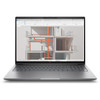
The HP ZBook Fury 18 G1i (C94C3UT#ABA) is an 18-inch mobile workstation built for engineers, CAD operators, and field technicians who need desktop-class compute without being tethered to a desk. It pairs Intel's 15th-Gen Core Ultra 7 255HX — a 20-core/20-thread processor with a 5.20 GHz boost ceiling — with the NVIDIA RTX Pro 2000 (8GB) professional GPU, making it a credible replacement for a mid-tier workstation tower in environments where mobility matters. The 18" WQXGA (2560x1600) panel at 165Hz and 500 nit brightness means you get usable color fidelity and refresh headroom whether you're reviewing security layouts, running CAD assemblies, or managing a VMS dashboard across a large canvas.
Key Features
- Intel Core Ultra 7 255HX (15th Gen): 20 cores / 20 threads, base 1.80 GHz, boost to 5.20 GHz — handles compute-heavy VMS software, simulation workloads, and parallel encoding tasks without the thermal throttling you'd see on a mainstream laptop chip.
- NVIDIA RTX Pro 2000 (8GB VRAM): A pro-grade GPU with ISV certifications for major CAD and visualization platforms. The 8GB frame buffer handles large scene files and multi-monitor GPU decode without running out of VRAM mid-session.
- 32GB System RAM: Sufficient headroom for running a full VMS client, browser-based management consoles, and design software simultaneously — no forced page file thrashing on typical enterprise workloads.
- 1TB SSD Storage: Fast local storage for OS, applications, and project files. Keeps boot and application load times short even under heavy I/O from VMS recording software or large CAD files.
- 18" WQXGA 500-nit Anti-Glare Display (2560x1600, 165Hz, 16:10): The 16:10 aspect ratio adds usable vertical screen real estate versus 16:9 — meaningful when reviewing security camera grids or long schematics. 500 nits handles bright office environments without washing out. 165Hz is a bonus for smooth panning in design tools.
- Windows 11 Pro: Ships with the OS IT needs for domain join, BitLocker, and enterprise MDM enrollment — no downgrade licensing headache.
- SmartBuy Configuration: This is a commercial SmartBuy SKU, meaning it's a standardized, volume-optimized HP configuration — predictable spec across fleet deployments, easier to image and support at scale.
Integration and Compatibility
The C94C3UT#ABA runs Windows 11 Pro out of the box, compatible with enterprise VMS platforms, CAD suites, and security management software that require a certified OS. The RTX Pro 2000 GPU carries NVIDIA's professional driver stack, which matters for ISV-certified applications that validate GPU drivers at launch. At 11.30 lb and 23.50 x 14.00 x 2.50 inches, this is not a carry-everywhere device — it's a transportable workstation best suited for users who move between fixed locations rather than daily commuters.
Frequently Asked Questions
Q: What GPU does the C94C3UT#ABA include, and how much VRAM?
A: It includes the NVIDIA RTX Pro 2000 with 8GB of dedicated VRAM — a professional-grade GPU suited for ISV-certified CAD, visualization, and VMS decode workloads.
Q: What display resolution and refresh rate does this workstation have?
A: The 18-inch panel runs at 2560x1600 (WQXGA) with a 165Hz refresh rate, 500 nits brightness, anti-glare coating, and a 16:10 aspect ratio.
Q: How much RAM and storage does the C94C3UT#ABA ship with?
A: It ships with 32GB of system RAM and a 1TB SSD as configured.
Q: What operating system does it include?
A: Windows 11 Pro is included — the commercial-grade OS needed for domain join, BitLocker, and enterprise MDM.
Q: What does 'SmartBuy' mean for this HP model?
A: SmartBuy designates a standardized HP commercial configuration optimized for volume procurement — consistent spec across units, which simplifies imaging and fleet management.
Q: What is the weight and size of this mobile workstation?
A: It weighs 11.30 lb and measures 23.50 x 14.00 x 2.50 inches — a large-format transportable workstation, not a daily-carry laptop.
The C94C3UT#ABA earns its place in enterprise security and engineering deployments specifically because of that RTX Pro 2000 GPU — 8GB of professional VRAM paired with NVIDIA's pro driver stack is the difference between a laptop that runs your VMS or CAD suite under certification and one that technically runs it but throws driver warnings. That distinction matters when your software vendor's support contract depends on a validated GPU.
Technical Highlights:
- Core Ultra 7 255HX (20 cores, 5.20 GHz boost): Intel's 15th-Gen architecture with 20 cores gives you genuine parallel compute — simultaneous GPU decode, VMS analytics processing, and OS overhead won't compete for the same two cores the way they would on a mainstream mobile chip.
- 18" WQXGA 165Hz Panel at 500 nits: The 16:10 format at 2560x1600 gives you more vertical pixels than a 1080p or even standard 1440p display — useful when monitoring multi-camera grids or reviewing long drawing sets where scrolling breaks your review flow.
- 32GB RAM + 1TB SSD as shipped: This SmartBuy configuration lands with enough RAM to run a full enterprise workstation load without custom ordering — a real fleet-deployment advantage when you need 50 identical units imaged to the same baseline.
Deployment Considerations:
- At 11.30 lb and 23.50 x 14.00 x 2.50 inches, plan for this unit to live on a desk or in a vehicle — it is not a bag-carry device for daily commuters. Factor that into user assignments.
- SmartBuy SKUs are standardized configs — expansion options (RAM slots, storage bays) may differ from configure-to-order ZBook variants. Verify upgrade path with HP's ZBook Fury 18 G1i service guide before committing to a fleet if post-purchase upgrades are in scope.
This workstation is the right call for fixed-site or vehicle-mounted deployments where a security integrator or field engineer needs full professional GPU capability and a large display at a location they drive to — not a unit you carry through an airport every week.