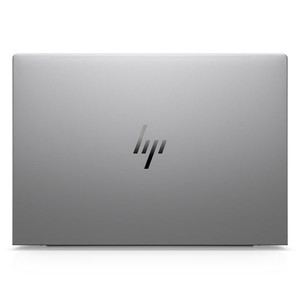
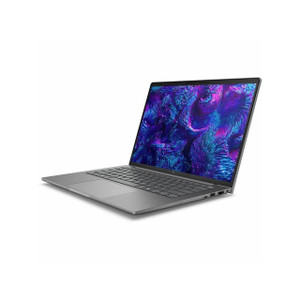
HP Inc BX7V5UT#ABA 16-Inch Mobile Workstation PC
Overview
The HP ZBook 8 G1i (BX7V5UT#ABA) is a 16-inch commercial mobile workstation built around Intel's 15th-generation Core Ultra 7 255H processor — the right platform for security engineers, field integrators, and IT architects who need workstation-class compute on-site without hauling a tower. The 1920x1200 WUXGA touchscreen at 16:10 aspect ratio gives you more vertical screen real estate than a standard 16:9 laptop, which matters when you're working in VMS consoles, configuration GUIs, or CAD tools that benefit from the extra row height.
Key Features
- Intel Core Ultra 7 255H (15th Gen, 16 cores/16 threads): Clocked from 0.70 GHz base to 5.10 GHz boost across 16 cores, this processor handles multi-stream video decoding, VMS client rendering, and simultaneous remote sessions without the thermal throttling you see on thinner consumer laptops. The hybrid core architecture manages background tasks efficiently so your foreground workloads stay responsive.
- 16-inch WUXGA 1920x1200 Touchscreen (300-nit, Anti-Glare): The 16:10 panel adds roughly 10% more vertical pixels compared to 1920x1080 — visible difference in split-screen VMS layouts. Anti-glare coating and 300-nit brightness keep the display usable in mixed-lighting environments like server rooms or field sites. Touch input is included for those who prefer direct interaction with map-based or touch-optimized interfaces.
- 32GB RAM: Running a full VMS client, a browser with a dozen open tabs, and a remote desktop session simultaneously is comfortable at 32GB. You're not going to hit memory pressure in typical field or office integration work.
- 1TB NVR/Storage (SSD): A 1TB solid-state drive handles local project files, firmware packages, configuration backups, and exported video clips without managing external drives. SSD access speeds also mean application launch times and file operations stay fast in the field.
- Discrete Graphics (DSC): The BX7V5UT#ABA includes discrete graphics, which accelerates multi-monitor output, GPU-assisted video decoding in VMS platforms, and any 3D rendering or CAD tasks that fall outside integrated GPU headroom.
- Integrated Webcam (WEBC): The built-in webcam supports video conferencing and remote collaboration — standard for field engineers coordinating with remote NOC or project teams.
- 7.75 lb / 12.0 x 19.8 x 2.6 in form factor: At 7.75 lb, this is a workstation-class machine in a portable chassis. It's not a ultrabook, but it's manageable for site-to-site transport. Budget for a padded case if you're moving it across job sites regularly.
Integration & Compatibility
The ZBook 8 G1i runs standard Windows environments, making it compatible with all major VMS platforms (Milestone XProtect, Genetec Security Center, Avigilon Control Center, Hanwha Wisenet WAVE, and others) without driver or OS compatibility concerns. The discrete GPU supports multi-monitor configurations for command center or NOC use. As a commercial-class HP platform, it qualifies for volume licensing, enterprise imaging, and IT management via standard MDM/endpoint tools.
Frequently Asked Questions
Q: What processor does the BX7V5UT#ABA use?
A: It ships with the Intel Core Ultra 7 255H — a 15th-generation hybrid processor with 16 cores and 16 threads, boosting up to 5.10 GHz.
Q: Does the BX7V5UT#ABA have a touchscreen?
A: Yes. The 16-inch WUXGA (1920x1200) display is a touchscreen with anti-glare coating and 300-nit brightness.
Q: How much RAM and storage does it include?
A: It ships with 32GB of RAM and a 1TB SSD.
Q: Does it include discrete graphics?
A: Yes, the BX7V5UT#ABA includes discrete graphics (DSC), which supports GPU-accelerated video decoding and multi-display output.
Q: What does it weigh and what are its dimensions?
A: It weighs 7.75 lb with dimensions of 12.00 x 19.80 x 2.60 inches (L x W x H).
Q: Is this unit SmartBuy (pre-configured)?
A: Yes, the BX7V5UT#ABA is an HP SmartBuy SKU — a fixed, pre-configured build that ships as described with no custom-order lead time.
The BX7V5UT#ABA hits a configuration point I don't see often in this category: a 16-core Intel Core Ultra 7 255H with discrete graphics in an HP SmartBuy package — meaning you order it, it ships, no custom build queue. For integrators who need a capable VMS client machine on short notice, that matters more than people admit.
Technical Highlights:
- Core Ultra 7 255H (5.10 GHz boost, 16 cores): Enough headroom to decode multiple simultaneous HD streams in a VMS client while keeping system management tools and remote sessions open — the hybrid architecture handles background scheduling without competing with foreground workloads.
- 1920x1200 WUXGA 16:10 Touch Panel: The extra vertical resolution compared to 1080p panels is genuinely useful in VMS grid views and multi-pane layouts — you get one more camera row without scrolling. Anti-glare holds up in the mixed lighting of a server room or field site.
- Discrete GPU included: For VMS platforms with GPU-assisted decoding (Milestone, Genetec, Avigilon all support it), the discrete graphics offload the CPU and keep the UI smooth at higher stream counts. It also means driving a second external monitor is clean, not a CPU tax.
Deployment Considerations:
- At 7.75 lb and 19.8 inches wide, this is a two-bag carry for most field kits — plan for a dedicated padded sleeve rather than stuffing it into a general backpack alongside tools.
- As a SmartBuy SKU, the configuration is fixed. If you need a different RAM or storage tier, this specific MPN is not the right path — you'd need to source a different HP ZBook 8 G1i configuration.
Best fit for a NOC workstation that rotates between a desk and site visits, or an integration engineer who runs full VMS client software plus documentation and remote access tools simultaneously — not a machine you're buying for light email use.