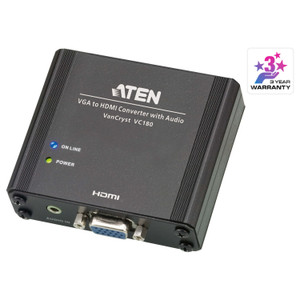
ATEN VC840 HDMI to 3G/HD/SD-SDI Converter
The ATEN VC840 is a compact signal converter that takes an HDMI source — a laptop, media player, or presentation system — and outputs a broadcast-grade SDI signal across all three major SDI tiers: SD-SDI, HD-SDI, and 3G-SDI. If your facility mixes HDMI-native equipment with professional video infrastructure running coaxial SDI cabling, the VC840 bridges that gap without requiring a rip-and-replace of either side. It belongs to the broader ATEN signal management catalog, which covers KVM, AV distribution, and conversion hardware for professional environments.
Overview
Professional broadcast, staging, and security control rooms standardized on SDI long before HDMI became ubiquitous. The VC840 exists for the integrator who needs to inject an HDMI signal into an SDI routing matrix, or feed a modern HDMI source into an SDI monitor or recording device. It handles all three SDI format tiers and adds analog audio breakout — a detail that matters when your downstream equipment needs discrete audio rather than embedded HDMI audio. As a purpose-built signal converter, it avoids the complexity of a full AV matrix when a point-to-point bridge is all the job requires.
Key Features
- 3G-SDI output at up to 2.97 Gbps (SMPTE 424M/425M Level A): 3G-SDI carries 1080p60 over a single BNC coax run — the same signal path your existing SDI infrastructure already supports. No new cabling needed on the SDI side, and no frame-rate compromise at full HD.
- HD-SDI support at up to 1.485 Gbps (SMPTE 292M/296M): Covers 1080i and 720p delivery to HD-SDI monitors and production switchers. If your control room runs HD-SDI routing, the VC840 drops in without reconfiguring the downstream matrix.
- SD-SDI support at up to 270 Mbps (SMPTE 259M): Backward compatible with legacy SD infrastructure. Useful in hybrid environments where some endpoints are still running standard-definition SDI, ensuring you don't need a separate converter for each signal tier.
- 75 Ω impedance: Matches the standard coaxial SDI impedance spec exactly. Mismatched impedance causes reflections and signal degradation over long cable runs — the VC840's native 75 Ω termination keeps your signal clean without external termination plugs.
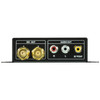
- Analog audio output — 2x RCA (Red/White) + 1x RCA composite (Yellow): Breaks out both analog stereo audio (L/R RCA) and composite video (Yellow RCA) independently of the SDI output. Useful when a downstream device needs discrete analog audio or a composite feed for a confidence monitor while the main SDI path carries the HD signal.
- EDID Learn mode: The VC840 reads and stores the EDID from the downstream SDI display or device and presents it back to the HDMI source. This prevents the common problem of a laptop or media player defaulting to an incompatible resolution because it can't read EDID through a converter — the source negotiates a mode the destination actually supports.
- 3m maximum HDMI cable distance at 1920×1080@60 (4:4:4): The HDMI input side is rated for full 4:4:4 chroma at 1080p60 up to 3 meters. Plan the HDMI run from source to converter accordingly — for longer HDMI distances, an active HDMI extender or fiber HDMI cable upstream of the VC840 is the right solution.
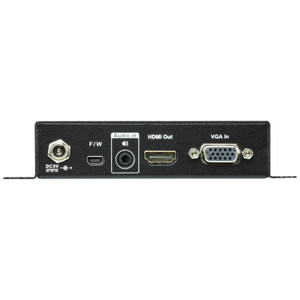
- DC jack power input: Powered via a single DC jack, keeping the install tidy. No PoE, no power over coax — plan for a local power outlet or a DC power strip at the rack or equipment position.
- Operating humidity 20–90% RH non-condensing: Suitable for temperature-controlled control rooms, production suites, and AV closets. Not rated for outdoor or high-condensation environments — keep it in a conditioned space.
Integration and Compatibility
The VC840 outputs to a single RCA (BNC-compatible via adapter) SDI connector, making it compatible with any SMPTE-compliant SDI routing switcher, SDI monitor, broadcast encoder, or recording device. The AV signal distribution ecosystem it integrates into includes professional video switchers, multiviewers, and broadcast-grade recorders that expect 75 Ω BNC SDI inputs. On the source side, any HDMI device outputting 1080p60 or lower will work — 4K HDMI sources are not within the VC840's conversion range, so verify your source resolution before deploying. For environments also requiring network-integrated AV distribution or IP-based video transport, the VC840 serves as the edge bridge between HDMI sources and SDI backbone infrastructure.
Frequently Asked Questions
Q: Does the VC840 support 4K HDMI input?
A: No. The VC840's maximum HDMI input resolution is 1920×1080 at 60 Hz (4:4:4). 4K HDMI sources are outside its supported range. Verify your source device outputs 1080p or lower before deploying.
Q: What SDI formats does the VC840 output?
A: The VC840 outputs SD-SDI (SMPTE 259M, up to 270 Mbps), HD-SDI (SMPTE 292M/296M, up to 1.485 Gbps), and 3G-SDI (SMPTE 424M/425M Level A, up to 2.97 Gbps). Format selection is automatic based on the input signal.
Q: What is the maximum HDMI cable length on the input side?
A: The VC840 supports HDMI input cable runs up to 3 meters at 1920×1080@60 (4:4:4). For longer HDMI source runs, use an active HDMI cable or HDMI fiber extender upstream of the converter.
Q: Does the VC840 include analog audio outputs?
A: Yes. It provides 2x RCA analog stereo audio outputs (Red/White) and 1x RCA composite video output (Yellow), in addition to the SDI digital output. This allows discrete analog audio breakout for downstream devices that don't accept embedded SDI audio.
Q: What power supply does the VC840 use?
A: The VC840 is powered via a single DC jack. It does not support PoE or power-over-coax. A local DC power source is required at the installation point.
Q: Can the VC840 be rack mounted?
A: The VC840 is noted as a rack-mount form factor product. Verify rack unit dimensions and mounting hardware against your specific rack configuration before ordering.
The spec that matters most on the VC840 is the 75 Ω impedance match — it's not glamorous, but it's the reason you don't get reflections and noise when you wire this into a real SDI routing matrix. I've seen plenty of cheap HDMI-to-SDI boxes that call themselves 75 Ω and then cause signal issues 50 feet down the coax run. The VC840 follows the SMPTE spec properly, which is what you need when it's sitting inline with broadcast-grade gear.
Technical Highlights:
- 3G-SDI at 2.97 Gbps (SMPTE 424M/425M Level A): Full 1080p60 over a single coax run — this is the format most modern SDI production infrastructure actually uses, and the VC840 delivers it without frame-rate compromise.
- EDID Learn mode: The converter reads the downstream display's EDID and presents it to the HDMI source. This eliminates the resolution negotiation failures that plague passive HDMI-to-SDI adapters when the source can't read through the conversion stage.
- Analog audio breakout (2x RCA stereo + 1x composite): The discrete audio outputs mean you're not locked into relying on embedded SDI audio — useful when the downstream recorder or monitor requires analog input or when you need a composite feed to a separate confidence monitor simultaneously.
Deployment Considerations:
- The 3-meter HDMI input limit at 1920×1080@60 (4:4:4) is a hard constraint — position the VC840 within 3 meters of the HDMI source or add an active HDMI extender upstream. Don't assume a passive 5-meter cable will work reliably at 4:4:4.
- Power is DC jack only — no PoE, no rack power distribution unit pass-through. Budget for a local outlet or DC strip at the converter's install point, especially in dense rack environments.
The VC840 is the right tool for a production control room or security operations center integrating HDMI-native presentation systems into an existing SDI routing backbone — specifically where the source is fixed within 3 meters and the downstream SDI chain is SMPTE 424M/425M compliant.