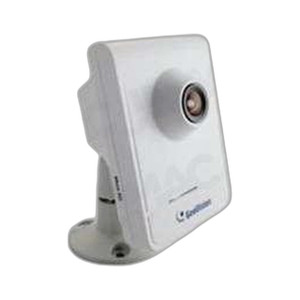
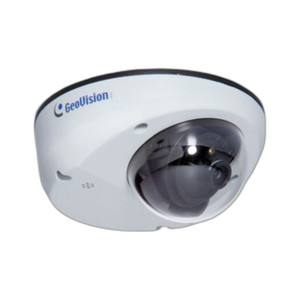
Geovision 84-BX1500V-301U 1.3MP Box Camera
Overview
The Geovision 84-BX1500V-301U is a 1.3MP box-form IP camera built for integrators deploying surveillance in tight spaces, custom enclosures, or non-standard mounting scenarios where standard dome or bullet housings create logistics problems. The box chassis integrates cleanly into wall brackets, overhead protection boxes, or customer-supplied protective covers—solving the installation constraint when form-factor flexibility matters more than a factory aesthetic. The included varifocal lens (F2.8-1) lets you adjust field of view on-site without lens swaps; critical during commissioning when exact coverage boundaries are still being dialed in. H.264 compression keeps bandwidth and storage costs manageable across multi-camera deployments. WDR (Wide Dynamic Range) recovers usable detail in mixed-light scenes—backlit doorways, retail floors with sun-blasted windows paired with shadowed aisles—without the halo artifacts common in budget HDR. Power draw is 13W via PoE, well within standard 802.3af switch budgets.
Compatibility
The 84-BX1500V-301U integrates into any ONVIF-compatible VMS platform accepting H.264 streams over standard Ethernet. It uses standard RJ-45 cabling—no proprietary connectors or platform-specific adapters. Deploy alongside other Geovision cameras or mix with third-party ONVIF-compliant surveillance equipment in the same network. Confirm your VMS explicitly supports H.264 decoding and ONVIF Profile S if you need real-time streaming or basic metadata; Profile S is the baseline for IP camera interoperability. Edge storage via microSD (if firmware supports it) provides local buffering on bandwidth-constrained sites or as failover during network interruption.
Installation Notes
Mount the box body securely to your chosen surface—wall, ceiling, raceway, pole—using appropriate fasteners for substrate type (concrete, drywall, metal). The varifocal lens requires manual focus adjustment during commissioning; frame the target scene and use your VMS live view to dial in sharpness before final installation. Verify PoE availability at your chosen mount point. No special tools are required beyond standard fasteners and an Ethernet cable run.