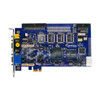
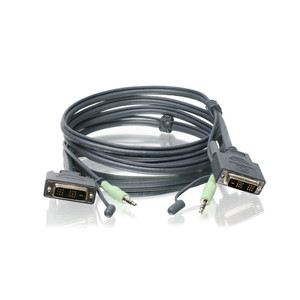
Product images are provided for reference and may not represent the exact model, configuration, or included components.

Overview

SKU: GV-DVI
Condition: New
Availability: Special Order · Usually Ships in 2-3 Weeks
Warranty 3-Year Warranty
Write a Review

Geovision GV-DVI 8CH Video+Audio Cable

8-channel video+audio cable with D-type connectors for Geovision DVR/NVR

$6.99
Special Order
Ships in 2-3 Weeks

Quantity:

Adding to cart… The item has been added
Compatibility guidance available for your deployment
Senior specialists for pre and post-sales support
Authorized sourcing and documentation support
Shipping and lead-time confirmation before install

Laura Bennett, IPSD Senior Specialist

Talk to Laura

200+ hrs training • U.S - based

Senior Specialist • 877-277-7147

Geovision GV-DVI 8CH Video+Audio Cable

$6.99

Overview

SKU: GV-DVI
Condition: New
Availability: Special Order · Usually Ships in 2-3 Weeks
Warranty 3-Year Warranty

No Bots, Just Experts

Questions about this product? Free pre-sales support from a senior specialist — product questions, compatibility checks, BOM quotes, price confirmation — typically answered within one business day. Need camera placement or system design work? Engineering time is $175 per hour (qty 1 = 1 hour). Hardware buyers get up to one hour ($175) credited back on their order.

Description

Geovision GV-DVI 8CH Video+Audio Cable

Overview

The Geovision GV-DVI is an 8-channel DVI-type video and audio transmission cable designed to connect video and audio signals from analog sources to Geovision GV-Combo B capture cards (GV-1120B, GV-1240B, GV-1480B). This cable carries simultaneous video and audio over shielded DVI connectors, reducing the cable count and simplifying installation in legacy analog systems converting to digital capture or hybrid deployments.

Compatibility

The GV-DVI works exclusively with Geovision GV-Combo B cards — the 8-channel, 12-channel, and 16-channel variants (GV-1120B, GV-1240B, GV-1480B). These cards support up to 16 video and 16 audio channels per card, meaning the GV-DVI handles the full 8-channel video half and the corresponding 8-channel audio half of a single card's capacity. The cable is not interchangeable with D-type connectors or standard RCA/BNC breakout cables. If you are building a two-card system (up to 32 channels), you will need two GV-DVI cable sets — one for the master card and one for the slave card.

Installation Notes

Connect the DVI video end to the video input connector on the GV-Combo B card and the separate audio end to the audio input connector. Both connectors are keyed — forcing a mismatched connection will damage the card. The datasheet specifies that microphones must have external power supplies; do not use phantom-powered microphone inputs, as the card does not supply power from the PC. Secure the cables to avoid strain on the connectors during system startup and operation. The card requires a hardware watchdog jumper wire (supplied separately) for system stability in Windows Server environments.

What's in the Box

  • 1x 1-16 DVI-Type Video Cable
  • 1x 1-16 DVI-Type Audio Cable
Specifications
Audio Support: 8-channel audio
Distributor SKU: E52-20820-00A
Housing Color: White
Warranty: 3-Year Warranty
Resolution: 800x600
Compression: H.264
Audio: 8-channel audio input
Interface: Type PCI-E (x4)
Dimensions: DVI-Type 156 x 111 mm / 6.14 x 4.37 in
Compatible With: integrators
Form Factor: Cable
Type: 8CH Video+Audio Cable
Form_Factor: Cable
Brand: Geovision
MPN: GV-DVI
Connectivity: DVI
Q&A
Reviews
Have Questions?

RELATED PRODUCTS

System Design, Deployment & Technical Support

Support services and planning resources for commercial surveillance, access control, and infrastructure deployments.

Fixed scope • Fixed price

System Design Assistance

  • Get help validating product compatibility
  • Coverage requirements
  • Storage planning and deployment architecture before you buy.
Request Design Help

Deployment & Configuration Support

  • Access fixed-scope support for rollout planning
  • User setup guidance
  • Migration and system standardization across single-site or multi-site deployments
View Support Services

Guides, Tools & Calculators

  • PoE requirements
  • Storage retention
  • Camera selection and deployment methodology
Open Technical Resources