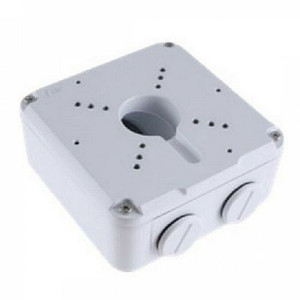
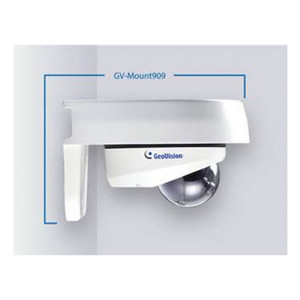
Geovision GV-MOUNT918 Wall Mount
Overview
The GV-MOUNT918 is a multipurpose mounting bracket designed for Geovision GV-G series IP cameras. It supports wall, ceiling, pole, pendant, corner, and rack installations—meaning a single accessory can handle most common deployment scenarios without requiring a separate bracket for each location. This flexibility matters when you're integrating cameras across mixed environments: a lobby dome on a wall, a hallway turret on a ceiling, and a network closet recorder on a rail. The mount is built to handle standard camera weights and optical loads typical of compact to mid-range IP cameras in the GV-G lineup.
Compatibility
The GV-MOUNT918 is engineered for Geovision GV-G series cameras, including the GV-Mount112, GV-Mount115, GV-Mount211 (4-, 6-, 8-, 9-, 11-, 13-, 14-, 15-port variants), GV-Mount314, GV-Mount470, GV-Mount481, GV-Mount506, GV-Mount507, GV-Mount509, GV-Mount510, GV-Mount512, GV-Mount515, GV-Mount517, GV-Mount707, GV-Mount925, and GV-Mount927. If you are deploying a mixed Geovision camera system and need a single mounting solution that covers both pendant and wall configurations, verify the exact mount model of your camera first—the GV-Mount918 is compatible with the full G-series portfolio but specific attachment hardware may differ by camera form factor.
Installation Notes
Installation varies by mounting surface. Wall installations require fastening to solid backing (wood stud, concrete, or metal track). Ceiling and pole mounts demand different hardware orientations—refer to the installation guide included with the product. The mount accommodates standard metric fasteners; ensure your anchor bolts match the threaded inserts on your specific camera housing. Environmental limits for the mount itself are not specified in the product documentation, so assume standard indoor use unless your integrator confirms outdoor-rated variants. No special tools are required beyond a standard wrench set.
What's in the Box
Package contents are not detailed in available evidence. Contact your supplier for exact component lists before deployment.