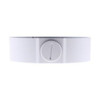
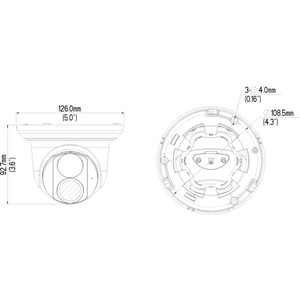
Product images are provided for reference and may not represent the exact model, configuration, or included components.

Overview

SKU: GV-MOUNT-54
Condition: New
Availability: Special Order · Ships in 2-3 weeks
Warranty 3-Year Warranty
Write a Review

Geovision GV-MOUNT GV-MOUNT 901 Pendant Mount - GV-MOUNT-54

Pendant ceiling mount for Geovision GV-VD dome cameras

$36.99
Special Order
Ships in 2-3 Weeks

Quantity:

Adding to cart… The item has been added
Compatibility guidance available for your deployment
Senior specialists for pre and post-sales support
Authorized sourcing and documentation support
Shipping and lead-time confirmation before install

Laura Bennett, IPSD Senior Specialist

Talk to Laura

200+ hrs training • U.S - based

Senior Specialist • 877-277-7147

Geovision GV-MOUNT GV-MOUNT 901 Pendant Mount - GV-MOUNT-54

$36.99

Overview

SKU: GV-MOUNT-54
Condition: New
Availability: Special Order · Ships in 2-3 weeks
Warranty 3-Year Warranty

No Bots, Just Experts

Questions about this product? Free pre-sales support from a senior specialist — product questions, compatibility checks, BOM quotes, price confirmation — typically answered within one business day. Need camera placement or system design work? Engineering time is $175 per hour (qty 1 = 1 hour). Hardware buyers get up to one hour ($175) credited back on their order.

Description

Geovision GV-MOUNT-54 Pendant Mount

Overview

The GV-MOUNT-54 is a ceiling pendant mount designed to suspend Geovision GV-VD series dome cameras from drywall, concrete, or suspended ceiling systems. Pendant mounting centralizes camera placement above high-traffic zones (retail floors, office atriums, facility lobbies) where a discrete overhead position reduces sightline obstruction and simplifies cable routing down a single vertical path. This mount style is standard for indoor surveillance where you want the camera positioned directly above the target area without wall-mount sight lines.

Compatibility

The GV-MOUNT-54 is compatible with Geovision GV-VD series pendant-style dome cameras. Integrators must verify the specific GV-VD model before installation—camera weight, lens protrusion, and cable connector position affect mounting stability and cable strain relief. Confirm your camera model against the GV-Mount installation guide (which covers GV-Mount112, GV-Mount115, GV-Mount211 variants, GV-Mount314, GV-Mount470/481, GV-Mount506/507, GV-Mount509/510/512/515/517, GV-Mount707, and GV-Mount925/927 families) to ensure the pendant assembly matches your camera footprint and suspension hardware.

Installation Notes

Pendant mounts require ceiling-rated fastening hardware appropriate to your substrate type—toggle bolts for drywall, anchor bolts for concrete, or clips for T-bar suspended ceilings. Cable entry is from below the camera through the pendant arm, so verify adequate slack in your network and power runs before final tightening. Ensure the mount supports the full weight of your specific GV-VD camera plus any optional sunshield or auxiliary lenses. Horizontal leveling and rotational adjustment are typically performed at the mount collar before final lockdown—use a spirit level to confirm vertical alignment before securing fasteners.

Specifications
Mount Type: Pendant
Distributor SKU: 54-VD901-000
Housing Color: White
Environment Rating: Indoor
Warranty: 3-Year Warranty
Ir Lowlight: IR
ir_lowlight: IR
mount_type: Wall; Ceiling; Pole; Pendant; Corner; Rack
Compatible With: secure
Form Factor: MOUNT
Mount Style: Pendant Mount
Type: GV-MOUNT GV-MOUNT 901 Pendant Mount
Mount_Type: Pendant
Form_Factor: Mount
Brand: Geovision
MPN: GV-MOUNT-54
Resolution Pixels: 4 x 20
Q&A
Reviews
Have Questions?

RELATED PRODUCTS

System Design, Deployment & Technical Support

Support services and planning resources for commercial surveillance, access control, and infrastructure deployments.

Fixed scope • Fixed price

System Design Assistance

  • Get help validating product compatibility
  • Coverage requirements
  • Storage planning and deployment architecture before you buy.
Request Design Help

Deployment & Configuration Support

  • Access fixed-scope support for rollout planning
  • User setup guidance
  • Migration and system standardization across single-site or multi-site deployments
View Support Services

Guides, Tools & Calculators

  • PoE requirements
  • Storage retention
  • Camera selection and deployment methodology
Open Technical Resources