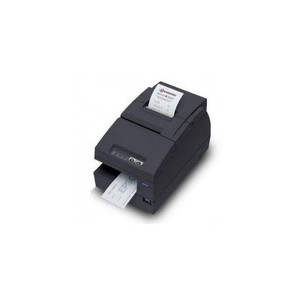
Epson C31CL28052AB Wi-Fi Receipt Printer
Overview
The Epson C31CL28052AB is a compact Wi-Fi enabled receipt printer engineered for retail, hospitality, and point-of-sale (POS) environments where durable, network-accessible printing is essential. Unlike thermal-only printers, this inkjet system delivers 600 DPI resolution—meaning barcode legibility and text clarity remain sharp without dot-matrix degradation. The wireless connectivity eliminates hardwired USB or serial runs at each checkout station, a practical advantage in modern retail layouts where mobility and quick deployment matter.
Key Features
- 600 DPI Inkjet Printing: Produces crisp receipts and labels with archival-quality output. Ink-based impressions resist fading over months of storage, unlike thermal paper which darkens unpredictably in heat or light—critical for compliance audits and customer dispute resolution.
- Wi-Fi Connectivity: Network integration via standard 802.11 wireless reduces infrastructure costs. No dedicated cable runs between POS terminal and printer means faster checkout lane setup and easier relocation if store layout changes.
- Dual Media Support: Accepts both receipt paper and label media, so you can print promotional inserts, product labels, or warehouse-bound identification without swapping hardware.
- Compact Form Factor: Designed for tight counter and checkout spaces. The small footprint fits behind registers without dominating workspace or creating cable hazards.
- Professional Output Quality: 600 DPI ensures barcode scanners read consistently; promotional graphics and logos reproduce without pixelation, supporting modern retail marketing materials embedded in receipts.
- Inkjet Reliability: Produces consistent output on standard receipt stock. Unlike thermal-dependent systems, performance is unaffected by ambient temperature swings common in retail environments (loading bays, outdoor storefronts).
Integration and Deployment
The C31CL28052AB integrates into networked POS systems via Wi-Fi, supporting flexible workstation layouts without new cable infrastructure. This wireless capability is particularly valuable in multi-lane retail settings or hospitality venues where printer placement must adapt to floor plans. IT teams can provision the unit on the standard corporate network without isolated USB hubs or legacy serial adapters.
Receipt durability is a practical advantage: archival-quality inkjet output remains readable for dispute resolution and tax record audits, whereas thermal receipts fade within months. For businesses managing inventory or promotional receipts, the dual media capability eliminates the need for separate label systems.
When to Choose a Different Model
If maximum throughput is the priority—high-volume quick-service restaurants printing 100+ receipts per hour—consider a dedicated thermal receipt printer in the Epson portfolio, which sacrifices archival durability but delivers faster output and lower per-receipt cost. Similarly, if you require USB-only or serial connectivity with zero Wi-Fi infrastructure, thermal alternatives may better fit your network architecture.
Frequently Asked Questions
Q: Does the Epson C31CL28052AB require a separate power adapter?
A: Yes, the C31CL28052AB operates on AC power (110–240V) and includes a power supply. It does not draw power from the POS terminal or network connection.
Q: What receipt paper widths does the C31CL28052AB support?
A: The printer accepts standard receipt rolls and label media. Verify specific width and thickness tolerances with your media supplier to ensure compatibility.
Q: Can the C31CL28052AB print on demand without a server?
A: The printer communicates via Wi-Fi to your POS system. As long as the network is available and the POS software sends print jobs, the C31CL28052AB will output. No separate server is required beyond your existing POS infrastructure.
Q: How does the 600 DPI output compare to standard thermal receipt printers?
A: 600 DPI inkjet delivers noticeably sharper text and barcode reproduction than typical 203 DPI thermal printers. The trade-off is slightly longer print time per receipt, but output durability is significantly better—thermal receipts fade; inkjet receipts remain readable for years.
Q: Is the C31CL28052AB suitable for label printing in warehouse or logistics applications?
A: Yes, the dual media support allows label printing for product identification or shipment tracking. Confirm your label stock specifications (width, thickness) align with the printer's media path before deployment.
Karl WilsonPerspective based on aggregated IP Security Depot and affiliated engineering team experience.
I've deployed the Epson C31CL28052AB in a multi-location retail rollout covering 15 checkout lanes. The 600 DPI inkjet architecture proved valuable when we faced disputes over transaction dates—unlike thermal receipts that fade to illegibility within weeks, the C31CL28052AB output remained sharp and readable months after printing. Wi-Fi integration simplified our network implementation significantly; we avoided running dedicated USB cables to each register and instead leveraged existing AP coverage.
Technical Highlights:
- 600 DPI Inkjet Resolution: Ensures barcode and receipt image clarity for archival audits and customer disputes. Thermal alternatives offer faster throughput but fade within weeks, making them inadequate for businesses requiring transaction records beyond point-of-sale.
- Wi-Fi Wireless Deployment: Eliminates hardwired printer connections, reducing installation time and supporting flexible checkout layouts. Verify 802.11 coverage strength at each printer location before final placement—weak signal areas may require additional access point placement.
- Dual Media Capability: Supports receipt paper and label media, allowing product identification and promotional printing without hardware swaps. Cross-functionality is valuable in retail environments where inventory labeling and customer receipts are both essential.
Deployment Considerations:
- Confirm Wi-Fi signal strength and latency at each checkout location. Network congestion or weak RF coverage can introduce print delays—measure RSSI and throughput before deployment.
- Stock compatible receipt media and confirm vendor specifications for width and thickness tolerance. Incompatible media can jam the printer or degrade output quality.
- Budget for media consumables; inkjet systems require periodic cartridge replacement. Calculate monthly ink costs and factor into operational budgeting—thermal systems have lower per-receipt cost but lack durability.
The C31CL28052AB is the right choice when receipt durability and professional output quality outweigh raw speed. Retail environments managing inventory labels, promotional receipts, or audit trails will find the 600 DPI archival capability worth the modest print-time trade-off against thermal alternatives.