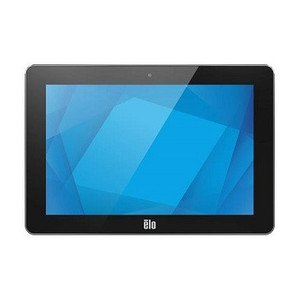
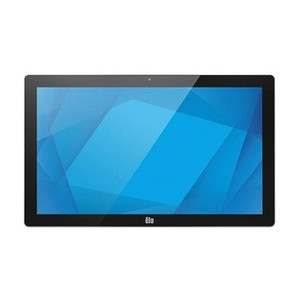
ELO Touch E176840 21.5-Inch Android 14 Interactive Touchscreen Display
Overview
The ELO Touch E176840 is a 21.5-inch interactive display engineered for hospitality, retail, warehouse automation, and logistics environments where operator interface and data visibility matter. Built on Android 14 with Google Mobile Services (GMS), the E176840 combines a 1920×1080 IPS panel with multi-touch responsiveness and onboard processing to eliminate dependency on external PCs for many single-point-of-contact applications. The stainless steel construction handles washdown and corrosive environments better than standard ABS housings—a real asset in food prep, beverage service, or chemical storage areas. This unit is EloView compatible, meaning remote management, configuration push, and asset tracking integrate natively into larger fleet deployments.
Key Specifications & Deployment Benefits
- 21.5-inch 1920×1080 IPS Display: 1080p resolution at this screen diagonal delivers adequate visual clarity for data entry, inventory lookup, and wayfinding applications without the cost and power overhead of 4K. The IPS panel preserves color and brightness across wide viewing angles—important when the screen serves multiple operators or customers approaching from different positions.
- Qualcomm 6490 Octa-Core Processor: Eight CPU cores handle multitasking and moderate real-time workloads (barcode scanning loops, database queries, video conferencing apps) without lag. Single-core performance is sufficient for warehouse management system integration or point-of-service workflows; you won't need a separate compute device for these tasks.
- 8GB RAM, 64GB Flash Storage: Enough RAM to run Android 14 smoothly alongside 3–4 concurrent applications. The 64GB internal storage accommodates the OS, apps, and cached data; network connectivity (Wi-Fi or Ethernet) is assumed for real-time inventory or transaction sync rather than local data warehousing.
- Projected Capacitive 10-Touch: Capacitive touch (not resistive) responds to gloved hands and stylus input—critical in cold storage or hazmat warehouses. Ten simultaneous touch points enable multi-user gestures and complex data entry without accidental false triggers that plague resistive screens.
- 8MP Front-Facing Camera: Integrated camera supports video conferencing, age verification, and occupancy detection without a separate USB camera module. At 8MP, image quality is suitable for remote collaboration and low-light ID scanning; don't expect cinema-grade video, but it covers standard B2B use cases.
- Wi-Fi, Ethernet, Bluetooth 5.2 Connectivity: Triple redundancy in wireless and wired networking means the display stays responsive to network commands even if one path fails. Bluetooth 5.2 pairs with barcode scanners, RFID readers, and wireless keyboards at range—essential in large open warehouse floors where USB cable runs aren't practical.
- Stainless Steel Enclosure: Withstands salt spray, mild acids, and frequent washdown better than powder-coated aluminum or plastic housings. Maintenance cost drops because corrosion doesn't degrade connectors or frame integrity as quickly. Not submersion-rated, so avoid full water immersion or high-pressure jets directly into vents.
- Android 14 with GMS: Full Google Play access means thousands of off-the-shelf apps (Slack, Teams, custom logistics software) run without porting. GMS certification ensures Google services remain available for email, authentication, and cloud sync—a real advantage over stripped Android builds that leave you managing updates alone.
- EloView Compatibility: Remote provisioning, fleet inventory, and central configuration reduce on-site setup time and manual SKU tracking. Particularly valuable if you're rolling out multiple units across distributed sites.
Integration & Compatibility
The E176840 operates as a standalone Android device or as a secondary display paired with external compute (warehouse management systems, handheld scanners, or enterprise kiosks). HDMI or USB-C integration with legacy PCs is not native—the device is tablet-like rather than monitor-like. If your workflow requires hard-wired USB peripherals (industrial printers, card readers), plan for Bluetooth or network-based versions of those devices instead. EloView cloud management is included; Milestone VMS, Axis Camera Station, and third-party NVRs do not natively integrate with this display hardware.
When to Choose a Different Model
If you require a larger touchscreen (27 inches or more), or if your application demands resistive touch for extreme glove work in sub-zero environments, explore other ELO Touch I-Series variants with alternative configurations. If you need this display to function as a traditional PC monitor with VGA/HDMI input from external computers (rather than running Android apps natively), a non-smart display may be more cost-effective.
Frequently Asked Questions
Q: Is the E176840 suitable for outdoor or semi-outdoor logistics yards?
A: The stainless steel housing and IP-rated sealing handle light rain, salt spray, and humidity well. However, it is not rated for direct sunlight at high intensity or sustained outdoor temperatures below –10°C or above 50°C. For outdoor yards, mount it under an eave or protective canopy.
Q: Can I connect a USB barcode scanner to the E176840?
A: Yes, via USB-C OTG (On-The-Go) adapter. Bluetooth barcode scanners are preferred for cleaner cabling in warehouse environments; USB wired scanners work but require a cable run to the display.
Q: Does the E176840 support video conferencing directly?
A: Yes. The 8MP camera, dual microphone array, and Google Play access to Zoom, Microsoft Teams, and Cisco Webex mean video calls run natively on the device. No separate camera hardware needed.
Q: What is the warranty on the E176840?
A: Verify the current warranty term with your sales specialist. Factory-new units sourced directly from the manufacturer or US direct manufacturer source include a full US warranty path.
Q: Can I use the E176840 as a kiosk display in a high-traffic retail or warehouse environment?
A: Yes. The capacitive 10-touch input and 1080p clarity support self-service order entry, inventory lookup, and wayfinding workflows. The stainless steel frame resists fingerprint smudging and minor impact better than standard plastic housings.
Q: Does the E176840 support remote management across multiple locations?
A: Yes, via EloView cloud platform. Centralized provisioning, firmware updates, and asset tracking are included. This reduces per-site configuration overhead significantly in distributed deployments.
The ELO Touch E176840 occupies a pragmatic middle ground: it's not a full-featured ruggedized industrial PC, but it's far more capable than a passive touchscreen monitor. The stainless steel frame and capacitive 10-touch panel are the real differentiators for warehouse automation and logistics—they handle gloved input, frequent cleaning, and corrosive salt-spray environments that would wreck standard consumer tablets. The Qualcomm 6490 octa-core processor delivers enough compute for typical warehouse workflows (barcode loops, inventory queries, simple video conferencing) without requiring a separate PC or external compute module.
Technical Highlights:
- Stainless Steel Enclosure: Resists corrosion and washdown better than aluminum or plastic—meaningful in food service, beverage handling, or chemical storage where moisture and salt spray are constant factors. Initial purchase cost is higher, but lifecycle maintenance drops because connector degradation and frame rust are less frequent.
- Projected Capacitive 10-Touch with Glove Support: Eliminates the resistive-screen limitation of earlier generations. Warehouse workers in cold storage or hazmat environments can interact without removing gloves. Ten simultaneous touch points enable multiuser gestures and reduce accidental false triggers in high-traffic kiosk scenarios.
- 8GB RAM + Qualcomm 6490: Comfortable headroom for running Android 14, 3–4 concurrent business apps (warehouse management system, barcode scanner driver, video conferencing), and background services. You won't experience stuttering or app crashes under normal single-operator workloads. Don't expect this to replace a full PC for heavy compute jobs like video encoding or 3D rendering.
- Integrated 8MP Camera + Dual Mics: Eliminates the USB camera cable clutter. Video conferencing (Zoom, Teams) runs natively via Google Play. Suitable for remote support, occupancy detection, and low-light ID verification—adequate for B2B use cases, not cinema-grade.
- EloView Remote Management: Central provisioning and fleet tracking cut deployment time significantly. Firmware updates, app push, and asset inventory are cloud-managed, reducing on-site configuration overhead when rolling out 10+ units across distributed sites.
Deployment Considerations:
- Not a traditional PC monitor—HDMI or legacy USB peripherals require adapters or Bluetooth equivalents. Plan your peripheral strategy early (Bluetooth scanners, network printers) rather than assuming USB-C passthrough will work like a standard docking station.
- Operating temperature range (-10°C to 50°C) rules out unheated outdoor yards or frozen storage chambers. Verify ambient conditions before deployment to avoid unexpected thermal shutdowns in winter logistics yards.
- 64GB internal storage is tight if your application requires large local databases or offline video caching. Network connectivity (Wi-Fi or Ethernet) is not optional—this is fundamentally a cloud-connected device.
The E176840 is strongest in hospitality kiosks, warehouse picking stations, and distributed logistics command posts where a rugged native Android interface beats a fanless PC or a generic tablet. Skip this if your workflow depends on legacy Windows software or if your environment requires full submersion or extreme cold. For managed, cloud-connected warehouse automation at scale, the stainless steel frame and EloView integration deliver real operational value.