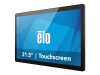
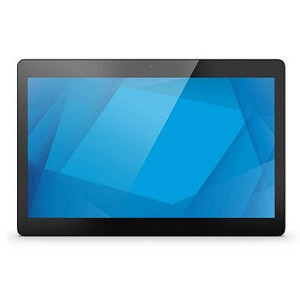
ELO Touch E391414 21.5-inch Android 10 Interactive Display
Overview
The ELO Touch E391414 is a 21.5-inch Android 10 interactive display built on Rockchip 3399 architecture. This unit ships with Google Mobile Services (GMS) enabled, making it suitable for deployments that require standard Android app ecosystem access. The model combines a 1920 × 1080 HD resolution with projected capacitive 10-touch capability, making it responsive to simultaneous multi-touch input across the screen surface. Connectivity spans Wi-Fi, Ethernet, and Bluetooth 5.0, plus an integrated 5MP camera for basic video capture or conferencing use. The unit is housed in a black chassis and carries worldwide availability with factory-new condition from direct manufacturer sourcing.
Key Features
- 1920 × 1080 Resolution (FHD): Delivers crisp text and image clarity at 21.5 inches—sufficient for retail kiosks, restaurant ordering, warehouse pick-to-light interfaces, and light-duty office displays where 4K bandwidth overhead isn't justified. Reduces encoding load on the embedded processor compared to higher resolutions.
- Rockchip 3399 Processor with 4GB RAM: A mid-range SoC that handles Android 10 OS smoothly for single-application or light multi-tasking scenarios. Not suitable for heavy computational loads or simultaneous streaming analytics. Paired with 32GB onboard Flash storage, supporting cached apps and local data without external expansion.
- Projected Capacitive 10-Touch: Responds to up to 10 simultaneous touch points, enabling multi-user interaction or gesture-based workflows. Capacitive sensing is more responsive than resistive and does not require stylus input. Gloved operation is not supported.
- Wi-Fi, Ethernet, and Bluetooth 5.0: Triple connectivity options mean flexible network provisioning—Ethernet for stable backhaul in managed environments, Wi-Fi for mobility or retrofits where cabling is difficult, and Bluetooth for pairing with wireless peripherals (scales, card readers, mobile devices). Bluetooth 5.0 extends range to ~240 meters in open space.
- 5MP Integrated Camera: Built-in camera (2592 × 1944 native resolution) supports basic video conferencing, visitor photo capture, or on-screen documentation. Not suitable for security surveillance or high-definition video production; intended as a convenience feature rather than a primary imaging system.
- EloView Compatibility: Compatible with EloView remote management software, enabling centralized monitoring, app provisioning, and screen control across multiple units. Useful for fleet deployments where you need to push updates, reboot devices, or pull diagnostics from one console.
- Android 10 with GMS: Runs full Google Mobile Services, granting access to Google Play Store and standard Android ecosystem apps. Simplifies app discovery and deployment compared to proprietary or forked Android builds. Allows straightforward integration with Google Workspace, Firebase, or other GMS-dependent platforms.
Integration & Compatibility
The E391414 integrates into standard Android device management workflows via Ethernet or Wi-Fi provisioning. Bluetooth 5.0 pairs with wireless peripherals including keyboards, mice, barcode scanners, payment terminals, and weight scales. The integrated touchscreen operates with any Android app compiled for touch input; no custom drivers or middleware are required. For multi-device fleet management, EloView centralizes updates, app installation, and remote troubleshooting across units.
When to Choose a Different Model
If you require 4K resolution for small-text applications, map display, or video wall scenarios, consider a higher-resolution variant in the ELO Touch Elo I-Series family. If your deployment demands fanless operation or extreme temperature tolerance, verify thermal and acoustic specs against alternative kiosk platforms. If you need external camera connectivity or advanced video analytics, this unit's 5MP camera will not meet those requirements—pair it with an external IP camera or select a different device class.
FAQ
Q: Does the E391414 support Kiosk Mode or MDM enrollment?
A: Yes. Android 10 supports standard Kiosk Mode (single-app lockdown via Settings) and enrollment in Mobile Device Management (MDM) systems that support Android Enterprise. MDM enrollment depends on your chosen management platform (Google Workspace, Intune, MobileIron, etc.).
Q: What is the maximum touch latency on the E391414?
A: Projected capacitive touch on this unit typically delivers <10 ms latency. Response feel is responsive for menu navigation and data entry; exact latency varies with driver and Android kernel version.
Q: Can I disable the integrated camera for privacy or security?
A: Yes. You can physically disable the camera via device settings or Android permission controls. If a hardware-level camera shutdown is required, consult ELO Touch support for options.
Q: Is the E391414 suitable for outdoor or high-humidity environments?
A: No. The E391414 is an indoor display. It does not carry an IP or IK rating and is not sealed against moisture or dust ingress. Use only in climate-controlled spaces.
Q: What warranty applies to the E391414?
A: Specific warranty terms depend on purchase channel and geography. Units sourced factory-new from the manufacturer or authorized US distributor carry standard manufacturer coverage. Confirm duration and terms at point of sale.
Q: Does the E391414 support wireless casting or Miracast?
A: Android 10 supports Miracast screen mirroring on devices with the necessary chipset support. The Rockchip 3399 in the E391414 typically supports Miracast; test with your source device (laptop, phone) to confirm compatibility.
The E391414 is a competent mid-range interactive display for single-app kiosk deployments and light collaborative workflows. Its Rockchip 3399 processor and 4GB RAM provide enough headroom for retail menu boards, warehouse pick-to-light systems, or office check-in stations—but don't push it toward simultaneous video streaming or heavy data processing. The 1080p resolution is perfectly adequate at 21.5 inches; bumping to 4K would drain battery (if ever offered as a portable variant) and waste CPU cycles on content that doesn't need it.
Technical Highlights:
- 10-Point Projected Capacitive Touch: Responsive across the full 21.5-inch screen; no stylus, no recalibration drift like resistive panels. Multi-user simultaneous input is genuine, not a gimmick—useful for collaborative menu selection or shared data-entry tasks.
- Triple Connectivity (Wi-Fi, Ethernet, Bluetooth 5.0): Ethernet locks down bandwidth and reliability for backhaul; Wi-Fi adds flexibility for retrofits; Bluetooth 5.0 extends wireless peripheral range to ~240 meters, reducing congestion from crowded 2.4GHz Wi-Fi networks when you're pairing a scale or barcode scanner.
- 32GB Onboard Flash + EloView Management: No microSD slot means you're capped at 32GB for apps and local cache. EloView remote provisioning is the win here—push app updates and OS patches to 100 units without touching each one. Plan for USB-attached external storage if your app requires massive local data (logs, offline datasets).
Deployment Considerations:
- 5MP Camera Is a Secondary Feature: Don't rely on the integrated camera for any security, documentation, or high-definition use case. It's there for video calls and basic photo capture. If you need serious imaging, add an external USB or network camera.
- No IP or IK Rating—Indoors Only: This is not sealed for moisture, dust, or impact. Mounting it near a dishwasher, humid prep area, or outdoor entrance will shorten its life. Keep it in climate-controlled space.
Position the E391414 in retail kiosk (menu board, self-checkout), warehouse automation (pick-to-light station, label printer interface), or office/hospitality (check-in/wayfinding terminal) scenarios where Android app ecosystem access and 10-touch responsiveness deliver measurable workflow speed compared to legacy single-touch or resistive panels. Its compact footprint and triple connectivity make it a low-friction swap for aging Windows Embedded POI terminals.