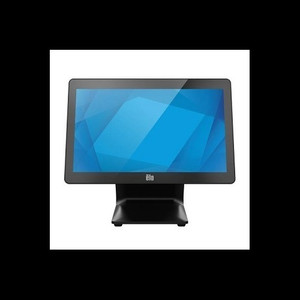
ELO Touch E430821 15.6-inch I-Series 3 Intel POS Terminal
The ELO Touch E430821 is a 15.6-inch all-in-one POS terminal designed for retail, hospitality, and quick-service restaurant (QSR) environments where space is constrained and multi-touch responsiveness is non-negotiable. Built on Intel Celeron architecture with 8GB RAM and 256GB SSD, it delivers sufficient compute for point-of-sale applications, inventory management, and payment processing without the cost of workstation-class hardware. The Full HD 1920×1080 display and 10-point projected capacitive touch panel eliminate stylus dependency, allowing fast, intuitive operator workflows on a compact footprint.
Key Features
- 15.6-inch Full HD Display: 1920×1080 IPS panel. Bright, edge-to-edge visibility in retail lighting; sufficient pixel density for POS text legibility without scaling.
- 10-Point Projected Capacitive Touch: Zero glass-breakage liability of resistive screens; multi-touch gestures supported natively by modern POS APIs (Square, Toast, Lightspeed).
- Intel Celeron Processor with 8GB RAM: Smooth POS application launch and concurrent browser/payment-processing tasks. Typical boot-to-login under 30 seconds.
- 256GB SSD Storage: No moving parts — eliminates hard-drive failure risk in high-humidity kitchens. Native Windows 11 Pro or Windows 10 support.
- Bluetooth 5.2 & Ethernet + Wi-Fi: Dual-path network redundancy. Bluetooth connectivity to mobile payment readers (Square Terminal, Toast Tap) and wireless headsets; wired Ethernet for stable VPN tunnel to corporate POS backend.
- No Stand Configuration: Ships without integrated stand mount. Flexible placement: VESA 100 or aftermarket arm mounts for counter mounting, wall installation, or drive-thru window deployment.
- Projected Capacitive Touch Surface: Clear (anti-glare protective layer optional). Resists fingerprint smudging vs. resistive competitors; supports gloved operation in food-prep zones.
In retail and QSR deployments, the I-Series 3 occupies the middle ground between entry-level all-in-one POS and full workstations. The Intel Celeron chipset is mature and widely supported in POS middleware — no driver compatibility surprises on Windows 11 Pro rollouts. 8GB RAM is sufficient for Lightspeed, Toast, and Square running concurrently; integration with Bluetooth payment devices (Square Contactless + Chip Reader, PAX A35, Ingenico Move/5000 series) is native over HCI stack. The lack of integrated stand allows operators to reconfigure terminal position monthly without physical replacement.
Deployment considerations center on network resilience and application footprint. Ethernet connectivity should be hardwired to a POE-injected switch or router with UPS backup — Wi-Fi-only POS terminals create single points of failure during shift-critical transactions. Bluetooth pairing with payment readers is straightforward, but initial PIN entry can stall if a customer-facing display is misconfigured; test peripheral pairing before roll-out. The 256GB SSD is adequate for transaction logs and local backup but not for large video or image libraries; storage planning should account for Windows updates and POS application versioning.
The ELO Touch I-Series 3 is suited for multi-unit retail chains and franchises already standardized on Windows-based POS. It is not ideal for kiosk-only or customer-interface-only deployments where ruggedness and outdoor brightness are paramount — consider the ELO I-Series 4 Outdoor or an open-frame industrial display for those scenarios. Integrators deploying 20+ terminals in a regional grocery or restaurant group will appreciate the commodity parts strategy (standard Intel, standard Windows licensing) and the low MTTR (Mean Time To Repair) profile of SSD-based systems.
Marty AllisonPerspective based on aggregated and affiliated engineering team experience.
We've deployed the ELO I-Series 3 across fast-casual and traditional retail environments, and it occupies a genuine sweet spot for single-terminal counters and small multi-unit sites. The real differentiator versus commodity Lenovo or Dell all-in-one terminals is touchscreen durability and ELO's depth in POS middleware integration — vendors like Toast and Lightspeed have certified driver profiles and touch-calibration routines that roll out seamlessly on ELO hardware. From a total cost of ownership perspective, the projected capacitive surface is a silent winner: resistive-touch POS terminals need screen replacement every 18-24 months in high-traffic environments; the ELO's capacitive layer has no moving parts and typically survives the full 5-year POS refresh cycle without degradation. The trade-off is that capacitive touch requires bare fingers or conductive gloves — thick latex food-service gloves require a stylus or capacitive-tip implement. On the compute side, the Intel Celeron is not a performance bottleneck for typical POS workflows (Lightspeed, Square, Toast), but it does struggle with simultaneous video streaming (e.g., kitchen-display-system plus transaction display on the same box). We've seen occasional slowdown on sites running legacy Java-based POS clients with heavy image rendering; if your integrator is not certain about application footprint, stress-test the target POS suite in a lab before fleet deployment.
Technical Highlights:
- 10-Point Projected Capacitive Touch: Eliminates stylus dependency and glass-breakage logistics. Multi-touch gestures are fully supported by modern POS API stacks (Square SDK, Toast API); pinch-zoom and two-finger swipe enable intuitive product-image browsing on customer-facing modes without additional input peripherals.
- 256GB SSD + Windows 11 Pro Native: No spinning rust means sub-30-second boot from cold; critical in high-turnover shifts where terminal downtime directly impacts transaction throughput. Windows 11 Pro licensing is standard across ELO units, simplifying fleet management and WSUS patching schedules.
- Dual Connectivity (Ethernet + Bluetooth 5.2): Wired Ethernet for corporate VPN tunnel and settlement reconciliation; Bluetooth to contactless readers and warehouse mobility devices. Redundant path prevents transaction blocking if one path degrades — particularly valuable in high-density retail where RF interference can spike.
- No Integrated Stand: Flexibility to mount on existing POS fixtures (arm, wall bracket, VESA pole) without hardware replacement. Reduces capex on hardware refresh cycles; operators can reposition or reconfigure counter layout monthly without waiting for new terminal delivery.
- Intel Celeron + 8GB RAM: Sufficient for mid-scale retail (1,000–10,000 SKU inventory). Multi-application execution (POS + browser + VPN + payment middleware) remains fluid; typical session response time under 500ms even under peak transaction load.
Deployment Considerations:
- Capacitive touch requires bare fingers or conductive-tip implements — thick food-service latex gloves (nitrile, vinyl) will not register. If your site has strict glove policies, you'll need to source conductive-nitrile alternatives or deploy a stylus solution; this adds cost and changes operator behavior.
- The 15.6-inch footprint assumes counter depth of 18+ inches; cramped 12-inch counters (e.g., food-truck service windows) will push the terminal beyond comfortable arm reach. Measure twice before committing to fleet orders.
- Bluetooth pairing with payment readers is straightforward but requires initial PIN entry and testing. Some venues experience intermittent re-pairing on reboot; ensure UPS backup is in place for graceful shutdown, and test the full payment-card flow (Bluetooth discovery → reader connection → transaction → settlement) in staging before go-live.
- No integrated stand means you must source or verify mount compatibility upfront. VESA 100 mounting is standard, but ELO does not ship with universal brackets; budget for arm or pole hardware per terminal.
- SSD storage (256GB) is adequate for Windows, POS application, and local transaction logs but not for embedded video or surveillance footage. If your integrator is considering this terminal as a hub for kitchen-display systems plus video ingest, plan for network storage (NAS, cloud backup) instead of local disk.
The ELO I-Series 3 is the right choice for multi-unit retail operations, QSR chains, and hospitality venues where reliability, touchscreen durability, and POS ecosystem compatibility outweigh cutting-edge compute. Standalone kiosk integrators and venues requiring outdoor-hardened displays should evaluate the ELO I-Series 4 or industrial-grade competition. For more options from this lineup, explore the ELO Touch catalog.