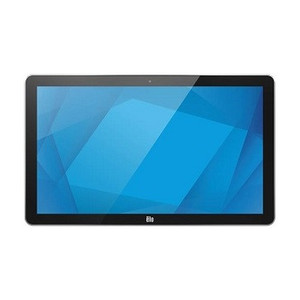
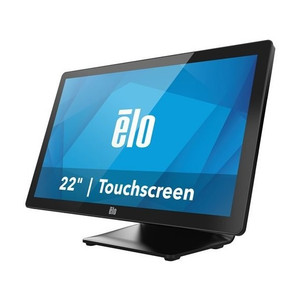
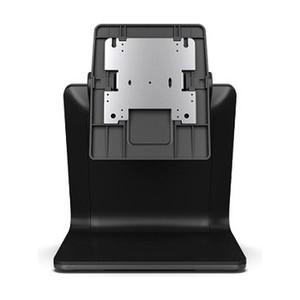
ELO Touch E539154 10.1-Inch I-Series 5 Android Touch Display
Overview
The ELO Touch E539154 is a 10.1-inch touchscreen display built on Android 14 with Google Mobile Services (GMS), designed for integrators deploying interactive kiosks, point-of-service systems, and warehouse management terminals. This model pairs a 1920 x 1200 pixel display with a Qualcomm 6490 octa-core processor, 8GB RAM, and 64GB internal flash storage—enough for typical retail and logistics workflows without external dependencies. The E539154 combines networked connectivity with local processing capability, making it suitable for environments where reliability and uptime matter.
Key Features
- 1920 x 1200 Resolution (216 ppi): Delivers sharp text and graphics at a 16:10 aspect ratio, common in enterprise kiosk deployments where horizontal real estate helps display product catalogs or task lists without excessive scrolling. This is notably sharper than lower-resolution 1280 x 800 alternatives, reducing eye strain on extended viewing.
- Projected Capacitive 10-Touch: Responds to simultaneous multi-touch inputs—critical for gesture-driven interfaces (pinch-zoom inventory searches, swipe confirmations). Capacitive is more responsive than resistive but requires a finger or capacitive glove; not usable with a bare stylus.
- Qualcomm 6490 Octa-Core Processor: Mid-range mobile CPU capable of running concurrent Android apps without stalling. Suitable for single-task dedicated kiosks or light multi-tasking (e.g., inventory lookup + payment terminal connection simultaneously). Not adequate for heavy compute (video transcoding, large dataset filtering); if your workflow involves live analytics or local ML inference, expect performance ceiling.
- 8GB RAM and 64GB Storage: Adequate for Android 14 system + 3–5 enterprise apps (custom warehouse app, barcode scanning, payment processor). 64GB leaves roughly 40–50GB available after OS. If your deployment requires 20+ apps or offline video caching, you'll need an external storage solution via microSD expansion (if supported).
- Wi-Fi, Ethernet, and Bluetooth 5.2: Provides three independent paths to the network. Ethernet is preferred in stationary kiosk mounts where a cable run is feasible—eliminates wireless interference and guarantees uptime. Bluetooth 5.2 handles accessory pairing (scanners, payment readers, printers) at 10m+ range. Wi-Fi and Ethernet can coexist for failover scenarios.
- 8MP Rear Camera: Supports barcode/QR capture, document scanning, or ID verification workflows. 8MP is adequate for scanning standard UPC and QR codes at 6–12 inches; not suitable for high-resolution photo archival or long-range ID document capture (passport OCR typically needs 12MP+).
- EloView Compatibility: Integrates with ELO's remote management suite for provisioning, app deployment, and device monitoring across distributed kiosks. If you manage 5+ E539154 units, EloView reduces hands-on configuration time significantly.
Integration & Compatibility
The E539154 runs unmodified Android 14 with Google Mobile Services—meaning it supports Google Play Store installation, Google account management, and standard Android APIs. If your integration tooling relies on proprietary Android forks (Amazon Fire OS, Samsung Knox with custom enterprise controls), validate compatibility before committing. Standard ONVIF, REST, or MQTT integrations to backend systems work via the network stack. For 24/7 kiosk duty, consider a commercial-grade wall-mount or stand (tested for extended vibration and thermal cycling in retail/warehouse floors).
When to Choose a Different Model
If your deployment requires a larger touchscreen (13+ inches), higher compute density (Snapdragon 8-series processor for real-time gesture recognition or AI preprocessing), or full IP66 environmental sealing for outdoor or wet environments, evaluate other options in the broader ELO Touch portfolio. If the workflow is purely single-app and offline, a lower-cost tablet may suffice; if it's cloud-dependent with heavy concurrent connectivity, confirm your network supports the bandwidth and latency profile this device expects.
Frequently Asked Questions
Q: Can I install custom Android apps on the E539154, or is the app store locked?
A: The E539154 runs standard Android 14 with GMS, so you can install apps from Google Play Store or sideload APKs if you enable Developer Mode. No special unlock is required—treat it like a standard Android tablet. Device enrollment via MDM (Mobile Device Management) can enforce restrictions if you need to lock down app availability across a fleet.
Q: What is the typical battery life if used as a portable device?
A: Battery capacity is not specified in the available documentation. The E539154 is primarily designed for stationary kiosk deployment (powered via AC adapter or PoE equivalent). If you need portable use, confirm battery specs with the manufacturer before design lock.
Q: Does the E539154 support microSD card expansion?
A: Storage expandability is not documented in the current specifications. Verify with the manufacturer or integrator if your deployment requires removable or hot-swappable storage beyond the 64GB internal flash.
Q: Is the display sunlight-readable for outdoor kiosk installations?
A: Brightness and ambient light performance are not specified in the available data. Standard capacitive touch panels and mobile LCD screens typically struggle in direct sunlight. If outdoor or high-ambient-light use is required, consult the manufacturer on brightness rating (measured in nits) before site deployment.
Q: What is the warranty term?
A: Warranty duration is not specified in the available documentation. Confirm directly with your distributor or the manufacturer for warranty scope and duration.
Q: Does EloView require a separate license, or is it included?
A: EloView compatibility is confirmed, but licensing and inclusion are not documented. Verify with your integration partner whether EloView subscription is bundled or purchased separately.
The E539154 is a pragmatic mid-market touchscreen for retail kiosks and warehouse management where you need Android ecosystem flexibility without the complexity of custom firmware. The 1920 x 1200 display at 10.1 inches hits a sweet spot—sharp enough for retail product imagery, compact enough to fit counter or wall mounts in tight warehouse aisles. Qualcomm 6490 keeps cost reasonable while handling concurrent app workloads typical of integrated payment + inventory lookup scenarios.
Technical Highlights:
- 10-Touch Capacitive Input: Simultaneous multi-touch allows pinch-zoom and swipe gestures without lag, improving user throughput in high-traffic kiosk settings. Resistive alternatives impose single-touch or latency penalties that compound across thousands of daily interactions.
- Dual-Path Network (Ethernet + Wi-Fi): Stationary deployments should run Ethernet to eliminate wireless dead zones and interference from retail RF systems (payment terminals, inventory radios). Wi-Fi failover prevents total downtime if the Ethernet run fails.
- 8GB RAM and 64GB Storage: Enough for 4–6 concurrent enterprise apps plus system overhead. Typical retail payment + barcode + receipting stack fits comfortably; heavier workflows or offline video caching will require external microSD or cloud layering.
Deployment Considerations:
- Verify brightness (nits) and outdoor ambient performance before committing to outdoor kiosk sites—standard mobile LCDs degrade rapidly in direct sun.
- The 8MP camera is adequate for barcode/QR at 6–12 inches; if you need wide-angle document scanning or long-range ID capture, confirm sensor FOV with the manufacturer first.
- EloView fleet management is a major operational win at scale (20+ units), but verify licensing cost and rollout timeline early—don't assume it's bundled.
Position the E539154 for fixed-location retail kiosks, warehouse management terminals, or service counters where the 10.1-inch form factor and GMS ecosystem provide cost-effective flexibility. Skip it if you need rugged outdoor IP67 sealing, true edge AI, or >15-inch displays.