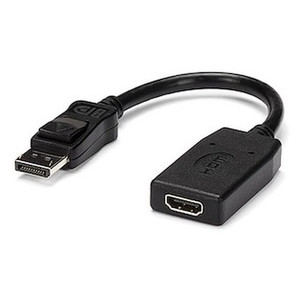
StarTech MST14DP122HD DisplayPort to Dual HDMI MST Hub
The StarTech MST14DP122HD is a DisplayPort 1.4 multi-stream transport hub that splits a single DP output into two independent HDMI 2.0 displays — the tool integrators reach for when a workstation, control-room PC, or monitoring wall has one DisplayPort output but needs two HDMI-native monitors running extended desktops rather than a mirrored clone. Built around a Synaptics VMM5200 MST chipset, the MST14DP122HD drives both outputs at up to 3840x2160 (4K) at 60Hz, or 1080p at 60Hz per display, and draws power from the USB connection rather than an external adapter.
Overview
Video walls, NOC and SOC monitoring stations, and multi-camera VMS workstations routinely run out of native HDMI ports on the host GPU long before they run out of desk space. The MST14DP122HD solves that by treating a single DisplayPort 1.4 output as two independently addressable video streams, each converted to HDMI 2.0. Windows and compatible operating systems see two separate displays for true extended-desktop configurations — not a duplicated image — which matters when an operator needs a live video matrix on one screen and a management console on the other.
Key Features
- Dual independent 4K 60Hz outputs: Each HDMI port supports up to 3840x2160 at 60Hz, so a VMS operator can run two crisp 4K feeds side by side instead of one 4K and one downscaled secondary — useful when both monitors are matched 4K panels.
- DisplayPort 1.4 MST input: DP 1.4's bandwidth headroom is what makes true dual 4K60 output possible from a single cable; earlier DP revisions choke well before this resolution/refresh combination across two streams.
- HDMI 2.0 output stage: HDMI 2.0 carries enough bandwidth for 4K60 with full-color signaling, so you're not stuck downgrading chroma subsampling to hit the refresh rate on either display.
- Synaptics VMM5200 chipset: A purpose-built MST controller rather than a generic splitter chip — the part that determines whether the OS correctly enumerates two extended displays instead of one mirrored signal.
- USB-powered: Pulls power from a USB port instead of requiring a dedicated power brick, which simplifies cable management at a workstation or rack where outlet space is already tight.
- Compact footprint: At 14.2 x 2.0 x 0.6 in and 2.1 oz, the hub sits behind a monitor or tucks along a cable channel without adding meaningful bulk to a desk or console build.
- Fixed 1ft/30cm input cable: The integrated cable eliminates a failure point common to separate adapter-plus-cable setups, though the short length means the source DisplayPort connection needs to be within reach of the hub's mounting position.
- Wide operating range: Rated for 0C to 40C operation and 5% to 90% RH, which covers standard office and control-room environments without added conditioning.
- 3-year warranty: Backed by a manufacturer warranty, which matters on a signal-path component that, if it fails, takes both downstream displays offline at once.
Integration & Compatibility
Because the MST14DP122HD relies on DisplayPort Multi-Stream Transport, the source GPU and driver must support MST output over DisplayPort 1.4 — most modern discrete and integrated GPUs used in workstation and digital-signage builds do, but it's worth confirming before ordering if you're pairing it with older hardware. This is the kind of detail worth checking against your broader video wall and display hardware plan before committing to a single-cable dual-display layout. In security operations centers, the MST14DP122HD is a practical complement to network video recorders and VMS workstations where an operator needs a dedicated live-view display alongside a management or alarm-handling screen, all driven from a single graphics output. For broader monitoring wall planning, a surveillance system design guide can help map out how many independent displays a given control room actually needs before buying hubs and mounts.
What's in the Box
- 1x StarTech MST14DP122HD DisplayPort to dual HDMI MST hub with integrated 1ft/30cm DisplayPort cable
Frequently Asked Questions
Q: Does the MST14DP122HD support two independent 4K displays at the same time?
A: Yes. Both HDMI outputs support up to 3840x2160 at 60Hz simultaneously via DisplayPort 1.4 MST, though actual achievable combined resolution/refresh can depend on your GPU's DP 1.4 output bandwidth.
Q: Does the MST14DP122HD need an external power adapter?
A: No. It's USB-powered, drawing power directly from a USB connection rather than requiring a separate power brick.
Q: What's the warranty on the MST14DP122HD?
A: It carries a 3-year manufacturer warranty.
Q: How long is the DisplayPort cable on the MST14DP122HD?
A: The hub has an integrated 1ft (30cm) DisplayPort cable, so the source DisplayPort output needs to be within reach of the hub's mounting location.
Q: What chipset does the MST14DP122HD use?
A: A Synaptics VMM5200 multi-stream transport controller.
Q: What operating temperature range is the MST14DP122HD rated for?
A: 0C to 40C operating, with a storage range of -40C to 70C and 5% to 90% RH humidity tolerance.
What gets me about the MST14DP122HD is that it's actually running true MST, not just splitting a signal in the dumb sense — the Synaptics VMM5200 chipset means the host OS enumerates two real, independently addressable displays off one DisplayPort 1.4 output. I've specced these into control rooms where the workstation GPU had exactly one DP jack left and two HDMI monitors to feed.
Technical Highlights:
- Dual 4K60 output: Both HDMI ports handle 3840x2160 at 60Hz simultaneously — you're not forced to drop one monitor to 1080p to keep the other at native 4K.
- DP 1.4 input bandwidth: DisplayPort 1.4 is the reason dual 4K60 is even on the table here; it's the minimum DP revision with enough throughput for two independent 4K streams.
- USB-powered design: No power brick to rack-mount or hide — one less cable and one less failure point in a console build.
Deployment Considerations:
- The DisplayPort input cable is a fixed 1ft/30cm — plan the hub's physical mounting position close to the source GPU's DP output, not at the monitor end.
- Confirm your source GPU and driver actually support DisplayPort MST before ordering; not every integrated graphics stack does, and MST is what makes the dual-independent-display behavior possible in the first place.
This is the right call for a SOC or NOC workstation running a live-view monitor and a management console off a single DP-equipped GPU, or a digital-signage endpoint that needs two synced-but-separate 4K feeds from one compact box.