StarTech MST14DP123HD DisplayPort 1.4 to 3-Output HDMI MST Hub
Overview
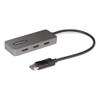
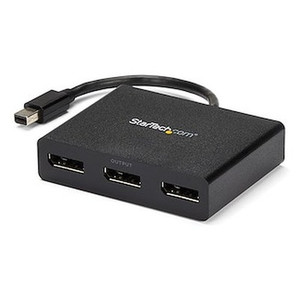
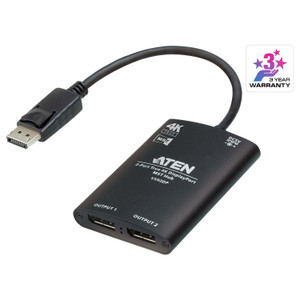
The StarTech MST14DP123HD is a three-output Multi-Stream Transport (MST) hub that takes a single DisplayPort 1.4 source and fans it out to three independent HDMI 2.0 displays — each running at up to 4K 60Hz simultaneously. If you're deploying a control room workstation, a trading desk, or a digital signage array and want to drive three full-resolution screens from one GPU output without adding a discrete video card, this is the hardware that makes that possible. The 11.8-inch attached cable keeps the hub tethered close to the source port, and the compact 4.1 × 1.7 × 0.6-inch plastic enclosure sits on the desk or routes behind a monitor arm without bulk.
For security operations centers and video walls, the ability to drive three HDMI monitors from a single DP output changes the workstation build significantly — fewer PCIe slots consumed, simpler cable management, and a GPU that doesn't need to be spec'd for multi-output alone. Browse the full StarTech connectivity catalog for complementary adapters and dock solutions.
Key Features
- Three Independent 4K 60Hz HDMI Outputs: Each of the three HDMI 2.0 ports supports up to 3840×2160 at 60Hz independently via MST. You get three full-bandwidth 4K signals from one DisplayPort source — not mirrored, not downscaled. For a three-screen surveillance review station or a trading floor workstation, that means no compromise on resolution or refresh rate across any display.
- DisplayPort 1.4 Input: DP 1.4 carries enough bandwidth (up to 32.4 Gbps HBR3) to feed three 4K 60Hz streams simultaneously through MST. If your system has a DP 1.2 output only, the hub's maximum configuration will be constrained — verify your GPU or dock output version before ordering.
- VMM5310 Chipset: The hub is built on the VIA Labs VMM5310 MST controller, a purpose-designed multi-stream transport IC. This matters in practice because chipset quality directly affects stability at max resolution — generic MST hubs using underpowered controllers frequently drop to 4K 30Hz or lose sync on the third port under load.
- 7.1-Channel Audio Pass-Through: HDMI 2.0 carries 7.1 surround audio, and the MST14DP123HD passes that full audio stream to each connected display or audio extractor. For AV-integrated conference rooms or control room monitors with built-in speakers, no separate audio breakout is needed.
- USB Micro-B Power Input: The hub draws supplemental power via USB Micro-B. This is worth noting: MST hubs driving three 4K outputs require more bus power than DP alone provides. A standard 5V USB phone charger or a USB port on the host machine handles it — but don't skip this step or you risk the third display not initializing.
- 11.8-Inch Attached Cable: The fixed 11.8-inch DP cable eliminates one adapter connection point. Shorter cable runs mean fewer signal integrity variables at 4K 60Hz bandwidth. Works well in tower workstations and dock-centric deployments where the hub sits within arm's reach of the source.
- Compact Form Factor (4.1 × 1.7 × 0.6 in, 2.5 oz): At 2.5 oz, the hub won't stress a cable management arm or fall off a desk. The gray plastic housing is unobtrusive in any workstation environment. Not rack-mountable — this is a desktop peripheral.
- Operating Range 0°C to 40°C: Rated for standard indoor office and control room environments. Not suitable for unheated server closets in cold climates or high-heat industrial enclosures — the 40°C ceiling is a real constraint in poorly ventilated spaces.
- Windows Compatibility: MST is natively supported in Windows display stack. MST14DP123HD is verified compatible with Windows OS. MacOS MST support has historically been limited by Apple's display driver stack — if you're on a Mac, verify your specific OS version supports DP MST before purchasing.
Integration and Compatibility
The MST14DP123HD connects directly into any DisplayPort 1.4 output — discrete GPU, integrated graphics with DP 1.4, or a Thunderbolt 3/4 port (which exposes a DP 1.4 signal). The three HDMI 2.0 outputs connect to any HDMI-equipped display, monitor, or video input device. For installations pairing this hub with a KVM switch or a multi-monitor dock, confirm the upstream DP signal is version 1.4 and MST-capable — some docks re-expose only DP 1.2, which limits total bandwidth and may force one or more outputs to drop below 4K 60Hz.
Storage temperature range of -40°C to 70°C means safe shipping and warehouse storage in virtually any climate. If you're deploying across multiple workstations, the consistent chipset (VMM5310) makes driver behavior predictable across the fleet. Pair with a quality HDMI 2.0 cable rated for 18 Gbps on each output to maintain full 4K 60Hz to each display.
Frequently Asked Questions
Q: Does the MST14DP123HD support three independent displays or does it mirror/extend only?
A: The MST14DP123HD uses Multi-Stream Transport (MST), which allows three fully independent displays — each can run a separate desktop window or source. Whether you extend or duplicate is set in Windows display settings, but all three ports are capable of independent operation simultaneously.
Q: What is the maximum resolution supported on each HDMI output?
A: Each of the three HDMI 2.0 outputs supports up to 4K (3840×2160) at 60Hz simultaneously, provided the connected GPU has a DisplayPort 1.4 output with MST enabled.
Q: Does the MST14DP123HD require external power?
A: Yes. The hub includes a USB Micro-B power input that must be connected for reliable three-display operation. A standard 5V USB source — a phone charger or host USB port — is sufficient. Skipping this step can result in the third display failing to initialize or signal drops under load.
Q: Is the MST14DP123HD compatible with Mac or Linux?
A: The stated OS compatibility is Windows. MacOS has historically had limited native DP MST support, and Linux support depends on the kernel version and GPU driver. Verify compatibility with your specific OS version before purchasing.
Q: What is the warranty on the MST14DP123HD?
A: The MST14DP123HD carries a 3-year manufacturer warranty.
Q: Will this hub work with a Thunderbolt 3 or Thunderbolt 4 port?
A: Thunderbolt 3 and Thunderbolt 4 ports expose a DisplayPort 1.4 signal, which is what the MST14DP123HD requires. In most cases this will work, but MST behavior over Thunderbolt can vary by host system and driver. Test in your environment before wide deployment.
The thing I keep coming back to with the MST14DP123HD is the VMM5310 chipset — that's not a throwaway detail. I've deployed MST hubs with bargain controllers and spent hours diagnosing why the third port runs at 4K 30Hz instead of 60Hz or randomly drops sync. The VMM5310 is a purpose-built MST IC, and at three 4K 60Hz outputs simultaneously, chipset quality is where the difference shows up in the field.
Technical Highlights:
- 4K 60Hz on All Three Outputs: HDMI 2.0 at 18 Gbps per port, driven by a DP 1.4 source with 32.4 Gbps HBR3 — the bandwidth math works cleanly for three simultaneous 4K 60Hz streams.
- 7.1-Channel Audio: Full surround audio carried through each HDMI 2.0 output — useful in AV-integrated control rooms where monitor speakers or audio extractors are part of the display chain.
- Compact Integration Footprint: 4.1 × 1.7 × 0.6 inches and 2.5 oz means this hub tucks behind a monitor or onto a desk arm without occupying real estate. The 11.8-inch attached cable reduces the signal chain by one connector compared to a separate pigtail.
Deployment Considerations:
- USB Micro-B power is not optional at three 4K outputs — wire it to a reliable 5V source on day one, not as an afterthought when the third display doesn't come up.
- Verify your GPU or dock exposes DP 1.4 specifically, not DP 1.2. A DP 1.2 source cannot simultaneously drive three 4K 60Hz MST streams — you'll hit bandwidth limits and the hub will negotiate down to lower resolutions or fewer active ports.
This hub is a good fit for security operations center workstations and analyst desks where a single DP 1.4 GPU output needs to feed three HDMI monitoring screens at full 4K resolution — it keeps the build clean and eliminates the need for a multi-output GPU slot just to drive the display array.