Image coming soon
Product images are provided for reference and may not represent the exact model, configuration, or included components.

Overview

SKU: QEQ-CB5-A1
Condition: New
Availability: Backorder Available — Contact for ETA
Warranty Manufacturer Warranty
Write a Review 18% OFF

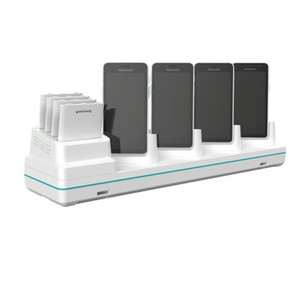
PioneerPOS CT30 XP CT30 XP MultiDock Powercord - QEQ-CB5-A1

PioneerPOS QEQ-CB5-A1 MultiDock PowercordOverviewThe PioneerPOS QEQ-CB5-A1 is a dedicated power cord designed to supply reliable power to the PioneerP…

$29.41 $23.99 SAVE $5

Quantity:

Adding to cart… The item has been added
Compatibility guidance available for your deployment
Senior specialists for pre and post-sales support
Authorized sourcing and documentation support
Shipping and lead-time confirmation before install

Laura Bennett, IPSD Senior Specialist

Talk to Laura

200+ hrs training • U.S - based

Senior Specialist • 877-277-7147

PioneerPOS CT30 XP CT30 XP MultiDock Powercord - QEQ-CB5-A1

$29.41
$23.99

Overview

SKU: QEQ-CB5-A1
Condition: New
Availability: Backorder Available — Contact for ETA
Warranty Manufacturer Warranty

No Bots, Just Experts

Questions about this product? Free pre-sales support from a senior specialist — product questions, compatibility checks, BOM quotes, price confirmation — typically answered within one business day. Need camera placement or system design work? Engineering time is $175 per hour (qty 1 = 1 hour). Hardware buyers get up to one hour ($175) credited back on their order.

Description

PioneerPOS QEQ-CB5-A1 MultiDock Powercord

Overview

The PioneerPOS QEQ-CB5-A1 is a dedicated power cord designed to supply reliable power to the PioneerPOS CT30 XP MultiDock. This accessory is essential for maintaining continuous operation of the docking station in demanding retail or hospitality environments where consistent power is critical for POS transactions and system uptime.

Compatibility

This power cord is specifically engineered for the PioneerPOS CT30 XP MultiDock. It is not compatible with other PioneerPOS docking stations or unrelated hardware. Ensure your system utilizes the CT30 XP MultiDock model before ordering.

Installation Notes

Connect the QEQ-CB5-A1 power cord directly to the power input port on the PioneerPOS CT30 XP MultiDock and to a grounded AC power outlet. Verify the outlet voltage matches the requirements specified on the MultiDock's power adapter label. No special tools are required for installation.

What's in the Box

  • 1x QEQ-CB5-A1 Powercord
Specifications
Brand: PioneerPOS
MPN: QEQ-CB5-A1
Q&A
Reviews
Have Questions?

RELATED PRODUCTS

Image coming soon
Add to Cart The item has been added

PioneerPOS

SKU: QEQ-CB1-01

PioneerPOS CT30 XP Display Base - QEQ-CB1-01

  • Capacitive multitouch eliminates resistive wear, supporting high-cycle POS and kiosk use.
  • CT30 XP interface ensures drop-in compatibility with existing PioneerPOS terminal housings.
  • Anti-reflective coating reduces glare under bright retail lighting for faster transactions.
$667.04 $447.99 Save $219.05
The item has been added
Free shipping over $499
$667.04 $447.99 Save $219.05
Add to cart Add to quote
PioneerPOS QEQ-BAT-01 CT30 Battery Standard CT30 Healthcare - QEQ-BAT-01
Add to Cart The item has been added

PioneerPOS

SKU: QEQ-BAT-01

PioneerPOS CT30 Battery Standard CT30 Healthcare - QEQ-BAT-01

  • 3400mAh capacity sustains CT30 operation through a full clinical shift.
  • Tool-free installation fits directly into CT30 battery bay with no adapters.
  • Hot-swap rotation strategy eliminates device downtime during shift transitions.
$180.62 $179.99 Save $0.63
The item has been added
Free shipping over $499
$180.62 $179.99 Save $0.63
Add to cart Add to quote

System Design, Deployment & Technical Support

Support services and planning resources for commercial surveillance, access control, and infrastructure deployments.

Fixed scope • Fixed price

System Design Assistance

  • Get help validating product compatibility
  • Coverage requirements
  • Storage planning and deployment architecture before you buy.
Request Design Help

Deployment & Configuration Support

  • Access fixed-scope support for rollout planning
  • User setup guidance
  • Migration and system standardization across single-site or multi-site deployments
View Support Services

Guides, Tools & Calculators

  • PoE requirements
  • Storage retention
  • Camera selection and deployment methodology
Open Technical Resources