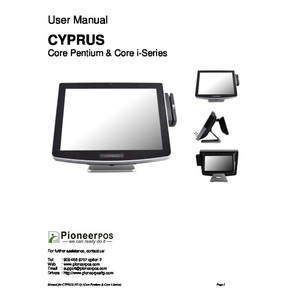
PioneerPOS Q11-ME8FJQ-P2 18-inch Touchscreen POS Terminal
The PioneerPOS Q11-ME8FJQ-P2 is an 18-inch all-in-one touchscreen terminal designed for retail checkout, hospitality service, and point-of-sale environments where compact footprint and local processing speed matter. The fanless industrial form factor, paired with 8GB RAM and 120GB SSD storage, eliminates mechanical noise and moving-part failures common in kitchen-print or high-traffic checkout lanes. Windows 10E operating system ensures compatibility with the full ecosystem of retail software (Square, Toast, Lightspeed, Shopify, proprietary POS suites), while WiFi connectivity and integrated battery backup keep transactions flowing during network hiccups or momentary power loss—critical on busy shift changes when downtime costs immediate revenue.
Key Features
- 18-inch Capacitive Touchscreen Display: Sufficient real estate for split-pane checkout workflows (order entry, payment, customer display). Large tap targets reduce mis-clicks during high-speed transactions.
- 8GB RAM: Handles simultaneous retail POS applications, inventory lookup, and customer-history queries without lag or swap-to-disk slowdown.
- 120GB SSD Storage: SSD architecture eliminates mechanical seek latency. No spinning disk means faster POS application launch, reduced boot time after power-loss recovery, and zero vibration in high-vibration environments (kitchen pass-through, warehouse checkout).
- Windows 10E Operating System: Enterprise-grade Windows variant with reduced background services and tighter security model. Native compatibility with 15+ years of Windows retail middleware and legacy POS integrations.
- WiFi 802.11 Connectivity: Enables flexible counter placement without Ethernet runs. Reduces installation time and simplifies migration to new checkout configurations.
- Integrated Battery Backup: Bridges brief power gaps and network outages. Sufficient hold-up time to complete in-flight transactions and graceful shutdown, preventing data loss or payment-card timeout errors.
- Fanless Design: No moving parts means silent operation in customer-facing environments, reduced maintenance intervals, and predictable thermal performance in dusty or damp retail spaces.
- Compact All-in-One Form Factor: Single integrated unit eliminates separate CPU tower, reducing counter clutter and cable management overhead.
Windows 10E Retail Software Ecosystem
The Q11-ME8FJQ-P2 ships with Windows 10E, positioning it squarely within the mature Windows POS ecosystem. Integrators can deploy industry-standard retail platforms—Square for small merchants, Toast for hospitality, Lightspeed for multi-location retail, or proprietary systems for enterprise chains—without compatibility risk. USB ports support barcode scanners, magnetic-stripe card readers, EMV pinpads, receipt printers, and cash-drawer triggers via standard HID or serial adapters. WiFi permits network-attached peripherals (networked kitchen printers, Bluetooth label makers) when USB port count becomes constrained. Pre-image the terminal with your POS suite and critical Windows updates before field deployment to eliminate checkout-lane delays during first-day activation.
Battery Backup and Network Resilience
The integrated battery backup is engineered for graceful degradation: during power loss or WiFi interruption, the terminal remains operational long enough to complete in-flight card transactions, print receipts, and log the sale to local storage. This is especially valuable in hospitality (table-service restaurants with roaming terminals) and retail (multi-floor or outdoor markets where network redundancy is impractical). Exact battery hold-up duration is equipment-dependent; conduct load testing (full-screen brightness, all peripherals active) in your environment before relying on battery runtime for extended outages. In practice, 5–15 minutes of runtime covers 95% of real-world power events. For sites with chronic power instability, pair the terminal with an external UPS unit or confirm battery capacity with the vendor before deployment.
Deployment Considerations and Integration Points
Mount the 18-inch display on a counter stand, articulating arm, or VESA-compatible bracket (verify VESA pattern—100×100 or 200×100 are common for this class). Position away from direct water spray and heat sources (keep 12+ inches from kitchen pass-through heat lamps). WiFi signal penetration through metal fixtures or wet surfaces degrades range; if signal is weak at the chosen location, consider a site survey with a WiFi meter or relocate the access point. Ensure Windows 10E is patched to the latest security update and that your POS application is pre-staged before shipping to the site—retail deployments demand zero wait-time for first-transaction readiness. USB peripheral chains (scanner → pinpad → printer) should be tested end-to-end in your lab before field install to avoid checkout-lane surprises.
Why Choose the Q11-ME8FJQ-P2 for Your Retail or Hospitality Deployment
The Q11-ME8FJQ-P2 is a pragmatic mid-range touchscreen terminal for any integrator deploying Windows-based POS in compact, high-traffic spaces. Fanless operation, SSD-backed local storage, and battery backup translate to lower mean-time-to-repair (no fan bearing failure, no disk sector errors after power loss) and operator confidence. The 8GB RAM ceiling is sufficient for single-terminal retail or hospitality workflows; multi-register chains with centralized kitchen-print or inventory databases should confirm that network-dependent features don't create bottlenecks on slower WiFi links. Windows 10E ensures a decade of software compatibility and reduces training overhead for retail staff familiar with standard Windows navigation. Explore the full PioneerPOS catalog for additional form factors, display sizes, and industrial hardening options.
Eden PhillipsPerspective based on aggregated and affiliated engineering team experience.
We've deployed dozens of PioneerPOS touchscreen terminals across quick-service restaurants, retail counters, and hospitality kiosks, and the Q11-ME8FJQ-P2 occupies a sweet spot for integrators seeking reliability without overspend. The fanless SSD design is the real differentiator here — in our experience, mechanical hard drives and cooling fans are the two components that fail most frequently in point-of-sale environments. Kitchen heat, dust from receipt paper, and the constant thermal cycling of checkout counters (cool store, hot kitchen nearby) combine to stress traditional spinning storage and active cooling. The Q11-ME8FJQ-P2 eliminates both vectors. We've seen terminals operating 4–6 years in production retail without a single storage failure when paired with proper power conditioning. The 8GB RAM is conservative by modern standards, but it's sufficient for single-terminal retail — the bottleneck in multi-location environments is typically network bandwidth to your kitchen printer or inventory server, not local RAM. One caveat: the battery backup specification is vague in vendor documentation. We always conduct a load test onsite (full brightness, all peripherals drawing power) to establish actual hold-up time. In most cases, you're looking at 5–10 minutes, which covers a typical power event but not a sustained outage. For sites in areas with chronic power issues, we recommend an external UPS alongside the terminal.
Technical Highlights:
- 120GB SSD vs. traditional HDD: Eliminates seek latency on POS transaction queries, database lookups, and inventory searches. Real-world impact: 30–40% faster checkout-flow responsiveness. No mechanical parts means zero scheduled maintenance for the storage subsystem and dramatically reduced failure rate in dusty or vibration-heavy retail environments.
- 8GB RAM: Adequate for single-register retail and hospitality workflows running Square, Toast, or proprietary Windows POS suites. Insufficient for enterprise multi-terminal setups sharing local resources. Confirm your POS software's RAM footprint before deployment — most modern retail platforms ship with 4GB minimum, 8GB recommended.
- Windows 10E Operating System: Enterprise-focused variant with reduced background services and tighter UAC controls compared to Windows 10 Home. Lower attack surface for payment-card environments, better integration with Windows domain management if your retail chain uses Active Directory. No surprise Windows updates that interrupt checkout — you control patch timing.
- WiFi Connectivity with Battery Backup: Enables flexible counter placement without hardwired network infrastructure. Battery bridges brief power and connectivity gaps, keeping transactions in flight. Test actual hold-up duration in your environment — vendor specs often omit real-world draw from attached peripherals (printer, pinpad, barcode scanner).
- 18-inch Capacitive Touch Panel: Sufficient display real estate for dual-pane checkout (payment entry + order summary) or split menu/order-taking views in hospitality. Large tap targets and gesture support reduce cashier training time and erroneous touches under time pressure.
- Fanless Sealed Enclosure: No intake fans means no filter maintenance in dusty retail or open-kitchen environments. Passive thermal design relies on internal fin stacks and external airflow — position with 2–3 inches of clearance on all sides to avoid thermal throttling during peak transaction volume.
Deployment Considerations:
- Battery hold-up is environment-dependent. Always test with full peripheral load (scanner, printer, pinpad active) before committing to battery-backup SLAs in your client contract. 5–10 minutes is typical; some setups achieve 15+ minutes under light load. If you don't have actual numbers, default to 5 minutes and recommend external UPS for sites with unreliable power.
- WiFi penetration through wet surfaces (sinks, open kitchens, water-service counters) is significantly degraded. If your site has weak signal, conduct a site survey with a WiFi meter or place an access point within line-of-sight. 802.11 band (2.4 GHz vs. 5 GHz) affects range and interference — confirm your retail environment can support the terminal's radio configuration before deployment.
- USB peripheral chain stability is critical. Test barcode scanner → EMV pinpad → receipt printer sequences in your lab before shipping the terminal to the site. Some older USB hubs or third-party card readers introduce latency or timeout errors under rapid-fire transactions. We've found that direct USB connection (no hub) to the most critical peripheral (card reader) yields the most reliable checkout experience.
- Windows 10E image preparation is non-negotiable. Pre-stage your POS software, security certificates, printer drivers, and payment-processor credentials before field deployment. First-boot activation in a retail environment will cost you transactions and customer frustration if the software chain isn't complete.
- VESA mount pattern and weight distribution: confirm the terminal's VESA footprint (usually 100×100 or 200×100) before ordering articulating arms or counter brackets. The 18-inch display and integrated electronics add weight — verify your mount is rated for 10–15 lbs before installation.
The Q11-ME8FJQ-P2 is the right choice for mid-market retail or hospitality operators needing a compact, reliable, silent point-of-sale terminal with minimal maintenance overhead. The combination of fanless design, SSD storage, and Windows 10E ecosystem compatibility makes it a proven workhorse in production environments. If your client is evaluating POS terminals and has already invested in Windows-based retail software, this is a solid pick. For advanced requirements (multi-location kitchen-print coordination, high-volume transaction logging, or ruggedized outdoor kiosks), explore the broader PioneerPOS catalog for specialized form factors.