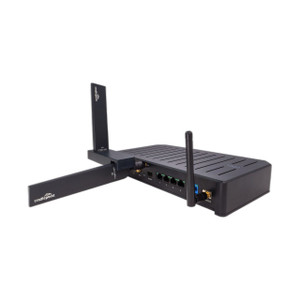
Cradlepoint MC20-SRL RS-232 Serial Expansion Module
Overview
The Cradlepoint MC20-SRL adds a single DB9 RS-232 serial port to S400 or S450 routers via the modular expansion slot. This solves the integration problem when you have legacy serial devices—sensors, terminals, industrial equipment, PLC interfaces—that must coexist with your modern Ethernet infrastructure but have no native IP connectivity. The MC20-SRL lets you connect those devices directly to the router without external serial servers or additional hardware boxes cluttering the cabinet.
Compatibility
The MC20-SRL is engineered exclusively for Cradlepoint S400 and S450 router platforms. It installs into the modular expansion slot on these units. The single DB9 connector accepts standard RS-232 serial cables terminated to DB9 (male or female, depending on your device pinout). No special adapters or cross-cables are required if your legacy equipment already has a DB9 serial port. If you're running a different Cradlepoint series (AER, IBR, or other platforms), this module will not fit the expansion slot.
Installation Notes
Insert the MC20-SRL into the available expansion slot on the S400 or S450 until it seats fully. No external power is required—the module draws power from the router's internal expansion bus. Once seated, the DB9 port is live and ready to accept serial connections. Use a standard male-to-female or female-to-female DB9 serial cable (not supplied) to connect your serial device. No configuration or driver installation is needed on the router side; serial port assignment and flow control are managed through the router's management interface or REST API.
What's in the Box
- 1x Cradlepoint MC20-SRL RS-232 Serial Expansion Module