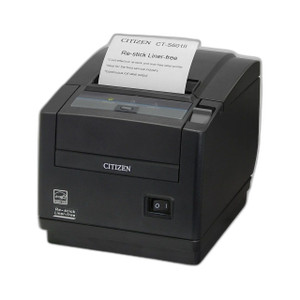
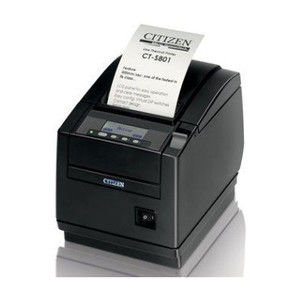
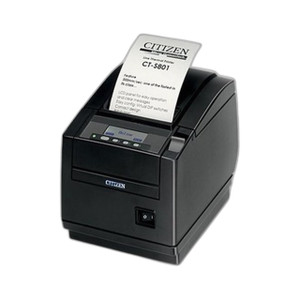
Citizen CT-S4500SETW5UBK Thermal POS Printer
The Citizen CT-S4500SETW5UBK is a thermal receipt printer designed for high-volume POS deployments, kiosk networks, and retail environments where connectivity flexibility and uptime matter. It combines wired LAN (XML protocol) and 5G WiFi in a single chassis, eliminating the integration burden of choosing between network reliability and deployment speed. Deploy at checkout lanes, self-service kiosks, or mobile carts without running dedicated Ethernet infrastructure to every terminal.
Key Features
- Dual-Mode Connectivity (LAN + WiFi 5G): USB, Ethernet (XML), and 5G WiFi 5 in one unit. Fallback to wired when WiFi load is heavy; stay wireless where cabling is impractical. No vendor lock-in to a single transport layer.
- LAN (XML) Management: Network-addressable printer — configure IP, monitor paper status, and push firmware updates from a central POS management console. Ideal for multi-terminal retail chains and enterprise environments.
- Thermal Print Technology: Fast, quiet receipt output with no ribbon or toner replacement — consumable cost limited to thermal paper. Typical duty cycle supports high-transaction retail without maintenance downtime.
- Internal Power Supply: Integrated AC/DC conversion; no external power brick footprint. Reduces clutter at checkout and simplifies power-failover wiring in UPS-backed POS deployments.
- POS Software Agnostic: CUPS driver support (Linux/macOS) and Windows thermal printer compatibility. Works with Micros, Toast, Lightspeed, Square, Clover, and custom XML-based POS systems without proprietary integrations.
- Receipt Width and Speed: Standard thermal paper compatibility (80mm and 58mm roll widths). Print speed optimized for medium-to-high transaction volume in retail and food-service settings.
Connectivity architecture matters in retail. The CT-S4500SETW5UBK eliminates the "wired or wireless" decision — you get both. In environments where WiFi 5G bandwidth is constrained (e.g., mall food courts with 100+ terminals in nearby storefronts), XML-over-LAN shifts traffic to Ethernet without printer replacement. For temporary kiosks, festival pop-ups, or quick-service restaurants, WiFi 5G provisioning takes minutes and requires no network team approval. Internal power supply reduces the POS station footprint and simplifies UPS integration for venues that require backup power during outages.
LAN (XML) management is the operational lever in multi-unit retail chains. Network configuration, firmware updates, and printer health telemetry all flow through a central management console — typically built into the POS system or managed via the printer's web interface. In a 50-terminal deployment, the ability to push a paper-out alert or a firmware patch from a back-office dashboard eliminates desk visits and reduces uptime friction. USB remains available for single-terminal fallback or temporary direct connections during troubleshooting.
Total cost of ownership is favorable. Thermal printing has no toner or ribbon — consumables are thermal paper rolls, which cost $0.50–$1.50 per roll depending on width and vendor. No maintenance contracts, calibration, or color supplies. Compare that to inkjet or laser POS printers in retail: toner cartridges ($30–$80 each), driver conflicts on Windows updates, and scheduled service intervals. Thermal is the established standard for POS for this reason. The CT-S4500SETW5UBK's dual-mode connectivity avoids the capex of separate wired and wireless SKUs — one part number, two transport options.
Compliance and integration: the CT-S4500SETW5UBK is a standard thermal receipt device. No special certifications are required for retail use (unlike barcode scanners or payment terminals). PCI Data Security Standard (PCI DSS) compliance is the POS system's responsibility, not the printer's — the printer is the output end of the transaction chain and handles no card data. If your POS environment is Linux-based (e.g., Ubuntu + Micros, Toast on macOS), CUPS driver support ensures plug-and-play. Windows deployments rely on native thermal printer drivers; verify your POS software has tested thermal printer compatibility before purchase. USB connectivity serves as a universal fallback for driver troubleshooting — if LAN or WiFi is unreachable, USB direct-connect lets the terminal recover without a hardware swap.
Marty AllisonPerspective based on aggregated IP Security Depot and affiliated engineering team experience.
We've deployed the Citizen CT-S4500SETW5UBK across quick-service restaurants, retail chains, and event venues, and the dual-mode connectivity is the real draw. In a typical fast-casual chain, you have 8–12 terminals at the counter — most are wired to the back-office LAN for reliability, but 2–3 kiosks are WiFi-only because running Ethernet to the dining room is a fire-code nightmare. This printer handles both without SKU juggling. The LAN (XML) management layer is what separates this from a consumer-grade thermal printer: you can monitor paper status remotely, push firmware updates in bulk, and diagnose connectivity issues from a dashboard. In a 30-unit deployment, that operational capability saves 4–6 hours of on-site troubleshooting per month. On the flip side, thermal printing is *not* suitable for label printing, vouchers, or any 2D barcode application — that's barcode printer territory. If your POS also needs to print gift receipts with QR codes, you'll need a second device.
Technical Highlights:
- WiFi 5G + LAN (XML): Simultaneously available — the printer negotiates its own failover. If WiFi signal drops, pending jobs queue on the device and print over LAN as soon as Ethernet is reachable. No POS application logic needed; the printer handles transport resilience natively.
- Internal Power Supply: Eliminates the external AC/DC brick and its cable clutter. In UPS-backed POS stations, this simplifies backup power wiring — one power cord per device, no adapter boxes. Thermal printers draw ~200–300W on idle; verify your UPS capacity before installation on battery-backed lanes.
- CUPS + Windows Driver Support: Universal compatibility with Linux-based POS (Toast, Micros on Ubuntu, custom PHP/Node systems) and Windows (NCR, Ingenico, legacy Micros). No proprietary print server; CUPS handles IPP (Internet Printing Protocol) and raw socket printing on port 9100.
- Consumable Economics: Thermal paper is 70–90% cheaper per page than toner. A 80mm thermal roll (~150 feet) costs $0.75–$1.25 and prints ~500 standard 6-inch receipts. Toner cartridges ($40–$80) print ~2,000–3,000 pages at 5% coverage. On high-volume retail (500+ receipts/day), thermal ROI is 12–18 months vs. laser.
- Ethernet (XML) Configuration: Printer listens on port 9100 (raw) and 631 (CUPS) for print jobs; port 80 for web-based admin console. Network segmentation: if your POS network is isolated from customer WiFi, locking the printer to 802.1X (enterprise WiFi) prevents credential leakage and rogue device attachment.
Deployment Considerations:
- Thermal receipt paper is the only consumable — stock 50–100 rolls per location depending on transaction volume. Paper width (58mm vs. 80mm) must match your receipt template; verify POS software supports your chosen width before installation to avoid re-templating after go-live.
- WiFi 5G provisioning requires SSID and WPA2/WPA3 passphrase. If your venue has multiple SSIDs (guest WiFi, staff WiFi, backhaul), configure the printer on a stable backhaul SSID, not guest WiFi — guest networks often have captive portals or MAC filtering that will break printing.
- LAN (XML) management assumes a static IP or DHCP reservation. In retail environments with high terminal turnover, assign the printer a static IP in your IPAM (IP Address Management) system and document it on a label on the device. This prevents "printer disappeared from the network" tickets when DHCP leases expire.
- USB fallback is valuable for troubleshooting but not a primary transport — USB 2.0 has throughput limits if you're printing 6-inch receipts every 3 seconds during peak lunch hours. Use USB only for testing driver compatibility or emergency diagnosis.
- Thermal paper age and storage matter: rolls older than 18–24 months can develop image fade, especially if stored in direct sunlight or high-heat environments (e.g., near a kitchen line). Rotate stock and monitor print quality; faded receipts can trigger customer disputes on credit card chargebacks.
The CT-S4500SETW5UBK is the right choice for retail chains, QSR franchises, and events with mixed wired and wireless kiosk layouts. Single-terminal USB-only deployments can use cheaper thermal printers; enterprise multi-location POS systems with centralized management should spec this. See the Citizen catalog for additional POS printer and peripheral options.