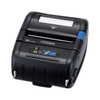
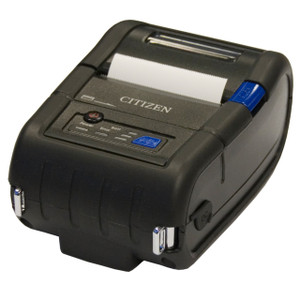
Citizen CMP-30IIUC Serial/USB Mobile Printer
Overview
The Citizen CMP-30IIUC is a compact mobile thermal printer engineered for field-deployed personnel who need on-demand label and receipt printing without tethering to fixed infrastructure. Dual Serial and USB connectivity lets you integrate into existing handheld computers, tablets, or custom field-service platforms running Windows, Android, or proprietary dispatch software. Support for both ESC/POS2 and CPCL1 command protocols means you can deploy it alongside retail POS terminals, warehouse mobile computers, or logistics field-print applications without rewriting print drivers — it speaks the languages your infrastructure already uses.
Compatibility
The CMP-30IIUC pairs with any device capable of serial (RS-232) or USB (Micro-B or Type-B, depending on cable kit) connection. Common deployments include Zebra mobile computers (MC3300, MC9300 series), Datalogic scanning terminals, Symbol/Motorola WT series handheld devices, and general-purpose tablets with USB serial adapters. Verify your host device supports at least one of the two connection types before purchase. The printer's command-language flexibility (ESC/POS2 + CPCL1) eliminates the need for translation middleware in environments already running point-of-sale or warehouse management systems that output to these standard thermal-printer dialects.
Installation Notes
Serial connection requires a standard RS-232 9-pin or appropriate gender adapter; confirm pinout compatibility with your host device documentation. USB operation supports standard USB power where available. In battery-powered mobile scenarios, verify your host device supplies sufficient current for sustained print cycles — thermal print operations draw peak current during heating phases. Driver installation varies by host OS; Citizen provides Windows drivers and ESC/POS2/CPCL1 command documentation for Android or embedded Linux development. No special torque, mounting templates, or outdoor-rated enclosure is involved — this is a benchtop or belt-carry accessory without IP or IK ratings.
What's in the Box
- Citizen CMP-30IIUC printer unit
- Serial and USB connection cables (exact kit contents depend on SKU variant — verify order confirmation for your specific cable bundle)