PioneerPOS CarisTouch 17 J1900 8GB RAM 120GB SSD - Q12-AD8FNQ-Z1
The PioneerPOS CarisTouch Q12-AD8FNQ-Z1 is a 17-inch wall-mounted POS terminal designed for compact retail, quick-service restaurant, and kiosk environments where space and durability take priority. Built on the Intel Celeron J1900 quad-core processor with 8GB RAM and 120GB SSD, it delivers responsive performance for transaction processing, inventory lookup, and customer-facing display tasks without over-specification. The resistive touchscreen and included privacy filter make it suitable for high-traffic areas where staff and customers interact with the same display, and Windows 10 LTSC 2021 ensures long-term stability without forced OS upgrades interrupting daily operations.
Key Features
- Intel Celeron J1900 Processor: Quad-core CPU with integrated graphics. Handles POS transaction processing, menu rendering, and multi-app context-switching without thermal throttling or fan noise in compact retail settings.
- 8GB DDR3 RAM: Sufficient for Windows 10 LTSC, POS application, browser tabs, and inventory sync. Prevents OS swap delays during peak transaction windows.
- 120GB SSD Storage: Eliminates mechanical drive latency and failure modes in 24/7 operation. Faster boot times and application launch reduce morning setup overhead.
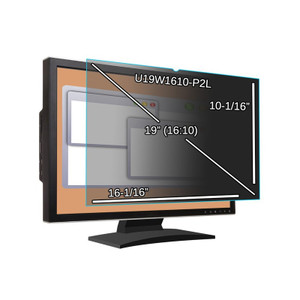
- 17-Inch Resistive Touchscreen: Resistive technology is durable in wet/high-traffic environments and compatible with gloved input. Standard brightness suitable for indoor retail; privacy filter included to prevent screen glare and customer view overlap.
- Wall-Mount Compact Form Factor: Fixed installation reduces table footprint and improves ergonomic positioning. Ideal for drive-thru windows, order stations, and reception desks.
- Windows 10 LTSC 2021: Long-Term Servicing Channel removes feature updates and OS churn. Predictable patch cycle for systems running vertical POS applications that don't need Windows 11 migration pressure.
- Minimal Footprint Configuration: No Wi-Fi, no webcam, no speakers, no magnetic stripe reader, no scanner. Keeps unit cost lower and simplifies network architecture when peripherals are managed separately.
This terminal is built for environments where a locked, hardened endpoint is preferable to a full-featured all-in-one. The Q12-AD8FNQ-Z1 removes wireless and peripheral bloat, keeping the attack surface small and the application software fully in control of what hardware is available. POS software vendors often specify exact hardware configurations, and this barebones SKU integrates cleanly into deployments where scanning, card reading, and audio are handled by discrete peripherals connected via USB or serial.
The 8GB/120GB memory footprint is practical for QSR and retail environments running POS applications alongside light web browsing (menu lookup, payment gateway dashboards, inventory dashboards). Compared to larger workstation terminals, the J1900's lower TDP reduces cooling load and keeps acoustic noise near zero — critical in customer-facing spaces. The SSD eliminates the mechanical failure mode that commonly triggers warranty claims on budget POS hardware running 24/7 in commercial kitchens and high-traffic checkout areas.
Resistive touchscreen technology is less responsive than capacitive, but it tolerates gloved operation, stylus input, and wet-finger use without false triggers. In QSR and warehouse labeling scenarios, this is a practical trade-off. The included privacy filter reduces viewing angle, which is a genuine asset when the same display serves staff and drive-thru customers simultaneously — preventing screen-content leakage during payment entry or customer order review.
Windows 10 LTSC 2021 has mainstream support through January 2024 and extended support through January 2027, giving integrators and end-users a clear sunset timeline for planning hardware refresh cycles. Unlike the standard Windows 10 consumer channel, LTSC won't force major OS updates mid-lease, reducing change management risk for locked POS environments.
Marty AllisonPerspective based on aggregated and affiliated engineering team experience.
We've deployed the PioneerPOS CarisTouch line across casual dining, coffee chains, and retail kiosks, and the Q12-AD8FNQ-Z1 fills a specific role: the no-frills transaction terminal where your POS application is the star and the hardware just needs to stay out of the way. The J1900 is an older generation (Intel discontinued it in 2013), but it's also been battle-tested across millions of commercial units, and there's a mature ecosystem of VGA/HDMI to USB bridge adapters, resistive touch drivers, and Windows 10 LTSC integrations already in field. Where we see the most success is in environments where hardware refresh cycles are tied to application deployment schedules rather than OS versions — a restaurant chain upgrading their POS software every 3-5 years, not every 18 months. The barebones configuration (no MSR, no scanner, no Wi-Fi) is a strength if you already have separate payment processing hardware or you're running a networked environment where peripherals are consolidated at a server tier. It's a liability if you're trying to build an all-in-one kiosk from this base SKU — you'll end up buying USB peripherals and dealing with driver integration anyway.
Technical Highlights:
- Intel Celeron J1900 (Atom Airmont): Quad-core, 2.0 GHz, 10W TDP. Not a powerhouse, but proven reliable in embedded POS systems; low power draw means passive or minimal-fan cooling, which reduces acoustic and thermal load in retail spaces. Verify POS vendor support for this specific CPU before committing to a fleet.
- 8GB DDR3 + 120GB SSD: SSD eliminates the 5,000-hour mean-time-between-failures risk that plagues mechanical drives in 24/7 retail environments. The 120GB is tight for full Windows 10 LTSC + large POS databases; allocate 40GB for OS, 20GB for POS application, leaving ~40GB for transactional logs and cache. Plan backup/archival for historical transaction data if your POS app doesn't push logs to a server.
- Resistive Touchscreen + Privacy Filter: Resistive panels have lower sensitivity and slower multi-touch response than capacitive, but glove-friendly and IP65 washable. The privacy filter narrows viewing angle to ~30°, preventing customer-side visibility of staff screens or adjacent terminal input during checkout. Pair with landscape wall mounting for maximum privacy gain in drive-thru or dual-sided counter layouts.
- Windows 10 LTSC 2021: Predictable patch cadence (monthly security updates, no feature releases) makes compliance audits and change management easier than Windows 10 Pro. Support extends to January 2027; plan hardware refresh or OS migration 12 months before sunset.
Deployment Considerations:
- J1900 is nearly 10 years old as a design — it's not EOL, but it's a legacy CPU. Verify your POS vendor (Toast, Square, Clover, custom vertical app) has certified driver support for J1900 before ordering. Some newer POS platforms have quietly deprecated Atom support.
- 120GB SSD is tight. If your POS application includes offline transaction buffering or local video/image storage (receipts, product photos), you'll consume 60-80GB quickly. Plan to stream large data payloads to a server or use external USB SSD for overflow.
- No Wi-Fi module means ethernet-only connectivity — you'll need a PoE injector or dedicated network drop to each wall-mounted terminal. In retrofit installations with no pre-run cabling, this can drive installation cost higher than wireless equivalents.
- Resistive touchscreen can develop dead zones after 2-3 years of high-traffic use (scratches on protective layer, calibration drift). Budget for screen replacement or whole-unit swap in long-term deployment planning.
- No integrated speakers or webcam keeps the attack surface minimal, but also means you'll wire USB audio and IP cameras separately if you need digital signage, audio prompts, or recording. This is intentional isolation — good for PCI DSS compliance, but requires upfront planning.
The CarisTouch Q12-AD8FNQ-Z1 is the right fit for integrators and end-users running locked, predictable POS ecosystems in retail, QSR, or kiosk environments where OS stability and minimal maintenance overhead matter more than cutting-edge performance. If you're deploying a fleet of 5+ units with a known POS application, verify CPU/driver support and plan your networking and peripheral strategy upfront. See the PioneerPOS catalog for other terminal configurations.