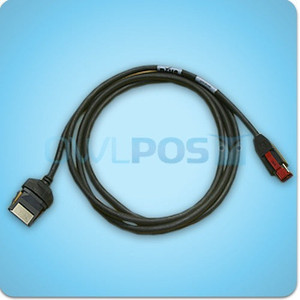
PioneerPOS 30-TPA-S1L750 Printer Cable S-line Serial
Overview
The 30-TPA-S1L750 is a serial null-modem cable engineered for PioneerPOS S-line printer systems. This is a point-to-point connection cable that handles serial communication between a control terminal or workstation and a compatible S-line printer without requiring a separate modem or converter — the null-modem wiring configuration inverts handshake signals so the two devices can communicate directly. Use this cable when integrating legacy or current S-line thermal printers into POS environments, retail kiosks, or warehouse label systems that rely on serial-over-Ethernet or direct serial interfaces.
Compatibility
Designed for PioneerPOS S-line printer series. Confirm your printer model supports serial null-modem connectivity (typically marked RS-232 or DB9 serial) before ordering. If your S-line printer uses a different connector type (USB, Ethernet, parallel) or has been updated to a newer generation, this cable will not work — verify the existing cable connector type or consult your printer manual for compatibility.
Installation Notes
Connect one end to the serial port on your control device (computer, terminal, or POS station) and the other to the serial port on the S-line printer. Ensure both devices are powered down before making connections. No additional drivers or software configuration is required for the cable itself — serial communication is handled by the host operating system and printer firmware. If the connection fails to initialize, verify that your operating system or application has correctly identified the COM port and that serial communication is enabled at the device level.