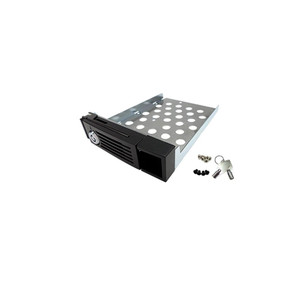
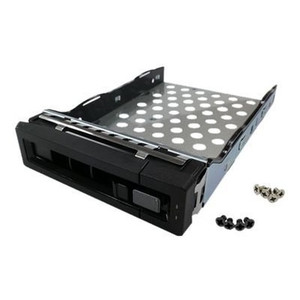
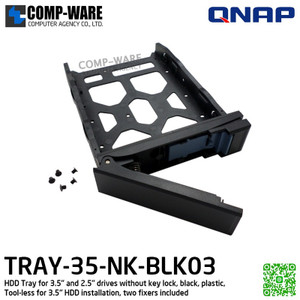
QNAP SP-TS-TRAY-BLACK Black Hard Drive Tray for 2.5 & 3.5-Inch HDD
Overview
The SP-TS-TRAY-BLACK is a genuine QNAP replacement hard drive tray designed to accept both 2.5-inch and 3.5-inch HDDs in compatible QNAP NAS enclosures. If you've expanded storage capacity, repurposed a chassis, or need to replace a damaged tray, this is the factory-matched part that keeps your QNAP NAS bays populated without workarounds. The black finish matches standard QNAP TS-series enclosures. Priced as a per-tray spare, it's a straightforward way to make use of empty drive bays in your existing network attached storage system.
Compatibility
This tray is designed for use with QNAP TS-series NAS enclosures that ship with the standard black tool-free or screw-mount tray form factor. Before ordering, verify your enclosure's tray type against the QNAP compatibility list — QNAP produces several tray variants (including locking and non-locking designs) and tray formats are not universally interchangeable across all TS-series models. The SP-TS-TRAY-BLACK is the lockless variant; if your chassis ships with locking trays, reference the SP-TS-TRAY-WOLOCK for that configuration. Confirm bay count and tray style against your specific enclosure model before purchasing. Consult QNAP's HDD compatibility list to verify your target drive is tested and supported in your NAS model.
Installation Notes
Install the drive into the tray using the drive's standard mounting holes — 3.5-inch drives typically use side-mount screws while 2.5-inch drives mount to the tray base. Slide the loaded tray into the bay until it seats fully and the latch engages. No tools are required for tray insertion on tool-free TS-series enclosures. Confirm the drive is recognized in the QNAP storage manager before committing to a RAID rebuild or volume expansion.