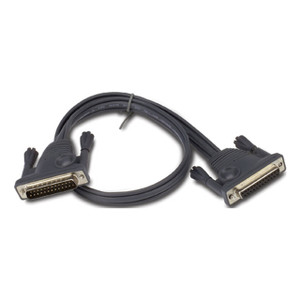
Product images are provided for reference and may not represent the exact model, configuration, or included components.

Overview

SKU: AP5264
UPC: 731304225959
Condition: New
Write a Review 0% OFF

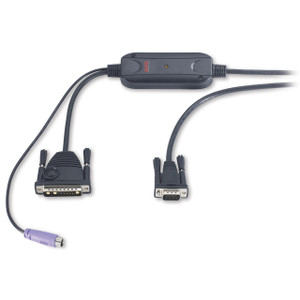
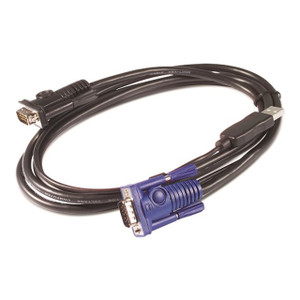
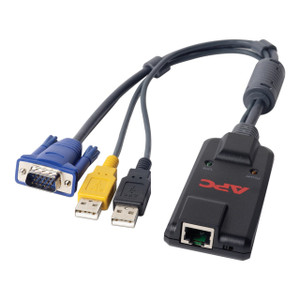
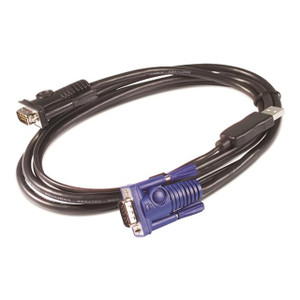
APC - Keyboard / Video / Mouse (kvm) Cable - 6 PIN PS/2 HD-15 (m) - HD-15 (m) - - AP5264

APC by Schneider Electric AP5264 Keyboard/Video/Mouse (KVM) Cable The APC by Schneider Electric AP5264 is a 0.91-meter (3-foot) black KVM cable design…

$76.00 $75.99 SAVE $0
Ships same business day
In stock

Quantity:

Adding to cart… The item has been added
Compatibility guidance available for your deployment
Senior specialists for pre and post-sales support
Authorized sourcing and documentation support
Shipping and lead-time confirmation before install

Laura Bennett, IPSD Senior Specialist

Talk to Laura

200+ hrs training • U.S - based

Senior Specialist • 877-277-7147

APC - Keyboard / Video / Mouse (kvm) Cable - 6 PIN PS/2 HD-15 (m) - HD-15 (m) - - AP5264

$76.00
$75.99

Overview

SKU: AP5264
UPC: 731304225959
Condition: New

No Bots, Just Experts

Questions about this product? Free pre-sales support from a senior specialist — product questions, compatibility checks, BOM quotes, price confirmation — typically answered within one business day. Need camera placement or system design work? Engineering time is $175 per hour (qty 1 = 1 hour). Hardware buyers get up to one hour ($175) credited back on their order.

Description

APC by Schneider Electric AP5264 Keyboard/Video/Mouse (KVM) Cable

The APC by Schneider Electric AP5264 is a 0.91-meter (3-foot) black KVM cable designed to connect legacy PS/2 keyboards and VGA monitors to KVM switches or servers. This cable addresses the need for direct, reliable video and keyboard input in rack-mounted IT environments where space is at a premium and specific connection types are required. Its 0.91m length is suitable for standard rack depths, preventing excessive cable clutter while ensuring connectivity.

Overview

This cable facilitates the integration of PS/2 keyboards and VGA displays with compatible KVM switches or directly with servers that utilize these legacy ports. The AP5264 uses standard HD-15 connectors for VGA video and 6-pin mini-DIN connectors for PS/2 keyboard input, providing a straightforward solution for maintaining or upgrading existing KVM setups. The black color helps with cable management and identification in dense server racks.

Compatibility

The AP5264 is engineered for compatibility with KVM switches and servers that feature 6-pin PS/2 keyboard inputs and HD-15 VGA monitor outputs. While specific model numbers are not provided, this cable is intended for use within the APC by Schneider Electric KVM accessory ecosystem and general IT infrastructure requiring these specific legacy port types.

Installation Notes

The cable features straightforward plug-and-play connectivity. Ensure the PS/2 and HD-15 connectors are securely seated in their respective ports on both the KVM switch/server and the keyboard/monitor to establish a stable connection. The cable's construction is intended for static rack installations; avoid excessive flexing or tension to maintain signal integrity and cable longevity.

Specifications
Product colour: Black
Cable length: 0.91 m
Weight: 110 g
Harmonized System (HS) code: 84733080
Output connections: HighDensity15(VGA Monitor)
Input connection type: HighDensity15(VGA Monitor)
Dimensions (WxDxH: 6 x 6 x 6 mm
Q&A
Reviews
Have Questions?

RELATED PRODUCTS

System Design, Deployment & Technical Support

Support services and planning resources for commercial surveillance, access control, and infrastructure deployments.

Fixed scope • Fixed price

System Design Assistance

  • Get help validating product compatibility
  • Coverage requirements
  • Storage planning and deployment architecture before you buy.
Request Design Help

Deployment & Configuration Support

  • Access fixed-scope support for rollout planning
  • User setup guidance
  • Migration and system standardization across single-site or multi-site deployments
View Support Services

Guides, Tools & Calculators

  • PoE requirements
  • Storage retention
  • Camera selection and deployment methodology
Open Technical Resources