Image coming soon
Product images are provided for reference and may not represent the exact model, configuration, or included components.

Overview

SKU: VC981
UPC: 672792006777
Condition: New
Write a Review 0% OFF

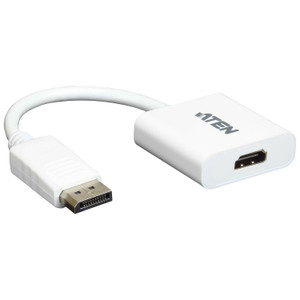
ATEN Active 4K Displayport(m) TO Hdmi(f) Adapter - VC981

ATEN VC981 Active Mini DisplayPort to HDMI AdapterOverviewThe VC981 is an active signal converter that bridges a Mini DisplayPort source to an HDMI di…

$37.00 $36.99 SAVE $0
Ships same business day
In stock

Quantity:

Adding to cart… The item has been added
Compatibility guidance available for your deployment
Senior specialists for pre and post-sales support
Authorized sourcing and documentation support
Shipping and lead-time confirmation before install

Laura Bennett, IPSD Senior Specialist

Talk to Laura

200+ hrs training • U.S - based

Senior Specialist • 877-277-7147

ATEN Active 4K Displayport(m) TO Hdmi(f) Adapter - VC981

$37.00
$36.99

Overview

SKU: VC981
UPC: 672792006777
Condition: New

No Bots, Just Experts

Questions about this product? Free pre-sales support from a senior specialist — product questions, compatibility checks, BOM quotes, price confirmation — typically answered within one business day. Need camera placement or system design work? Engineering time is $175 per hour (qty 1 = 1 hour). Hardware buyers get up to one hour ($175) credited back on their order.

Description

ATEN VC981 Active Mini DisplayPort to HDMI Adapter

Overview

The VC981 is an active signal converter that bridges a Mini DisplayPort source to an HDMI display — solving the common integration problem of connecting a DisplayPort-equipped workstation, media server, or AV controller to an HDMI-native monitor, projector, or video wall panel. Because it is an active adapter (not a passive plug), it handles the signal conversion electronically rather than relying on the source device to do it, which matters when the source GPU or controller does not natively support passive DP-to-HDMI conversion. The VC981 supports 4K output, HDMI 3D and Deep Color, and HDCP 1.3 copy protection — making it a practical fit for digital signage playback, command center displays, and AV presentation systems where content protection compliance is required.

Compatibility

Input side: any Mini DisplayPort source compliant with DP1.2a — including workstations, laptops, and AV controllers with a Mini DP port. Output side: any HDMI Type A display, monitor, or distribution device (receivers, matrix switches, extenders) that accepts a standard HDMI input. The HDCP 1.3 support makes it compatible with protected content pipelines. The DP1.2a input spec supports up to 4K resolutions, so it pairs cleanly with 4K monitors and 4K-capable video wall controllers. Not compatible with full-size DisplayPort sources — Mini DP connector only on the input side.

Installation Notes

Operating humidity must remain between 0–80% RH, non-condensing — standard for enclosed AV racks and control rooms, but not rated for open industrial or outdoor environments. The adapter is sold in carton lots of 40 units, relevant for AV integrators deploying at scale across a multi-room or multi-station installation. No external power supply is required; active conversion is powered through the Mini DisplayPort connection itself.

Specifications
Mount Type: Rack
Interfaces: 1 x Mini DisplayPort Male (White)
Compliance: DP1.2a, HDMI(3D, Deep Color, 4K), HDCP 1.3
Output: 1 x HDMI Type A Female (Black)
Humidity: 0 - 80% RH, Non-Condensing
Carton Lot: 40 pcs
Q&A
Reviews
Have Questions?

RELATED PRODUCTS

System Design, Deployment & Technical Support

Support services and planning resources for commercial surveillance, access control, and infrastructure deployments.

Fixed scope • Fixed price

System Design Assistance

  • Get help validating product compatibility
  • Coverage requirements
  • Storage planning and deployment architecture before you buy.
Request Design Help

Deployment & Configuration Support

  • Access fixed-scope support for rollout planning
  • User setup guidance
  • Migration and system standardization across single-site or multi-site deployments
View Support Services

Guides, Tools & Calculators

  • PoE requirements
  • Storage retention
  • Camera selection and deployment methodology
Open Technical Resources