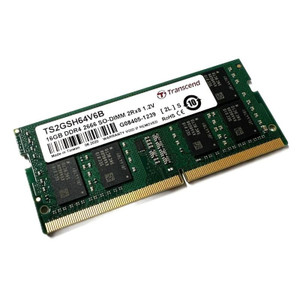
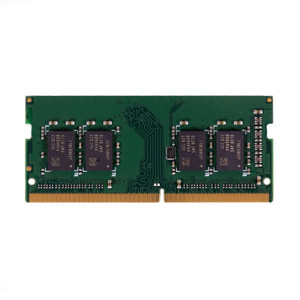
QNAP RAM-8GDR4K0-SO-2666 8GB DDR4 SO-DIMM Memory Module
Overview
The RAM-8GDR4K0-SO-2666 is an 8GB DDR4-2666 SO-DIMM (260-pin, K0 voltage) memory module designed specifically for QNAP NAS appliances. Adding or upgrading RAM directly impacts how many simultaneous users, virtual machines, or surveillance channels a NAS can handle without thrashing storage — this module targets deployments where the factory-installed RAM has become the bottleneck rather than the drives or network.
Compatibility
This module is a QNAP-qualified SO-DIMM intended for QNAP NAS enclosures that accept 260-pin DDR4-2666 SO-DIMM memory. Verify your specific NAS model's memory compatibility list on the QNAP product page before ordering — not all QNAP enclosures share the same memory slot type or supported speed. For systems running network video recording workloads or containerized applications via QTS/QuTS hero, confirming the maximum supported RAM per slot and total slot count against your chassis spec prevents a costly mismatch. If you are pairing this with a QNAP NAS storage build for a multi-camera system, consult the camera and storage planning guide to size RAM alongside drive capacity and channel count.
Installation Notes
SO-DIMM modules are keyed and install in a single orientation — align the notch on the module with the slot key before seating. Power down and discharge static before handling. Some QNAP chassis require removing a bottom panel or drive trays to access memory slots; consult your enclosure's hardware manual for torque specs on panel screws and whether a screwdriver or tool-less latch applies to your model. After installation, QTS will report the new capacity on next boot under System > System Information.