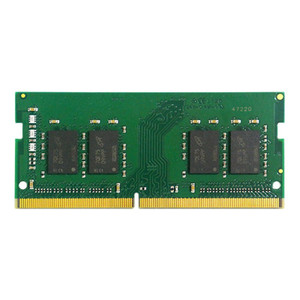
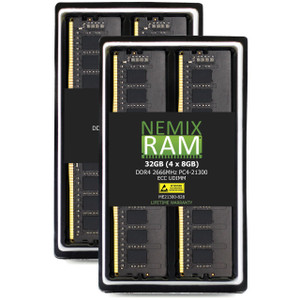
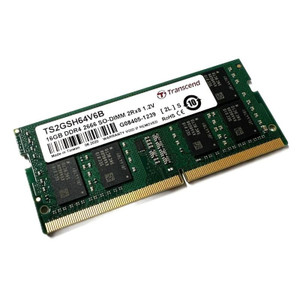
QNAP RAM-8GDR4ECT0-SO-2666 8GB ECC DDR4 SO-DIMM Memory Module
Overview
The RAM-8GDR4ECT0-SO-2666 is QNAP's 8GB DDR4 ECC SO-DIMM module running at 2666 MHz, designed to expand system memory in compatible QNAP NAS appliances. ECC (Error-Correcting Code) memory detects and corrects single-bit memory errors in real time — critical in always-on NAS environments where a silent memory fault can corrupt data across an entire volume. For NAS units handling concurrent surveillance stream ingest, VM workloads, or heavy multi-user file access, expanding beyond the factory-installed RAM reduces I/O bottlenecks and prevents the cache thrashing that degrades throughput under load. The SO-DIMM form factor fits the compact memory slots used in QNAP desktop and tower NAS units — not a standard DIMM slot, so confirm your chassis accepts SO-DIMM before ordering.
Compatibility
This module is sourced directly from QNAP for use in QNAP NAS systems that specify DDR4 ECC SO-DIMM support. Compatible NAS families include QNAP's TVS-h series (TVS-h1288X, TVS-h1688X), TS-x73A series, and other ARM- or Intel-based units that explicitly list DDR4 2666 ECC SO-DIMM in their memory upgrade specifications. Always verify against the QNAP compatibility list for your specific NAS model number before purchasing — mixing ECC and non-ECC modules or installing in a slot configuration not supported by the NAS firmware can prevent boot or disable ECC functionality. Browse the full NAS storage lineup to confirm your base unit before adding RAM.
Installation Notes
Installation requires partial disassembly of the NAS enclosure: loosen the rear panel screws, remove the case cover, then locate the SO-DIMM slot on the motherboard. The module seats at an angle and locks flat — standard SO-DIMM insertion. Power down and ground yourself before handling; ECC modules are no more static-sensitive than standard DDR4, but the NAS must be fully off (not in sleep) during installation. After reassembly, the NAS firmware will detect the new capacity on next boot. If ECC is not shown as active in the system information panel post-install, verify the slot population matches the NAS's supported configuration (some models require matched pairs for ECC to activate).