ACTi TVULTRA86-G5 86IN 4K UHD Interactive Panel
Overview
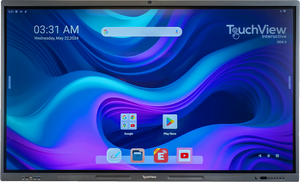
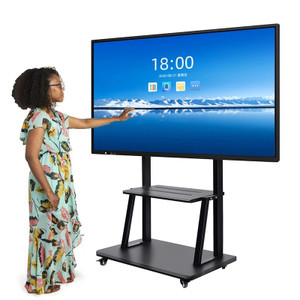
The ACTi TVULTRA86-G5 is an 86-inch 4K UHD interactive display built for security operations centers, control rooms, and multi-camera surveillance environments. At this screen size with native 4K resolution, the TVULTRA86-G5 delivers pixel density sufficient to render detail across multiple simultaneous video feeds without interpolation artifacts — critical when you're running 4–9 camera streams at once and need forensic-quality clarity on each quadrant. The 86-inch footprint means you can position it as a wall-mounted primary display or on a stand-mounted rolling cart for flexibility in command center configurations. Interactive capability supports touch-driven control workflows for camera switching, PTZ operation, and VMS navigation without requiring a separate operator station.
Compatibility
The TVULTRA86-G5 integrates with any ONVIF-compliant VMS (Video Management System) via standard HDMI or DisplayPort inputs — including Milestone, Genetec, Axis Camera Station, and vendor-agnostic surveillance platforms. It functions as a passive display device (monitor), so compatibility is determined by your VMS software and the input sources you connect. Touch interactivity requires the panel to interface with a control system that supports USB HID or network-based gesture protocols — confirm your VMS or external PTZ/camera controller supports touch input before assuming full interactive functionality. The panel operates independently of camera brand or model; any IP camera or analog source (via encoder) feeding your VMS will display on this screen.
Installation Notes
86-inch panels require structural planning — confirm your wall, mount, or stand can handle the weight and maintain level alignment. VESA mounting compatibility and exact weight specifications should be verified against the full technical specifications before installation. Power requirements are standard commercial AC (confirm voltage and amperage from your site's electrical service). Distance from seating positions should allow comfortable viewing of smaller UI elements and text overlays in your VMS — typically 8–12 feet minimum for ergonomic use. Ensure adequate cable routing for HDMI, DisplayPort, USB (if touch is active), and power, and confirm your facility's ambient light environment (glare sources, window placement) won't wash out the display at typical brightness settings.