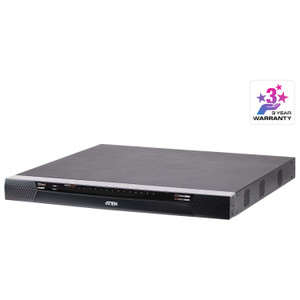
Product images are provided for reference and may not represent the exact model, configuration, or included components.

Overview

SKU: KN4064VB
UPC: 672792014062
Condition: New
Write a Review 19% OFF

ATEN KN4064VB Cat5 IP KVM Switch

ATEN KN4064VB Cat5 IP KVM Switch Overview The ATEN KN4064VB is a 64-port Cat5 IP KVM switch designed for centralized server management in data centers…

$10,604.00 $8,581.99 SAVE $2022
Ships same business day
In stock

Quantity:

Adding to cart… The item has been added
Compatibility guidance available for your deployment
Senior specialists for pre and post-sales support
Authorized sourcing and documentation support
Shipping and lead-time confirmation before install

Laura Bennett, IPSD Senior Specialist

Talk to Laura

200+ hrs training • U.S - based

Senior Specialist • 877-277-7147

ATEN KN4064VB Cat5 IP KVM Switch

$10,604.00
$8,581.99

Overview

SKU: KN4064VB
UPC: 672792014062
Condition: New

No Bots, Just Experts

Questions about this product? Free pre-sales support from a senior specialist — product questions, compatibility checks, BOM quotes, price confirmation — typically answered within one business day. Need camera placement or system design work? Engineering time is $175 per hour (qty 1 = 1 hour). Hardware buyers get up to one hour ($175) credited back on their order.

Description

ATEN KN4064VB Cat5 IP KVM Switch

Overview

The ATEN KN4064VB is a 64-port Cat5 IP KVM switch designed for centralized server management in data centers and enterprise environments. It allows up to 4 remote users to simultaneously access and control 64 servers from a single console over a network connection, significantly reducing hardware sprawl and improving operational efficiency. The KN4064VB supports PS/2 and USB keyboard/mouse connections, making it compatible with a wide range of server hardware. This unit is rack-mountable, fitting standard 19-inch racks for a clean, organized deployment.

Compatibility

This IP KVM switch is designed to connect to servers utilizing PS/2 or USB interfaces for keyboard and mouse input. Its remote access capability is facilitated through standard network infrastructure, making it compatible with virtually any network-connected server or device that accepts these input types. The firmware upgrade file (v4.8.473) supports multiple ATEN KVM models including KN8064VB, KN8032VB, KN4064VB, KN4032VB, KN4024VB, KN4016VB, KN2132VB, KN2124VB, KN2116VB, and KN1132VB, indicating broad compatibility within the ATEN product ecosystem.

Installation Notes

The KN4064VB operates within a humidity range of 0-80% RH (non-condensing). It accepts a maximum input power rating of 100-240V~, 50-60Hz, 1A, utilizing two IEC C14 power connectors. The rack-mount form factor requires standard 19-inch rack space. Port selection can be managed via front panel pushbuttons, hotkeys, or the graphical user interface (GUI), allowing flexible operation based on user preference and deployment scenario. The scan interval for monitoring ports can be configured from 1 to 255 seconds.

Specifications
Mount Type: Rack
Operating System: Description | Ver. | Release Date | File Name
Remote: 4
Maximum: 512 (via Cascade)
Port Selection: Pushbuttons, Hotkeys, GUI
Keyboard / Mouse: PS/2; USB
Scan Interval: 1 – 255 Sec
Maximum Input Power Rating: 100–240V~ ; 50-60Hz; 1A
Humidity: 0 - 80% RH, Non-condensing
Firmware Upgrade: v4.8.473
Os: Description
Q&A
Reviews
Have Questions?

RELATED PRODUCTS

System Design, Deployment & Technical Support

Support services and planning resources for commercial surveillance, access control, and infrastructure deployments.

Fixed scope • Fixed price

System Design Assistance

  • Get help validating product compatibility
  • Coverage requirements
  • Storage planning and deployment architecture before you buy.
Request Design Help

Deployment & Configuration Support

  • Access fixed-scope support for rollout planning
  • User setup guidance
  • Migration and system standardization across single-site or multi-site deployments
View Support Services

Guides, Tools & Calculators

  • PoE requirements
  • Storage retention
  • Camera selection and deployment methodology
Open Technical Resources