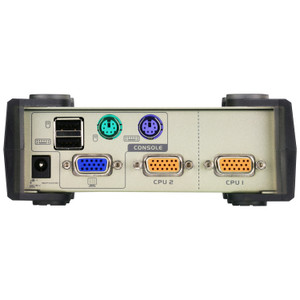
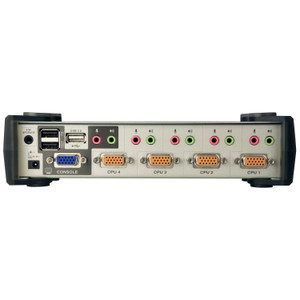
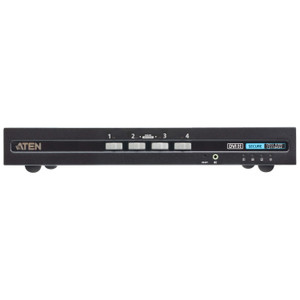
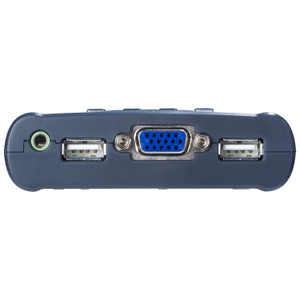
ATEN CS84U 4-Port PS/2-USB KVM Switch
Overview
The ATEN CS84U is a 4-port KVM switch that handles both PS/2 and USB keyboard/mouse connections, making it one of the few switches in its class capable of managing mixed legacy PS/2 and modern USB systems from a single console. If you're running a rack with a mix of older servers that still use PS/2 and newer machines on USB — a common situation in small to mid-size data centers and network operations centers — the ATEN KVM lineup addresses that hybrid requirement directly. The CS84U supports a maximum video resolution of 2048 x 1536 at 60 Hz with DDC2B, which means your console display will render at its native resolution rather than being forced to a lower common denominator. Firmware is field-upgradeable (currently at v1.2.115), so the switch can be updated in place as your infrastructure evolves.
Key Features
- 4 Computer Connections: Manage four servers or workstations from one keyboard, monitor, and mouse. For small server rooms or rack-mount KVM deployments where desk space and console licenses are limited, consolidating four machines onto one console eliminates four separate peripherals setups and reduces cable clutter at the rack.
- Dual Interface Support — PS/2 and USB: The CS84U accepts both PS/2 and USB keyboard and mouse inputs, which is the deciding spec if your rack includes legacy servers alongside current hardware. You don't need a separate adapter chain or a second switch for older machines — one unit covers the full mix.
- 2048 x 1536 @ 60 Hz Video with DDC2B: Video resolution tops out at 2048 x 1536 — higher than standard 1080p — so operators working at QHD or legacy high-res displays won't see a video bottleneck at the KVM layer. DDC2B handshaking ensures the switch correctly negotiates display capabilities with your monitor, so plug-and-play resolution detection works as expected rather than defaulting to a safe fallback mode.
- Three Port-Selection Methods — Hotkey, Pushbutton, USB Mouse: Operators can switch between connected systems via front-panel pushbuttons (four dedicated buttons, one per port), keyboard hotkey sequences, or USB mouse-based selection. In a production NOC or server room where operators cycle through systems quickly, having all three methods available means the switch adapts to individual workflow preferences without reconfiguration.
- Auto-Scan with Configurable Intervals: The CS84U includes an auto-scan mode with user-selectable intervals of 3, 5, 10, or 20 seconds (default 5 seconds). This is useful for monitoring multiple servers on a single display without manual intervention — set the interval based on how fast your team needs to spot anomalies and let the switch cycle automatically.
- DC Jack Power Input: The switch draws power via a single DC jack, keeping the power footprint predictable and separate from the computer connections. No USB bus power dependency means switching behavior won't be affected by the power state of connected hosts.
- Rack-Mount Form Factor: Designed for rack installation, the CS84U fits standard rack enclosures alongside the servers it manages. No shelf space consumed, no desktop clutter — the switch lives in the rack where KVM accessories like cable adapters and console extenders can be organized alongside it.
- Field-Upgradeable Firmware: Firmware v1.2.115 (released 2025-04-25) is the current release, available as a downloadable zip. For facilities with change-control processes, the ability to update firmware without replacing hardware extends the operational life of the switch and allows you to incorporate fixes without a forklift upgrade.
- Operating Humidity: 0–80% RH Non-Condensing: The environmental tolerance covers typical climate-controlled server room conditions. Note the non-condensing qualifier — if the switch will be installed in a space with temperature swings that could cause condensation, that's a deployment constraint to account for.
Integration and Compatibility
The CS84U connects to host computers via PS/2 or USB keyboard and mouse ports, making it compatible with a wide range of server and workstation hardware from legacy to current generation. The DDC2B video interface ensures plug-and-play monitor detection across standard VGA-connected displays. For network and server management environments running a mix of PS/2-era rack servers and USB-based systems, the CS84U eliminates the need to maintain separate console stations or interface adapters for each generation of hardware. Port selection via USB mouse is particularly useful in setups where KVM hotkeys may conflict with host OS shortcuts.
Frequently Asked Questions
Q: Can the CS84U handle both PS/2 and USB computers simultaneously across its four ports?
A: Yes. The CS84U supports both PS/2 and USB keyboard and mouse interfaces, so you can connect a mix of PS/2-based and USB-based computers across the four ports without adapters or a secondary switch.
Q: What is the maximum video resolution supported by the CS84U?
A: The CS84U supports video resolutions up to 2048 x 1536 at 60 Hz with DDC2B, which is above standard 1080p. This means QHD and legacy high-resolution displays will operate at native resolution through the switch.
Q: How do I switch between connected computers on the CS84U?
A: The CS84U offers three switching methods: front-panel pushbuttons (four dedicated buttons), keyboard hotkey sequences, and USB mouse-based selection. Auto-scan mode is also available with configurable intervals of 3, 5, 10, or 20 seconds.
Q: Is the CS84U firmware upgradeable in the field?
A: Yes. The current firmware is v1.2.115 (released 2025-04-25) and is distributed as a downloadable zip file, allowing in-place updates without hardware replacement.
Q: What are the environmental operating requirements for the CS84U?
A: The CS84U is rated for 0–80% relative humidity, non-condensing. It is designed for rack-mount installation in standard climate-controlled server rooms and network closets.
Q: Does the CS84U require an external power supply?
A: Yes. The CS84U draws power via a dedicated DC jack. It does not rely on USB bus power from connected hosts, so switching operation is independent of the power state of connected computers.
The CS84U comes up frequently in mixed-generation rack environments where the alternative is running two separate KVM switches — one for PS/2 servers and one for USB. That dual-interface support is the switch's primary value proposition, and in a four-port unit it keeps the footprint and cost tight. I'd specifically look at this unit for small NOC or server room builds where one or two legacy PS/2 rack servers coexist with current USB-based systems and you need a single console point without an adapter chain.
Technical Highlights:
- 2048 x 1536 @ 60 Hz with DDC2B: Video bandwidth is not the bottleneck here — the switch handles resolutions above standard 1080p, and DDC2B means monitor capability negotiation happens automatically. Useful when the console display is a higher-resolution unit that would otherwise drop to a compatibility mode.
- Three switching methods: Pushbutton, hotkey, and USB mouse selection are all active simultaneously. In a fast-paced operations environment, operators don't need to mode-switch or remember which method is active — all three work at any time, so individual workflow preferences are accommodated without configuration changes.
- Firmware v1.2.115 (2025-04-25): The switch is actively maintained with a recent firmware release, which matters for facilities under change-control or compliance requirements where hardware with stale firmware is a flag during audits.
Deployment Considerations:
- The CS84U is rack-mount, so plan your cable management for four sets of KVM cables (keyboard, mouse, video per port) running to host servers — in a dense rack this adds up quickly. ATEN's KVM cable sets for PS/2 and USB ports should be confirmed against your exact server interface types before ordering.
- The 0–80% RH non-condensing humidity rating is the environmental boundary to watch — this is a standard server room spec, but the non-condensing qualifier means installations in spaces with significant temperature swings (loading docks converted to server closets, unheated edge sites) need to be evaluated carefully before deploying this switch.
Best fit: a four-server rack in a small data center or network operations room where PS/2 legacy hardware is still in rotation alongside USB-based systems and a single managed console point is the operational requirement.